$649.99
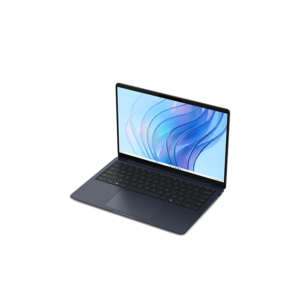
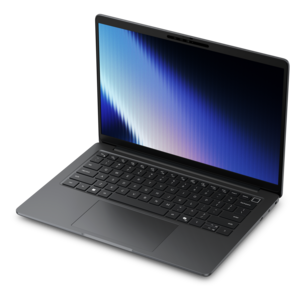
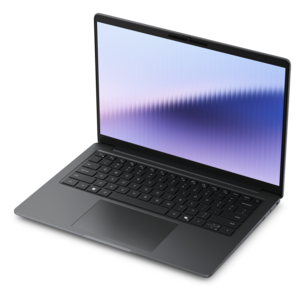
A thin, lightweight laptop crafted from eco-friendly materials with Series 3 Intel Core processors for productivity.
Discover the power and efficiency of Intel Core processors, designed to elevate your computing experience with seamless performance and cutting-edge technology. Whether you're gaming, creating content, or tackling everyday tasks, Intel Core processors offer a range of options to meet your needs. Explore the latest advancements in processing speed and multitasking capabilities that ensure you stay ahead in today's fast-paced digital world. With Intel Core processors, experience the perfect blend of innovation and reliability, making them an ideal choice for both personal and professional use.
A thin, lightweight laptop crafted from eco-friendly materials with Series 3 Intel Core processors for productivity.
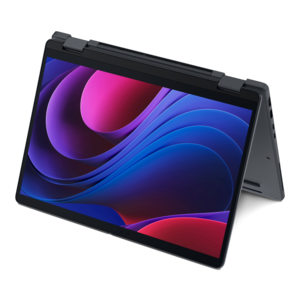
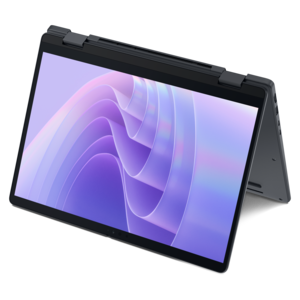
A versatile 2-in-1 laptop with Intel Core processors, DDR5 memory, and multiple modes for creative work.
A thin, lightweight laptop made with eco-friendly materials and Series 3 Intel Core processors for productivity.
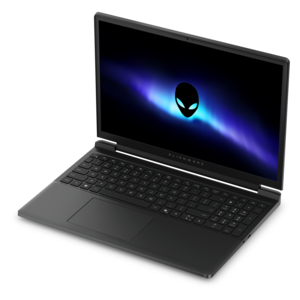
A gaming laptop powered by Intel Core Series 2 processors and NVIDIA GeForce RTX graphics.
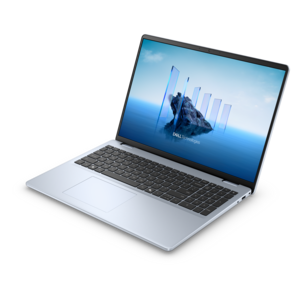
A modern laptop with Intel Core processors and graphics for effortless productivity and captivating entertainment.
A slim, lightweight laptop with Intel® Core™ processors and graphics for productive work anywhere.
An AI-powered Copilot+ PC featuring Series 3 Intel Core Ultra processors for efficient performance.
A remarkably thin professional laptop combining portability and performance with Intel Core Ultra Series 3 processors.
A laptop featuring Intel® 13th Gen processors, a built-in FHD camera, and an enlarged ergonomic keyboard.
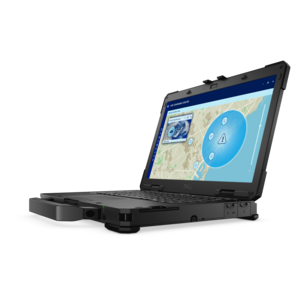
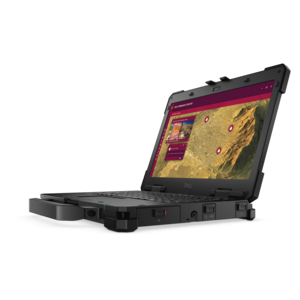
A lightweight semi-rugged laptop with Intel Core Ultra processors delivering AI performance for demanding fieldwork.
A remarkably thin laptop delivering portable performance with Series 3 Intel Core Ultra processors.
A thin 2-in-1 laptop combining versatility, portability, and performance with Series 3 Intel Core Ultra processors.
A sleek, lightweight professional laptop with Intel Core Ultra processors, NVIDIA graphics, and advanced on-device AI.
A remarkably thin 2-in-1 laptop combining versatile portability with performance powered by advanced Core Ultra processors.
A fully rugged laptop with Intel Core Ultra processors delivering AI performance for demanding fieldwork.
Intel Core processors are the central processing units that help laptops and desktops respond to commands, run applications and manage the many small tasks that make modern computing feel seamless. As the “brain” of a computer, a processor works alongside memory, storage and graphics hardware to open websites, load documents, stream video, edit photos, play games and keep multiple applications moving at once. The Intel Core family spans a broad range of performance levels, making it easier to match a computer to the way it will be used. Entry-level Core options are well suited to everyday activities such as browsing, email, schoolwork, video calls, online banking and working with office documents. They can be a practical choice for a family computer, a home office setup or a dependable laptop that travels from a kitchen table to a classroom or workplace. Midrange Core processors offer additional headroom for multitasking, creative projects and casual gaming, especially for people who like to keep many browser tabs, communication tools and productivity applications open together. Higher-performance Core options are designed for demanding workloads, including advanced gaming, content creation, software development, large spreadsheets, photo work and video editing. Enthusiast-level processors provide even more capability for users who regularly work with intensive applications or want a desktop that remains responsive during complex, sustained tasks. When comparing Intel Processors, consider the complete computer rather than focusing on processor naming alone. A balanced system pairs the processor with enough memory for the intended workload, fast storage for shorter load times and a display that suits the work or entertainment experience. A capable processor can make a noticeable difference when a project deadline is approaching, a video call begins while files are uploading or a game needs to run while voice chat and background applications remain active.
Processor specifications provide useful clues about how a computer may feel in daily use. Core count refers to the number of processing units available for handling work, while threads describe how the processor can organize simultaneous tasks. More cores and threads can benefit activities such as rendering, compiling, streaming, editing and multitasking, although performance also depends on software optimization and the rest of the system. Clock speed indicates how quickly processing cycles can occur, but it should be viewed alongside processor generation, architecture, cache and power characteristics rather than used as the only deciding factor. Newer processor designs may improve responsiveness and efficiency even when their clock ratings look similar to those of older hardware. Integrated graphics can handle everyday visual tasks without a separate graphics component, which is often useful in slim laptops, compact desktops and home or office computers. People who plan to play graphically demanding games, create high-resolution video or use specialized visual applications may prefer a system with dedicated graphics in addition to the processor. Designations can also help clarify intended use. A K designation generally identifies an unlocked desktop processor that may support overclocking with compatible hardware and cooling, making it appealing to experienced enthusiasts who understand the added heat and power requirements. An F designation indicates that built-in graphics are not included, so a compatible separate graphics card is needed for display output. Laptop processors marked with H or HX are oriented toward higher performance and demanding mobile workloads, while U-series designs emphasize lower power consumption for thin, portable computers and longer stretches between charges. These letters are only part of the picture, so check the computer’s cooling design, battery capacity, memory configuration and graphics hardware before making a choice. For a desktop upgrade, socket compatibility, motherboard support, firmware requirements and power supply capacity are equally important; a processor cannot be selected independently of the system that will house it.
The right Intel Core processor depends on the person, the pace of the work and the environment where the computer will be used. A student moving between lectures, study spaces and home may value a power-efficient laptop that wakes quickly, handles research tabs and supports video meetings without adding unnecessary weight to a backpack. A remote worker may benefit from a responsive processor that keeps spreadsheets, project management tools, shared documents and conferencing software running together, particularly when the computer doubles as the household’s everyday screen during the cooler months. Families often appreciate balanced performance for homework, streaming, light creative work and shared browsing, while a small-business owner may prioritize dependable multitasking for invoices, customer communication, scheduling and inventory applications. For someone who enjoys gaming after work, a midrange or higher-performance processor can help maintain smooth gameplay while supporting streaming tools, chat and background updates; the graphics solution, cooling system and display refresh rate should be considered at the same time. Creative users working with photographs, music or video may want additional cores, ample memory and fast storage to reduce waiting when importing files, applying effects or exporting finished projects. Desktop shoppers generally have more room to choose stronger cooling and upgradeable components, while laptop shoppers must balance performance with portability, fan noise and battery life. Processor selection can also make a thoughtful technology gift for a student, new remote worker, hobbyist or family member preparing a more comfortable home workspace, provided the computer’s form factor and software needs are understood first. During the transition between warmer and cooler seasons, a reliable computer can support everything from evening entertainment and travel planning to coursework and long work sessions at home. Choosing a processor with appropriate performance rather than simply selecting the highest available tier helps avoid paying for capabilities that may never be used while leaving enough room for future applications, larger files and changing routines. A well-matched Intel Core system should feel quick when opening a morning workload, steady when several tasks overlap and capable of adapting as everyday computing needs grow.
Add the products you would like to compare, and quickly determine which is best for your needs.