$350.00
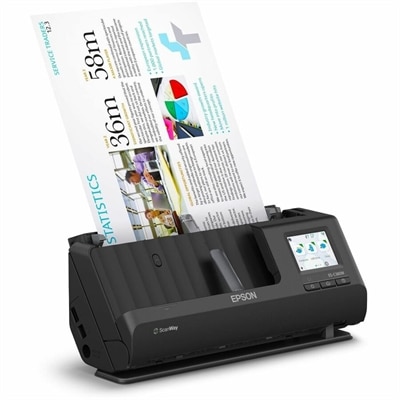
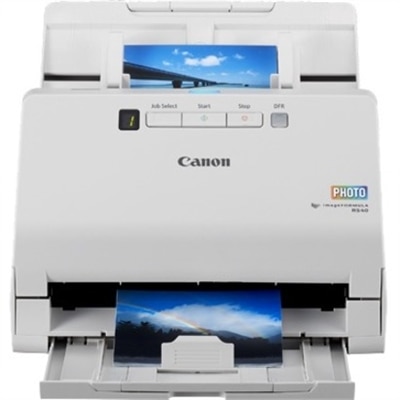
A 600-dpi sheetfed scanner digitizes stacks of photos and documents into searchable, organized digital files.
Large format scanners offer a reliable solution for digitizing oversized documents, blueprints, posters, and artwork with precision and ease. Whether for professional, educational, or creative use, these scanners are designed to handle larger media while maintaining high-quality results. Explore a wide selection of large format scanners to find the perfect fit for your workspace and scanning needs.
A 600-dpi sheetfed scanner digitizes stacks of photos and documents into searchable, organized digital files.
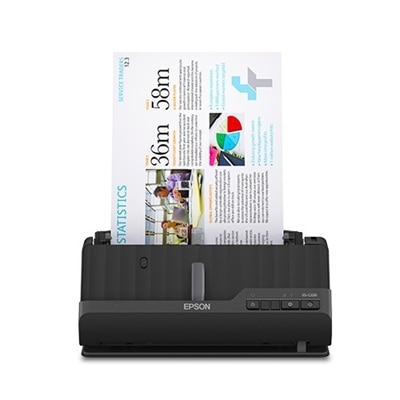
A wireless sheetfed scanner with 600-dpi optical resolution, duplex scanning, 20-page ADF, and 30-ppm performance.
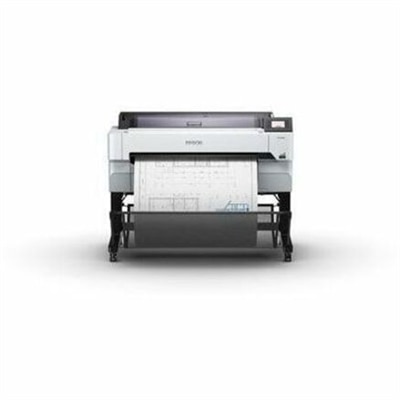
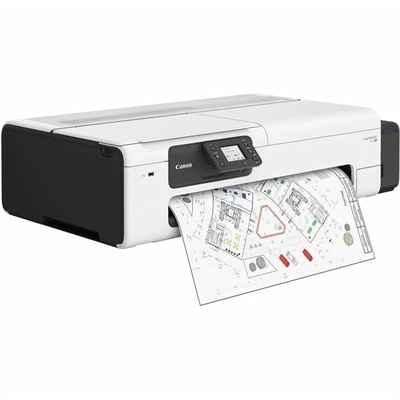
A versatile 36-inch color multifunction printer with integrated scanner, copier, touchscreen, and fast A1/D-size output.
Large format scanners are specialized tools for turning oversized paper originals into accurate, usable digital files. Unlike standard office scanners designed for letter- or legal-size pages, these systems are built to accommodate materials such as architectural drawings, engineering plans, maps, posters, textile patterns, artwork, historical documents and other originals that may extend well beyond common office dimensions. They can be useful in an architecture or engineering practice where a marked-up plan needs to be shared with a project team, in a print studio preserving a poster collection, or in a school, museum or public agency creating a searchable archive. They also help reduce the need to repeatedly handle fragile originals. A carefully scanned document can be reviewed, annotated and sent electronically while the paper copy remains safely stored. When evaluating large format scanners, begin with the maximum scan width and document length. A model intended for occasional 24-inch drawings will not provide the same flexibility as one designed for wider plans, long maps or continuous rolls. Consider the size of the originals that make up most of your workload, along with whether you need room for occasional oversized pieces. Resolution is another important factor. Higher optical resolution can capture small lettering, fine line work and subtle texture, while true optical resolution is more meaningful than an interpolated figure created through software. For technical drawings, clean line definition and consistent scale are essential; for photographs, artwork and archival material, color accuracy, tonal detail and even illumination may matter more. Scan speed should also be considered in relation to volume. A small studio processing a handful of drawings each day may value image quality, simple operation and a compact footprint, while a busy reprographics department may need fast sheet handling, dependable feeding and the ability to process batches with minimal supervision.
The design of the scanner should match the material being digitized. Flatbed-style systems are often a suitable choice for delicate, mounted or irregular originals because the item can be positioned carefully and scanned without passing through a tight paper path. This approach can be helpful for fragile books, fine art, old maps and photographs that could be damaged by repeated feeding. Sheet-feed or feed-through designs can be more efficient for loose drawings, plans and other flexible documents, particularly when long originals or a steady stream of pages are involved. Pay attention to how the scanner handles curled, thin, thick or mixed media, and look for controls that help maintain alignment without placing unnecessary pressure on the original. A wide capture area is valuable, but a large footprint can affect placement in a crowded office or studio, so measure the available workspace and allow enough clearance for loading and unloading documents. Software is equally important. Look for tools that automatically straighten pages, remove blank borders, correct background shading, identify document edges and create searchable files through optical character recognition. Batch naming, folder routing and support for common file formats can make a noticeable difference when hundreds of drawings or images need to be organized. For color work, review color management support, calibration options and the scanner’s ability to preserve gradients without banding. For plans and maps, check whether the system produces crisp black lines while retaining colored annotations and light pencil marks. Connection options, operating-system compatibility and integration with existing document workflows should be confirmed before purchase, especially when several people will use the scanner. A reliable device that produces consistent files with limited manual correction can save more time than a faster scanner that requires frequent rescans.
Large format scanners are commonly used by architects, civil engineers, contractors, surveyors, designers, photographers, artists, print professionals, schools, libraries, museums and government offices. They may also suit a small business that has accumulated years of paper records and wants to create a more accessible archive without folding or trimming large originals. In an architecture office, a plan can be scanned before field notes are added, then scanned again after revisions so the project history remains clear. A family history center may use one to preserve oversized certificates, hand-drawn family trees or treasured posters that cannot be placed safely into a standard scanner. During the cooler months, when indoor organization and archive projects often become more practical, a large format scanner can support a steady digitization routine without requiring every original to leave the building. Before choosing a system, estimate how often it will be used, how many people will operate it, the widest material it must accept and the level of detail the final files require. Also account for included software, maintenance procedures, replacement consumables if applicable, training, warranty coverage and the cost of the computer or display used to review high-resolution scans. File storage needs can grow quickly when scans are saved as uncompressed or high-resolution images, so establish a naming and backup process from the beginning. A camera with a copy stand and controlled lighting can be an alternative for some rigid or unusually shaped originals, but it may require careful setup, perspective correction and color management; a dedicated scanner is often more predictable for flat technical documents and repeatable archival work. Some organizations pair digitization with professional output, using a large format scanner to capture an original and Large Format Commercial Printers to produce physical copies for review, permitting or presentation. The right choice ultimately depends on the balance between document size, material sensitivity, image quality, throughput, available workspace and workflow requirements. A well-matched scanner can turn a crowded plan drawer or portfolio shelf into an organized digital collection while preserving the detail and character of the originals.
Add the products you would like to compare, and quickly determine which is best for your needs.