$209.99
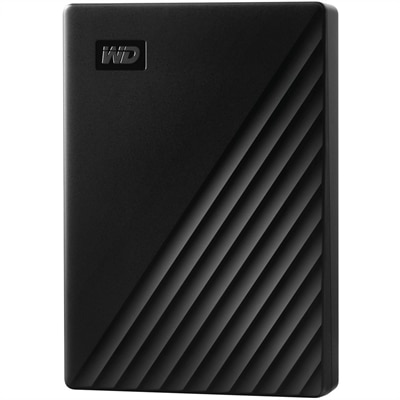
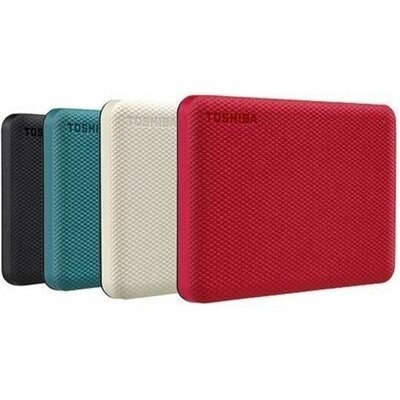
A green, textured 4TB portable external hard drive with automatic backups and password-protected data security.
Storage for virtual environments is essential for maintaining seamless performance, flexibility, and scalability in today’s digital workspace. Whether you're supporting remote teams, managing large-scale projects, or optimizing your home office, choosing the right storage solution ensures efficient data access and reliable operations. Explore a wide range of options designed to help you organize, protect, and streamline your virtual workflows with confidence.
A green, textured 4TB portable external hard drive with automatic backups and password-protected data security.
Storage for virtual environments provides the foundation for running multiple isolated computing environments on shared physical resources. Instead of assigning a separate drive or system to every virtual machine (VM), a virtualized setup presents capacity as a flexible pool that can be allocated where it is needed. This approach can support development teams testing applications, businesses hosting line-of-business workloads, educators building classroom labs, and IT professionals maintaining separate environments for production, testing, backup, and recovery. It can also be useful for individuals who run several operating systems or coding environments on a capable desktop or laptop, although larger deployments typically require purpose-built infrastructure and careful planning. The right solution can help applications start smoothly, keep data available during routine maintenance, and make it easier to expand as projects grow. When comparing options, begin with the requirements of the hypervisor or virtualization platform, supported operating systems, connection protocols, usable capacity, and expected number of virtual machines. A solution that looks generous on paper may provide less usable space after formatting, redundancy, snapshots, and system overhead are accounted for. Estimate the size of operating system images, application files, user data, recovery copies, and temporary working space, then allow room for growth rather than planning around a nearly full pool. Performance matters just as much as capacity. Pay attention to input/output operations per second, latency, throughput, cache behavior, and the mix of reads and writes generated by your workloads. A developer compiling code, a design team opening large project files, and an organization booting many virtual desktops can place very different demands on the same environment. Fast response times are especially important when several VMs compete for resources at once, while consistent throughput can be valuable for backups, media files, analytics, and large software repositories. Compatibility with existing client devices also matters: people may manage or connect to virtual environments from business laptops, desktops, or multiple monitors, so reliable network access, administration tools, and clear status reporting can make everyday work less frustrating.
Virtual environments commonly use three storage models, each suited to a different pattern of access. Block storage presents raw capacity as individual volumes that virtual machines can format and manage, making it a strong choice for workloads that need high performance, low latency, and predictable control over virtual disks. File storage organizes information into familiar files and folders, which can simplify shared access for teams, application repositories, user profiles, and collaborative content. Object storage treats each item as an object with associated metadata and is often well suited to backups, archives, software packages, logs, and cloud-connected data. These models can work together rather than serving as mutually exclusive choices. For example, a business might place active VM volumes on a responsive block-based tier, use file-based capacity for shared project folders, and direct long-term recovery copies to object-based capacity. Virtualization can also combine different underlying hardware types and brands into a single managed pool, giving administrators more flexibility when refreshing equipment or balancing workloads. Features such as thin provisioning can assign capacity as it is consumed, while deduplication can reduce repeated data and help conserve usable space. Compression may further reduce the footprint of compatible workloads, though its effect depends on the type of data and the processing resources available. Snapshots can capture a point-in-time state before an update or configuration change, but they should complement—not replace—independent backups. Replication creates additional copies on another system or location, and RAID or similar resilience methods can help maintain access when an individual drive fails. These protections involve tradeoffs in capacity, performance, recovery time, and cost, so review how each feature behaves under real operating conditions instead of assuming that every option provides the same level of protection. Organizations planning broader infrastructure refreshes may also compare this category with Data Center Storage resources to understand how capacity, availability, and management requirements fit together.
A practical buying decision should account for the full experience beyond raw specifications. Review management software, monitoring dashboards, alerts, firmware support, warranty coverage, expansion methods, and the availability of documented compatibility information. A clear interface can save hours when an administrator needs to identify an overloaded volume, review capacity trends, or restore a previous state. Pay attention to authentication, access controls, encryption, audit logs, and secure deletion features when virtual machines hold financial records, customer information, design files, or internal development work. Consider how the system will be installed and maintained, including physical space, power requirements, cooling, noise, cabling, and the skills available to the people responsible for it. A small business may value straightforward setup and guided administration, while a software team may prioritize automation interfaces and integration with its existing tools. A school or training lab may need repeatable templates so instructors can reset environments between classes, and a growing organization may prefer modular expansion that avoids a disruptive replacement. Keep a written record of capacity assumptions, performance targets, backup intervals, retention periods, and recovery priorities; that simple habit turns an abstract purchasing decision into a measurable plan. It is also wise to test representative workloads before committing, using realistic numbers of virtual machines and typical file sizes rather than a single lightly loaded demonstration. Watch how performance changes during simultaneous startup, backup, patching, and recovery activity, since that is when weaknesses tend to appear. Whether the environment supports a handful of isolated coding workspaces or a larger collection of business applications, the best fit balances speed, usable capacity, resilience, security, manageability, and room to grow. A carefully matched solution can make virtual machines feel less like separate islands and more like a dependable shared workspace—quietly providing the capacity and responsiveness people need while they focus on applications, projects, and daily work.
Add the products you would like to compare, and quickly determine which is best for your needs.