Laptop Storage
Finding the right laptop storage solution is essential for keeping your digital life organized and efficient. Whether you need extra space for important documents, photos, or software, the right storage option can help you maximize productivity and keep your files secure. Explore a wide range of laptop storage choices designed to fit various needs and preferences, making it easy to expand your capacity and streamline your workflow.
This product is not available
Check out the following recommendations.




Laptop Storage
Laptop storage can mean the digital space that holds files and applications or the physical accessories that keep a computer organized and protected between uses. Digital laptop storage includes internal solid-state drives, internal hard disk drives in compatible systems, and external drives that connect through a supported port. Physical laptop storage includes sleeves, cases, vertical stands, and desktop organizers. Each serves a different purpose: a larger drive creates room for photos and projects, while a padded sleeve or upright stand gives the laptop itself a place to rest. For digital storage, capacity and responsiveness shape everyday use in different ways. Capacity, usually measured in gigabytes or terabytes, determines how much data a drive can hold. Speed affects how quickly the computer starts, applications open, and files move, although overall performance also depends on the processor, memory, connections, and software. Solid-state drives use flash memory without moving mechanical parts, making them quiet and less vulnerable to damage from movement than spinning hard drives. A compatible internal SSD can make a noticeable difference when opening a large presentation before a meeting or loading a folder full of high-resolution images. The Laptop SSDs category focuses on this type of digital storage, with compatibility depending on the computer’s supported drive format and interface. Some laptops use removable M.2 drives, some older systems accommodate 2.5-inch drives, and others have built-in storage that cannot be replaced. Even drives with a similar appearance may use different connections or require different physical dimensions. Internal hard disk drives use rotating platters and a moving read/write head; they can provide substantial file capacity in systems designed to accept them, but they are generally slower and more sensitive to bumps while operating. For students working with research notes, families organizing years of pictures, and professionals keeping active projects close at hand, the right storage configuration balances room to grow with the requirements of the laptop.
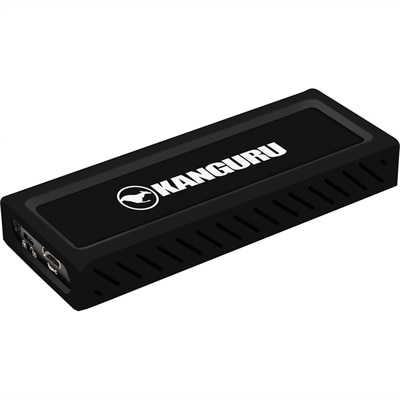
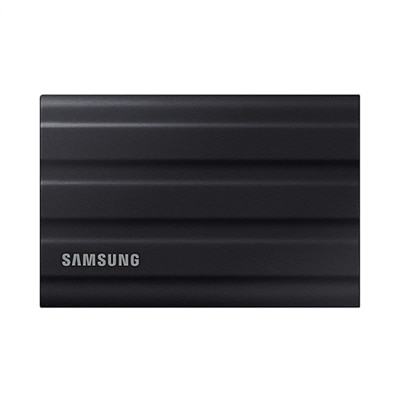
External laptop storage adds file space without requiring access to the computer’s internal components. A portable SSD suits frequent transfers, mobile work, and projects that move between compatible computers, while an external hard drive can serve as a destination for scheduled backups and files accessed less often. A photographer returning from a weekend trip might need space for hundreds of original image files; someone working with video may need room for source footage, editing files, and finished exports at the same time. Games, design applications, and downloaded media can also occupy considerably more space than documents and spreadsheets. Capacity planning therefore depends on the kinds of files being kept, not just their number. Usable capacity is typically lower than the number printed on a drive because of formatting and differences in how capacity is calculated and displayed. Keeping some free space also gives the operating system and applications room for updates and temporary files. Connection details matter just as much as capacity for an external drive. USB-C describes a connector shape, not a guaranteed transfer speed, and actual performance depends on the drive, cable, port, and supported connection standard working together. Compatibility with the operating system and drive format affects whether files can be read and changed across different computers. For travel, compact housings, secure cable connections, and a protective carrying pocket help keep a portable drive manageable beside a laptop charger and mouse. Metal enclosures can help dissipate heat, while lightweight plastic housings may reduce carrying weight; neither material alone establishes impact protection or water resistance. Those qualities depend on the device’s construction and stated ratings. An external drive is also not automatically a complete backup solution: moving the only copy of a file off the laptop simply changes where that file lives. Separate, current copies offer better protection against accidental deletion, loss, or drive failure. Encryption can help protect sensitive documents if a portable drive goes missing, provided passwords and recovery information remain accessible to the owner. Safely ejecting a drive after transfers finish, protecting connectors from strain, and following the manufacturer’s handling instructions support reliable everyday use.
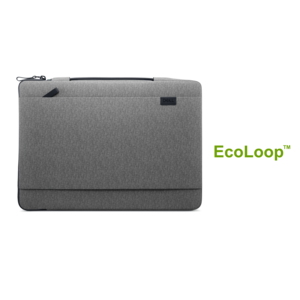
Physical laptop storage addresses another familiar part of computer ownership: finding a secure place for the device when the dining table becomes a homework station, the home office closes for the evening, or a work bag needs to fit under an airplane seat. Sleeves, padded cases, upright holders, and desktop organizers serve different routines, with fit determined by the laptop’s actual width, depth, and thickness rather than screen size alone. Two computers with the same screen measurement may have different chassis dimensions, especially when one has a slim profile and another has a thicker cooling system. A sleeve should hold the device without forcing the zipper against the corners, while a vertical stand needs an opening that accommodates the closed laptop without squeezing its lid. Soft linings and covered interior seams can help limit surface scuffs, and cushioning around edges adds protection during ordinary handling. Woven synthetic fabrics often offer a practical balance of low weight and abrasion resistance, while structured shells provide more shape around the device. Water-resistant fabric may help with a light splash, but it should not be treated as waterproof unless the stated construction and rating support that claim. For desk storage, a stable base and non-slip contact points help keep an upright holder steady and protect the work surface. Clearance matters if the laptop remains powered on: vents should stay unobstructed, and closed-lid operation should follow the computer manufacturer’s instructions. A running laptop should not be tucked into a tight sleeve where heat can accumulate. Separate compartments for cables and small accessories prevent plugs from rubbing against the computer and make packing less of a scramble. Routine care is usually straightforward: removing grit from linings, wiping hard surfaces as directed, and letting cleaned fabric dry fully before inserting electronics. For a student heading to campus, a commuter moving between desks, or a graduate receiving a useful technology accessory, thoughtfully matched physical storage can make the laptop easier to carry, protect, and put away without adding unnecessary bulk.
FAQs:
Upgrading to an SSD for your laptop storage offers faster data access, quicker boot times, and improved overall system responsiveness compared to traditional HDDs. SSDs are also more durable and energy-efficient, making them ideal for users who value speed and reliability in their daily computing tasks.
Anyone who regularly works with large files—such as photographers, videographers, designers, or students managing multiple projects—can benefit from increased laptop computer storage. It’s also helpful for users who enjoy storing extensive music, movie, or game libraries directly on their device.
You can expand your laptop’s storage by adding an external drive, upgrading to a larger internal SSD, or using cloud storage solutions for additional flexibility. Many modern laptops also support M.2 SSDs, which can be installed to increase storage capacity and performance.
Transferring files to a new storage drive is typically straightforward, especially with user-friendly migration tools and backup software available. Most users can move their important data, documents, and media files with minimal effort, ensuring a smooth transition to their upgraded storage solution.
Large media files such as high-resolution photos, videos, and audio projects tend to use the most laptop storage space. In addition, games and professional software applications can require significant storage, so it’s important to consider your usage habits when selecting the right storage capacity for your needs.