Laptop SSDs
Upgrade your device’s performance and storage capacity with laptop SSDs designed to deliver reliable speed and efficiency. Whether you’re looking to boost productivity, enhance gaming experiences, or simply extend the life of your laptop, these solid-state drives offer a seamless solution for all your computing needs. Explore a wide selection of laptop SSDs to find the perfect fit for your system and enjoy smoother multitasking, faster boot times, and increased storage space.
This product is not available
Check out the following recommendations.




Laptop SSDs
Laptop SSDs are solid-state drives that keep an operating system, applications, and personal files on flash memory rather than spinning magnetic disks. With no moving read head or rotating platters, an SSD can access scattered pieces of data quickly and operate without the mechanical clicking or vibration associated with a hard drive. That difference is especially noticeable in everyday moments: opening a laptop before a morning meeting, launching several applications for a school assignment, or searching through folders of family photos. Replacing a mechanical hard drive with a compatible SSD can shorten startup times and make a laptop feel more responsive, although overall performance still depends on its processor, memory, software, and condition. For a computer that already has an SSD, an upgrade may be more useful for adding capacity than transforming ordinary browsing or document editing. Laptop solid-state drives suit a broad range of users, from students carrying coursework between classrooms to photographers reviewing images away from home and professionals working with large spreadsheets. Gaming enthusiasts may appreciate shorter loading times and room for larger game libraries, but a faster drive alone generally does not increase graphics performance or frame rates. Quiet operation also makes SSDs a natural fit for laptops used in libraries, shared offices, and living rooms. Their lack of moving parts offers better resistance to everyday bumps than a mechanical hard drive, though neither the drive nor the laptop becomes immune to damage. Power consumption varies by drive and workload, so improved battery life is possible when replacing a hard drive but is not guaranteed. The practical appeal is a combination of responsiveness, compact construction, and capacity that supports the way a laptop is actually used, whether that means keeping a semester’s research close at hand or carrying a creative project from a kitchen table to a studio.
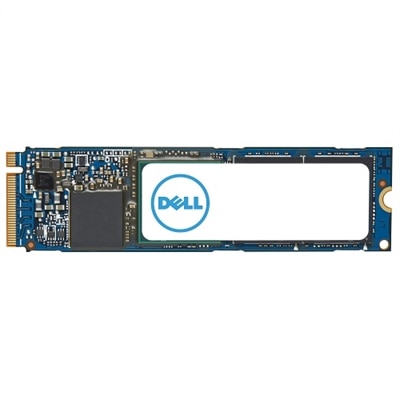
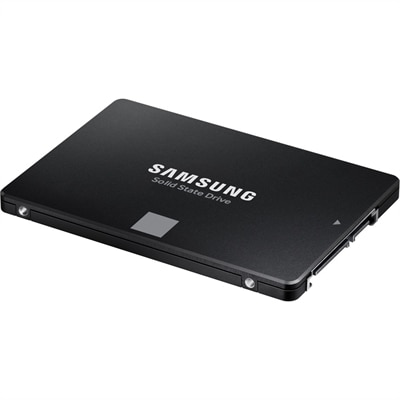
The most important distinction among laptop SSDs is compatibility, because physical size and connection type must both match the computer. A 2.5-inch SATA SSD has a rectangular enclosure resembling a traditional laptop hard drive and fits supported systems with the appropriate drive bay and connector. Many are 7 millimeters thick, but bay dimensions, mounting brackets, and any required cable remain important details. An M.2 SSD is a narrow circuit board that connects directly to a matching slot inside the laptop. Common size designations include 2230, 2242, and 2280, identifying a width of 22 millimeters and lengths of 30, 42, and 80 millimeters, respectively. A slot that accepts one length does not necessarily accommodate another, and the mounting position matters as much as the connector. M.2 describes the physical format, not the communication standard: an M.2 drive may use SATA or PCIe with NVMe, and those options are not automatically interchangeable. SATA SSDs typically reach sequential transfer speeds around 500 to 560 megabytes per second, while PCIe NVMe SSDs can move several gigabytes per second under suitable conditions. These headline figures describe particular workloads, such as transferring large files, rather than the speed of every action on a laptop. An NVMe drive also depends on the laptop’s supported PCIe generation and lane configuration; a newer drive cannot make an older connection exceed its own limits. Internal clearance is another consideration. Some laptops require a single-sided circuit board, and tall heatsinks intended for roomier computers may prevent the bottom cover from closing. Manufacturer specifications and service documentation establish which formats, interfaces, and thermal components a laptop supports. Some thin laptops have soldered flash memory rather than a replaceable drive, while others provide one replaceable slot or space for a second SSD. Those differences determine whether an upgrade involves replacing the existing drive, adding another, or choosing a different approach entirely.
Capacity, endurance, and thermal behavior help distinguish compatible laptop SSDs once fit is established. A 500GB drive can accommodate an operating system, everyday applications, and a modest collection of documents and photos, while 1TB provides more breathing room for mixed personal and work use. A 2TB drive may suit someone keeping multiple large games, extensive image libraries, or video projects locally, provided the laptop supports the drive. Actual usable capacity is lower than the advertised figure after formatting and system requirements, and leaving free space helps accommodate updates, temporary files, and ongoing work. For a student mainly writing papers, capacity needs look different from those of a video editor moving a day’s footage onto a laptop. Occasional large transfers also place different demands on a drive than repeated, sustained writing. Flash memory has a finite write life, commonly expressed through a terabytes written rating, but that rating is not a countdown to a precise failure date. Warranty terms, workload, and the drive’s underlying design all provide useful context. Some SSDs slow during long transfers after their fast write cache fills, and high-performance models can reduce speed when temperatures rise. Properly fitted thermal pads or heat spreaders, where specified by the laptop manufacturer, help manage heat within a tight chassis. The broader Internal SSDs category includes drives for different computer designs, making laptop-specific dimensions and support especially important when comparing options. Care centers on safe handling and data protection rather than routine cleaning: exposed circuit boards and connectors should be protected from static discharge, moisture, and unnecessary contact. Important files still need a separate backup because an SSD can fail, become corrupted, or be lost along with the laptop. Replacing a primary drive also involves preserving the operating system and files through a compatible migration method or a fresh installation, with access to any needed recovery information. For a technically confident student, gamer, or creative professional, a compatible SSD can be a thoughtful gift, particularly when the laptop model and capacity needs are known. The strongest match is a drive that fits correctly, handles the intended workload, and leaves room for the files and projects still to come.
FAQs:
Upgrading to a laptop SSD provides faster boot times, quicker application launches, and improved overall system responsiveness. SSDs also enhance durability and reliability since they have no moving parts, making them less susceptible to physical damage compared to traditional hard drives.
To determine compatibility, check your laptop’s documentation or manufacturer’s website for supported SSD form factors and interfaces, such as M.2 NVMe or 2.5-inch SATA. Many modern laptops support M.2 drives, while older models may require SATA SSDs.
Many laptop SSD upgrades can be performed at home with basic tools and a bit of patience. However, if you’re not comfortable opening your device or migrating your data, professional installation services are also available.
Upgrading to an SSD does not automatically transfer your data. You’ll need to clone your existing drive or perform a fresh installation of your operating system and files. Backup your important data before starting the upgrade process.
Yes, SSDs are highly recommended for gaming and creative tasks. They offer rapid read/write speeds, which translate to faster game load times, smoother video editing, and quicker file transfers, making them ideal for demanding applications on a dell ssd notebook or alienware ssd laptop.