External SSD Drives For Laptops
External SSD drives for laptops offer a convenient and reliable solution for expanding storage and enhancing data transfer speeds. Ideal for students, professionals, and anyone on the go, these portable drives make it easy to back up important files or transport large media projects. With a variety of options to fit different storage needs and preferences, external SSD drives for laptops provide flexibility and peace of mind for users who need dependable performance wherever they work or play.
This product is not available
Check out the following recommendations.
Related Products
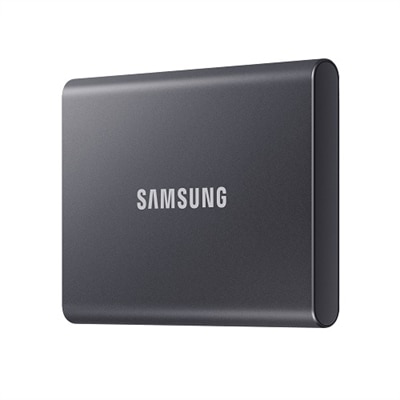
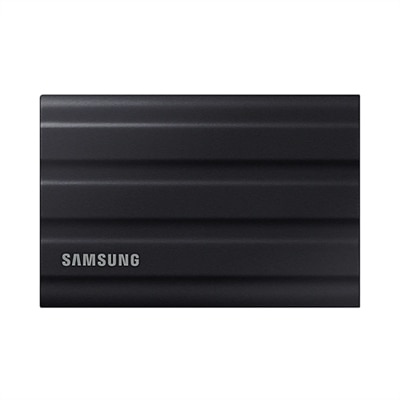
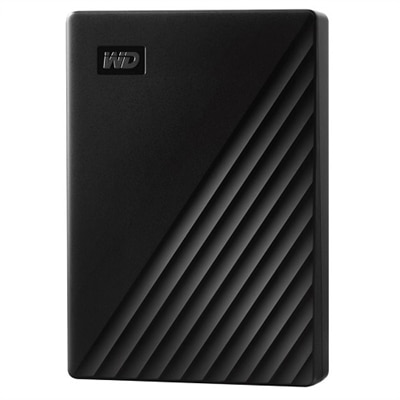
External SSD Drives For Laptops
External SSD drives for laptops provide a convenient way to add fast, portable storage without opening the computer or replacing its internal drive. Because solid-state drives use flash memory rather than moving parts, they are typically quieter, lighter and more resistant to everyday bumps than traditional portable hard disk drives. A compact external SSD can slip into a laptop bag, desk drawer or coat pocket, making it useful for students, remote professionals, photographers, content creators, gamers and anyone who moves between home, school, work or travel locations. Many people use one to keep a second copy of important documents, family photos, creative projects and tax records, while others use an external SSD to carry a working library of video clips, music, presentations or games. It can also help free space on a laptop that has accumulated years of downloads, large media files and application data. A person who regularly travels with a laptop may appreciate an SSD as a practical gift, especially when it makes it easier to bring a substantial collection of files without carrying a bulky accessory. For additional internal storage options, explore Laptop SSDs. When choosing an external SSD, start with the laptop’s available ports and operating system. USB-C is common on newer laptops, but the presence of a USB-C connector does not automatically indicate a particular performance level; the laptop port, drive, cable and operating-system support all contribute to actual results. Some drives use USB 3.2 Gen 2 and can reach advertised read speeds near 1,000 MB/s, while higher-performance USB 3.2 Gen 2x2 models may approach 2,000 MB/s when connected to a compatible port. On a laptop with a slower connection, the drive can still work, but transfer speeds may be lower. A drive that includes a suitable cable or adapter can be especially helpful when a household has laptops with different port types. It is wise to check whether the computer supports the connector and performance standard before making a selection, since a high-speed drive cannot create a faster connection than the laptop provides.
Capacity is another important consideration, and the right amount depends on the files being stored rather than simply the size of the laptop. A 500GB external SSD may suit everyday documents, schoolwork and a modest photo collection, while 1TB offers more comfortable room for general backups, downloaded media and creative files. People who work with large photo libraries, 4K video, design projects or extensive game libraries may prefer 2TB or more, particularly when individual files can occupy several gigabytes. It is helpful to leave some free space instead of filling a drive completely, both for easier organization and for continued day-to-day use. Transfer speed matters most for large, frequent file movements and demanding workflows. Copying a few documents will not feel dramatically different across modern connections, but moving a folder of raw photos or a long video project can make the difference noticeable. Read speed describes how quickly information can be retrieved from the drive, while write speed affects how quickly files are saved to it; manufacturers commonly highlight read performance, so reviewing both specifications can provide a more realistic picture. Sustained performance may also change during long transfers as the drive manages heat and its temporary cache. For routine backups, classroom files and occasional media storage, dependable compatibility and sufficient capacity may be more valuable than the highest published speed. For video editing or other work that involves opening and saving large files directly from the external drive, faster performance, generous capacity and effective heat management deserve closer attention. Security features can be useful as well. Some external SSD drives support hardware-based 256-bit AES encryption or password protection, helping safeguard private files if the drive is misplaced. Encryption may require compatible software or setup, and it does not replace a separate backup, but it can add reassurance when a drive contains personal documents, client materials or unreleased creative work.
Physical design becomes more important when an external SSD travels frequently. A metal or reinforced enclosure can provide a solid feel, while a rubberized exterior or protective sleeve may offer extra resistance to scuffs and minor impacts. Some portable drives are designed to withstand dust, splashes or drops within stated limits, but those ratings apply only when the ports are properly covered and the product is used according to its specifications. No compact drive should be treated as indestructible, and careful handling remains important when moving through airports, outdoor work areas, classrooms or busy offices. Heat is another practical detail: an SSD may become warm during a long transfer, especially inside a tightly packed bag or in direct sunlight, so giving it airflow and avoiding covered surfaces can help. Keeping the cable in good condition matters too, since a worn or loose cable can cause interrupted transfers that may look like a drive problem. Before using a new drive, many people choose a file system that works with their laptop and any other computers they expect to connect, while checking whether reformatting will erase existing content. Automatic backup software can make routine protection easier by copying selected folders on a schedule, and a simple folder structure with descriptive names helps prevent an external SSD from becoming a digital catchall. An SSD is best viewed as one part of a storage plan: important files should exist in more than one location, and a portable drive should be safely ejected before it is unplugged. Whether it sits beside a laptop for a creative project, travels with coursework during the cooler months or holds a carefully organized photo archive for years of family memories, an external SSD can offer a useful balance of speed, portability and flexible capacity.
FAQs:
An external SSD for laptop use provides fast data transfer speeds, enhanced durability due to lack of moving parts, and a lightweight, compact design. These drives are ideal for quickly backing up files, transferring large media projects, and expanding storage without opening up your laptop.
Yes, most external SSD drives are compatible with both Windows and Mac laptops. You may need to reformat the drive to a file system like exFAT to ensure seamless use across both operating systems.
External SSD drives are especially useful for creative professionals, students, remote workers, and frequent travelers. Anyone who needs fast, reliable, and portable storage for large files or regular backups will benefit from using an external SSD.
When choosing an external SSD for your laptop, consider factors such as storage capacity, connection interface (like USB 3.2 Gen 2), physical durability, and compatibility with your operating system. Security features like hardware encryption may also be important if you handle sensitive data.
Setting up an external SSD is straightforward. Most drives are plug-and-play, requiring you to simply connect the SSD to your laptop via USB. After connecting, you can start transferring files immediately, and reformatting is only necessary if you want to use the drive across different operating systems.