$576.99
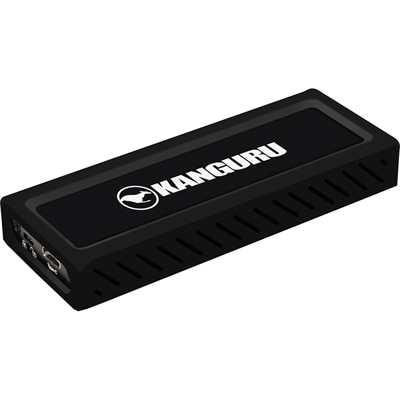
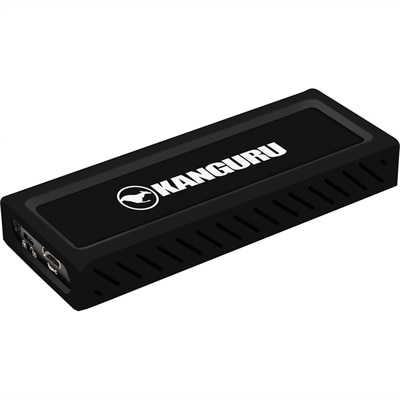
A sleek metal USB-C NVMe SSD delivering 675MB/s reads, 575MB/s writes, and write protection.
Discover the next level of data storage and transfer efficiency with USB SSD drives. These compact and versatile drives offer a seamless blend of portability and performance, making them an essential tool for tech enthusiasts and professionals alike. Whether you're looking to expand your digital workspace or need a reliable solution for backing up crucial files, USB SSD drives provide the speed and convenience you need. Explore our selection to find the perfect drive that suits your requirements and enhances your digital experience.
A sleek metal USB-C NVMe SSD delivering 675MB/s reads, 575MB/s writes, and write protection.
USB SSD drives provide a compact way to expand storage, move files between devices and keep important content close at hand. Unlike traditional hard disk drives, solid-state drives have no spinning platters or moving read/write heads, which helps them operate quietly and makes them better suited to everyday travel. Their small size can slip easily into a laptop bag, desk drawer or camera pouch, while their solid-state design offers added confidence when a drive is carried between home, school, work and other destinations. A USB SSD can be useful for storing photos, video projects, music libraries, documents, game files and creative applications without taking up the limited internal space on a laptop or desktop. It can also provide a convenient place for a second copy of important files. Keeping family photos, tax documents, schoolwork or business materials on a separate drive can be a practical part of a broader backup routine, although a portable drive should not be the only copy of irreplaceable information. For shoppers comparing External SSD Drives For Laptops, portability, capacity, connection type and expected workload are useful places to begin. A smaller-capacity drive may be well suited to everyday documents and a carefully selected photo collection, while a higher-capacity option can make more sense for large video files, extensive media libraries, software installations or frequent device backups. Consider how much space is already being used on the computer, then allow room for future files so the drive remains useful as projects and collections grow.
Connection standards have a direct effect on the experience of using a USB SSD. Many newer laptops, desktops and monitors include USB-C ports, while USB-A remains common on older computers and accessories. A drive may support one connector type directly and include, or require, a compatible cable or adapter for another, so checking the available ports before purchasing can help prevent an inconvenient mismatch. USB-C describes the physical connector, not necessarily the maximum transfer speed; the computer, cable and drive must all support the same performance standard for the fastest possible transfers. High-speed USB connections can make a noticeable difference when moving a large folder of photographs, editing a video project or copying a computer backup. A stated speed is generally a theoretical maximum, and real-world performance can vary with file size, drive capacity, computer hardware, cable quality, available power and the number of tasks running at the same time. Large, continuous files often transfer more quickly than thousands of small documents. It is also sensible to avoid paying for a speed level a computer cannot use. A laptop with a slower USB port may still work with a faster drive, but the connection will usually operate at the system’s supported limit. Compatibility with Windows, macOS, tablets and phones can depend on the operating system, formatting and available power, so review device requirements before connecting. Some computers may prompt the user to reformat a drive for a preferred file system, and reformatting can erase existing content. If a drive will move between different platforms, a broadly compatible format may be helpful, while a drive dedicated to one computer can be configured for that system’s needs. Securely ejecting the drive before unplugging it can also help protect open or recently transferred files.
USB SSD drives are useful for a wide range of people. A student can keep research materials and class projects available across a school laptop and home computer. A remote worker may use one to transport presentations, spreadsheets and reference files between a home office and another workspace, while a photographer or video creator can use portable storage to organize footage after a day of shooting. Gamers may appreciate the convenience of keeping selected large game files nearby, subject to the platform’s compatibility requirements and the performance of the connected port. A household can use a portable SSD to gather years of family photos, scanned documents and home videos in one easy-to-store location. Because these drives are lightweight and simple to connect, they can also make thoughtful gifts for a college student, frequent traveler, creative hobbyist or anyone who is regularly managing a laptop with limited internal capacity. During the cooler months, a portable drive can be especially handy for organizing indoor projects, preserving photographs from gatherings or freeing space for new creative work, without relying on a short-lived seasonal use. Capacity is only one part of the decision: a durable enclosure, a sensible warranty, a cable that matches the intended devices and a size that fits the user’s routine can matter just as much. Treat the drive as portable electronics rather than indestructible equipment; protect it from liquid, extreme heat, excessive pressure and unnecessary drops, and keep a backup of files that cannot be replaced. With the right combination of storage space, USB compatibility and transfer performance, a USB SSD drive can make everyday computing feel more organized, responsive and flexible.
Add the products you would like to compare, and quickly determine which is best for your needs.