IDPA: PowerProtect DP4400 Initial Network Configuration workflow fails
Summary: IDPA: PowerProtect DP4400 Network Configuration workflow fails with "Appliance network configuration failed" error.
This article applies to
This article does not apply to
This article is not tied to any specific product.
Not all product versions are identified in this article.
Symptoms
ACM UI shows the following error message: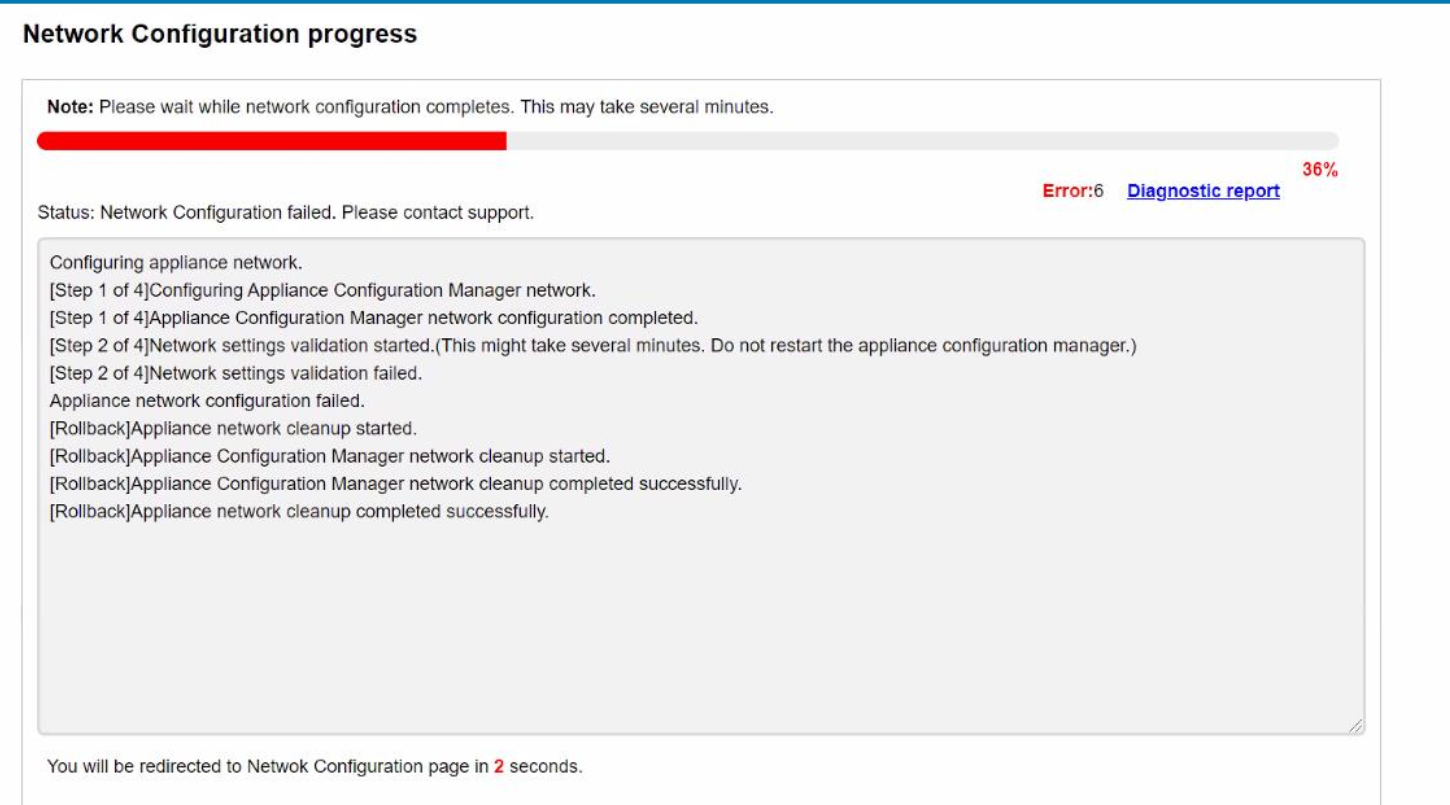
The diagnostic report shows the following error message: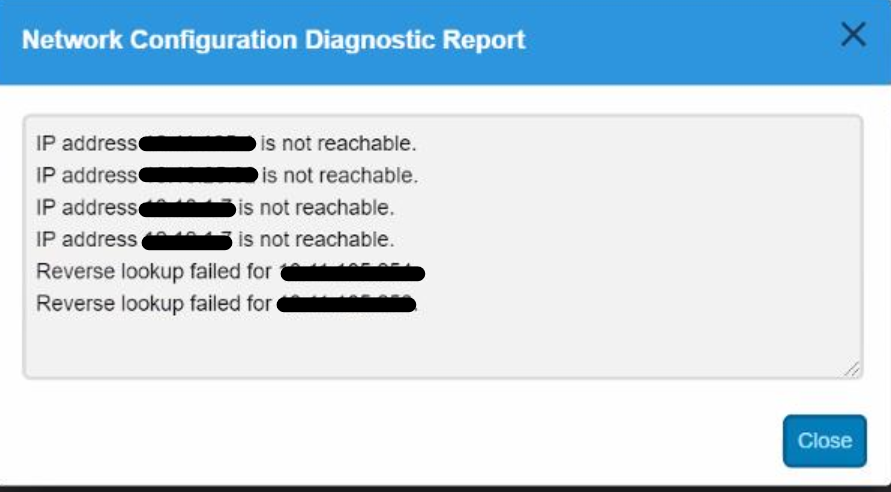
Open SSH to ACM and login as 'root' user.
Ping the Default Gateway and confirm it works. It may fail which would confirm a cabling or network configuration issue on your switch's end.
Cause
Cabling problem and or switch port configuration issue on external switch connected to IDPA. Incorrect switch configurations in the environment can cause such networking issues.
Resolution
Ensure port configurations on an external switch connected to IDPA have a single VLAN allowed and all four ports on the external switch are set to Access mode. (These switch configurations are handled by end users as these switches are external to IDPA)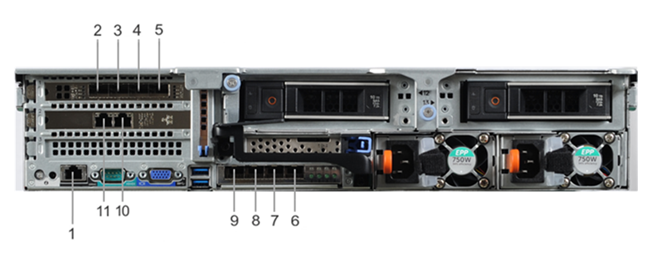
Cable connectivity if there is a single network use case:
- Connect ports 2, 3, 8 & 9 to Management network VLAN ONLY. Single VLAN allowed.
- All ports on the switch should be in "Access mode or untagged"
- All switch ports should be active and should not be configured in LACP
Cable connectivity if there is a separate management use case:
- Connect ports 2 & 9 to Management network VLAN
- Connect ports 3 & 8 to backup network VLAN
- All ports on the switch should be in "Access mode or untagged"
- All switch ports should be active and should not be configured in LACP
Affected Products
PowerProtect DP4400Products
PowerProtect Data Protection Appliance, PowerProtect Data Protection SoftwareArticle Properties
Article Number: 000187097
Article Type: Solution
Last Modified: 03 Feb 2025
Version: 5
Find answers to your questions from other Dell users
Support Services
Check if your device is covered by Support Services.