SupportAssist Fingerprint Reader Diagnostic does not Detect User Touch on First Attempt on DELL 16 DC16251
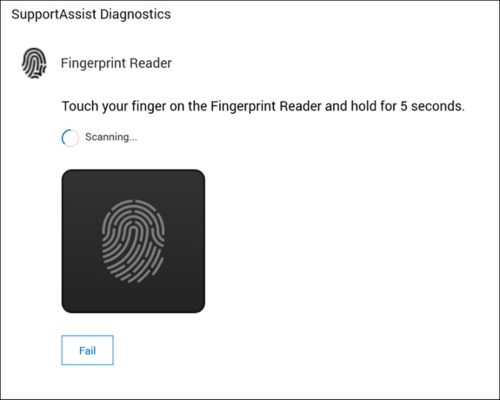
Summary: This article provides more information about the SupportAssist fingerprint reader diagnostic not detecting the users touch on first attempt.
This article applies to
This article does not apply to
This article is not tied to any specific product.
Not all product versions are identified in this article.
Symptoms
Affected Platforms:
- Dell 16 DC16251
Affected Products:
- SupportAssist for Business PCs
Note: If the user attempts a second time, it passes.
Cause
When the SupportAssist application is launched for the first time, the fingerprint reader is not activated as expected.
Resolution
SupportAssist has released v4.10 to resolve this issue. Update to v4.10 or later.
There are two options to update:
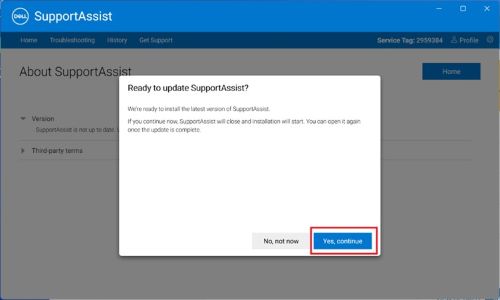
- Update inside the application
- Open SupportAssist application (if there is an available update, the option to update is displayed)
- Press Yes, continue
- Check that the SupportAssist version is 4.10 or later:
- Control Panel > Programs > Programs and Features >Settings > Apps > Installed apps (Apps & features)
- Go to the Dell SupportAssist product page and download the latest SupportAssist version.
Affected Products
Dell 16 DC16251, SupportAssist for Business PCsArticle Properties
Article Number: 000317799
Article Type: Solution
Last Modified: 15 Sept 2025
Version: 2
Find answers to your questions from other Dell users
Support Services
Check if your device is covered by Support Services.