วิธีตรวจสอบว่า Chromebook ถูกดีโพรวิชั่น
Summary: ขั้นตอนในการตรวจสอบว่า Chromebook ถูกตั้งค่าเป็น Deprovisioned หรือไม่
This article applies to
This article does not apply to
This article is not tied to any specific product.
Not all product versions are identified in this article.
Symptoms
Deprovisioned Chromebook
The following steps will help you identify if your Chromebook has been Deprovisioned.
- Turn the System on. Once you are at a log in screen, click on the clock in the lower right corner, and you will see the Wi-Fi icon (Figure 1).
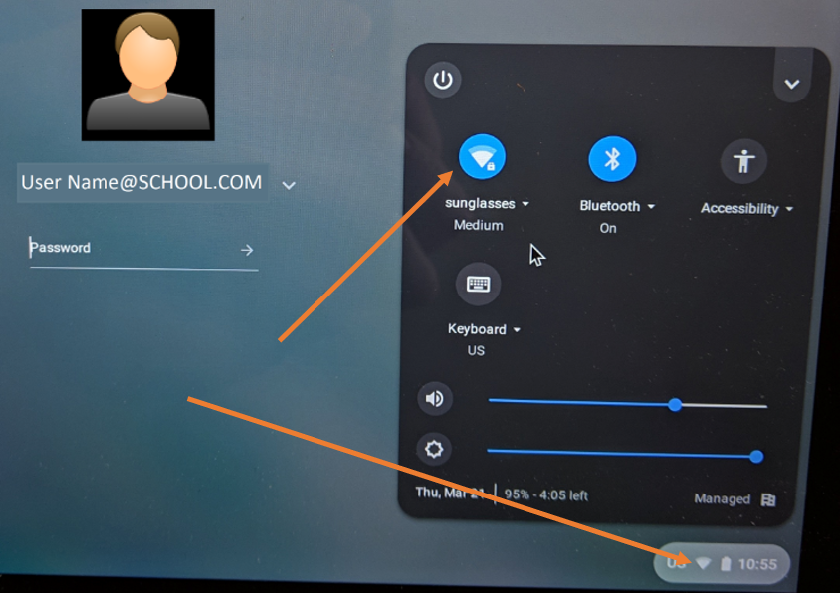
Figure 1
- Then you will see available networks. Choose the one you have and connect (Figure 2).
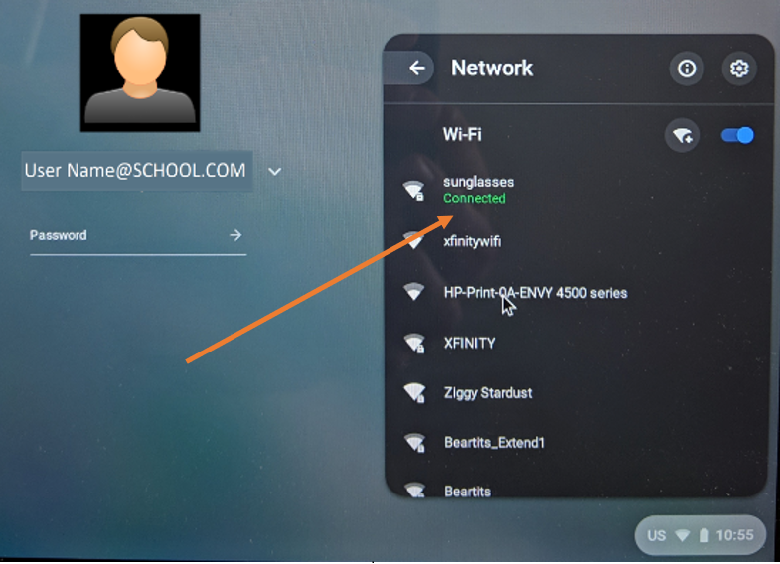
Figure 2
- This will give the system a chance to receive the update from the Google admin console to Deprovisioned it.
- Next, look to see if there is a "Browse as Guest" option (Figure 3).
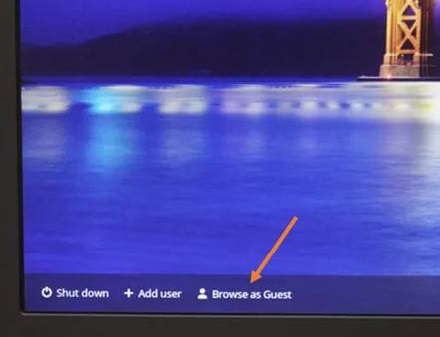
Figure 3
- If the "Browse as Guest" option is not there, the System is still enrolled. You can wait a little longer to see if it changes, but if there is no "Browse as Guest", its still provisioned / enrolled.
- If "Browse as Guest" is available, select the option.
- Once you are in the Chrome OS, open up the browser.
- Type the following: chrome://policy
- You will see the following screen (Figure 4).
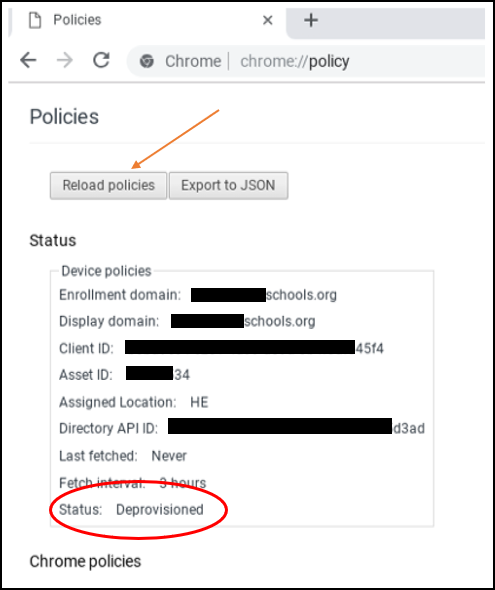
Figure 4
- Look at the status at the bottom of the list. It should show Deprovisioned. Google suggests that you click "Reload Policies" to make sure its up to date.
- If the status shows Deprovisioned, its completed.
 Note: Even after the status shows its Deprovisioned, it may still show that its managed by a school (Figure 5). It will until the OS is Recovered.
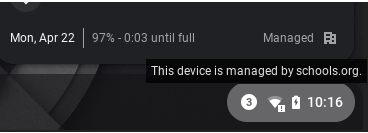
Figure 5
After the OS recovery, you can go back to chrome://policy and it will show "No Policies Set" (Figure 6).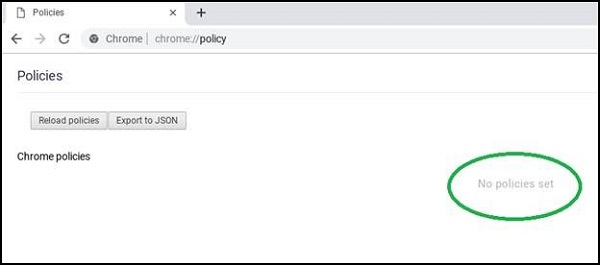
Figure 6
Back to Top
Affected Products
Chromebook, Chromebook 11, Chromebook 3100 2-in-1., ChromeBook 3100, Chromebook 3120 (End of Life), Chromebook 11 3180, Chromebook 11 3189, Chromebook 5190 2-in-1, Chromebook 5190, Chromebook 13 3380, Chromebook 7310, ChromeBook 3400
, Inspiron Chromebook 11 3181, Inspiron Chromebook 11 3181 2-in-1, Inspiron Chromebook 7486
...
Article Properties
Article Number: 000143518
Article Type: Solution
Last Modified: 06 Nov 2025
Version: 6
Find answers to your questions from other Dell users
Support Services
Check if your device is covered by Support Services.