Data Protection Advisor - Error 500 when previewing a custom report
概要: An error 500 occurs when previewing a custom report. The report runs fine when scheduled.
この記事は次に適用されます:
この記事は次には適用されません:
この記事は、特定の製品に関連付けられていません。
すべての製品パージョンがこの記事に記載されているわけではありません。
現象
When previewing a custom report, the following error 500 is observed:
RendererFactory could not create the RendererParametersXML
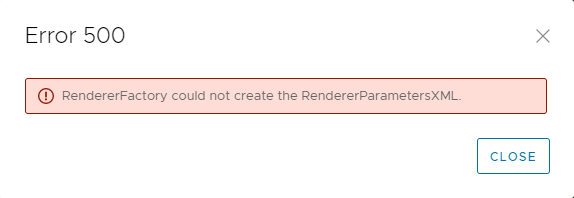
The report runs correctly when scheduled.
The issue only happens when Previewing the report under Custom Report Templates.
The following messages are seen in the DPA server.log on the Application server:
2022-11-07 15:00:07,170 ERROR [com.emc.dpa.command.reporter.execution.ReportRendererMDB] (Thread-56839) Error getting response from report engine for run id 7d326f70-0ac2-4d48-9b3d-300c306b86ad: com.emc.dpa.
datamodel.render.RendererServiceException: RendererFactory could not create the RendererParametersXML
...
Caused by: com.ctc.wstx.exc.WstxUnexpectedCharException: Unexpected character ' ' (code 32) (missing name?)
at [row,col {unknown-source}]: [3,69]
RendererFactory could not create the RendererParametersXML
The report runs correctly when scheduled.
The issue only happens when Previewing the report under Custom Report Templates.
The following messages are seen in the DPA server.log on the Application server:
2022-11-07 15:00:07,170 ERROR [com.emc.dpa.command.reporter.execution.ReportRendererMDB] (Thread-56839) Error getting response from report engine for run id 7d326f70-0ac2-4d48-9b3d-300c306b86ad: com.emc.dpa.
datamodel.render.RendererServiceException: RendererFactory could not create the RendererParametersXML
...
Caused by: com.ctc.wstx.exc.WstxUnexpectedCharException: Unexpected character ' ' (code 32) (missing name?)
at [row,col {unknown-source}]: [3,69]
原因
This issue is caused by having the "&" special character in the title of the report.
Note, this is not the name of the custom report template, it is the title of the report which is configured in the Report Format options.
Note, this is not the name of the custom report template, it is the title of the report which is configured in the Report Format options.
解決方法
The & symbol needs to be removed from the report title.
- Select the report in Custom Report Templates and click EDIT.
- Click on the Preview tab and click the REPORT FORMAT > TABLE FORMAT.
- In the Table Format screen, remove the & symbol from the text in the Title field.
- Save the report and confirm the preview runs without errors.
対象製品
Data Protection Advisor文書のプロパティ
文書番号: 000205086
文書の種類: Solution
最終更新: 26 5月 2026
バージョン: 5
質問に対する他のDellユーザーからの回答を見つける
サポート サービス
お使いのデバイスがサポート サービスの対象かどうかを確認してください。