SupportAssist Warning "Invalid Configuration Information - Please Run SETUP Program" When Powering On
摘要: Information about two warning messages for time and configuration settings appearing in SupportAssist after powering on.
本文适用于
本文不适用于
本文并非针对某种特定的产品。
本文并非包含所有产品版本。
症状
Powering on your computer boots to a SupportAssist screen and display the following warning messages:
- Time-of-day not set - please run SETUP program.
- Invalid configuration information - please run SETUP program.
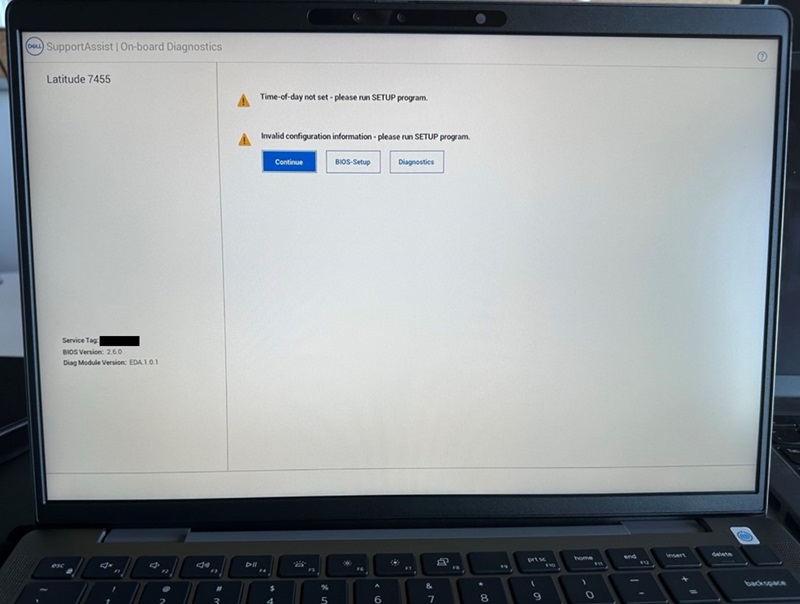
If you click the "Continue" button and boot to the BIOS, you see the "Secure Boot" option is turned off.
Affected Computers:
- Inspiron 14 5441
- Inspiron 14 Plus 7441
- Latitude 5455
- Latitude 7455
原因
This happens due to a system BIOS reset.
解决方案
Default BIOS Settings and Enable Secure Boot
To fix this issue, restore the BIOS to "Default" and enable "Secure Boot."
- Connect the AC adapter to ensure that the computer has power to turn on.
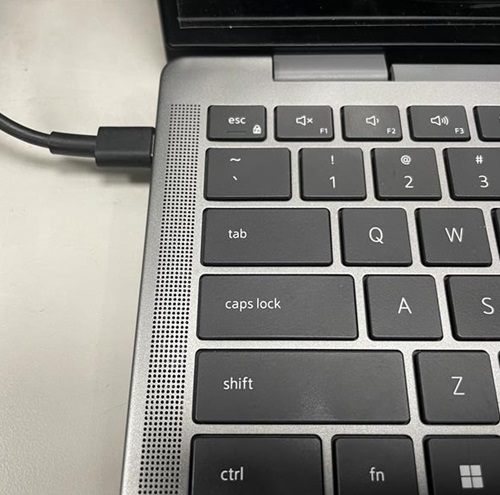
- Power the computer on and press the F2 key when the DELL logo appears to enter the BIOS menu.

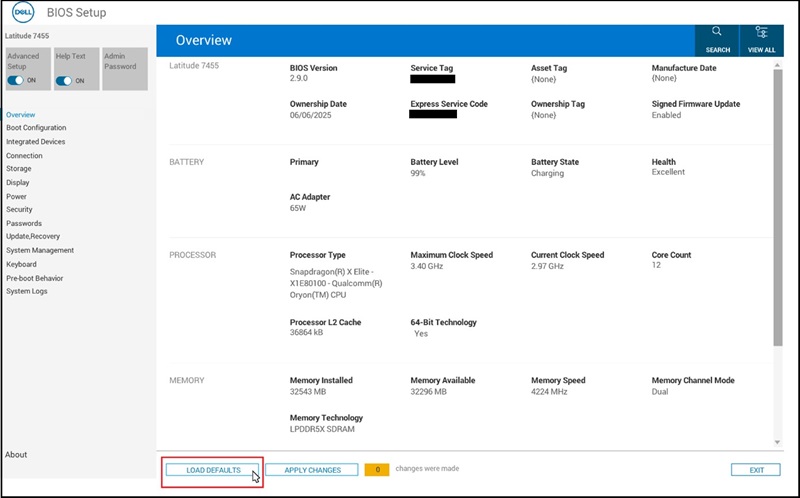
- Click the "LOAD DEFAULTS" button at the bottom of the screen.
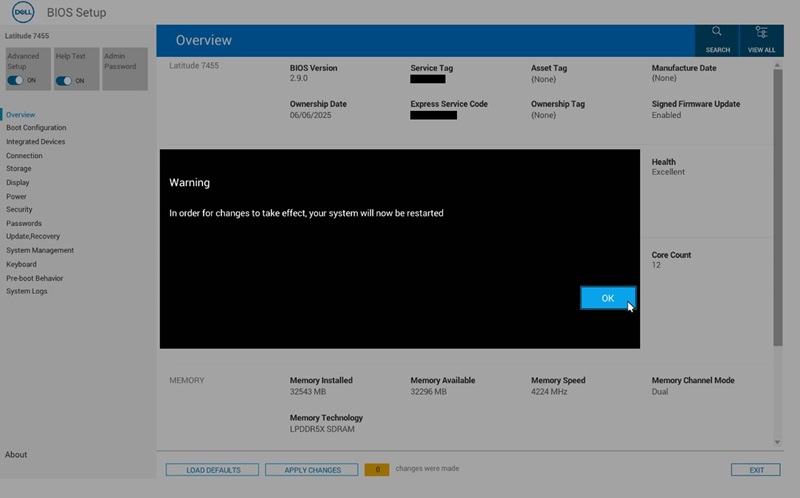
- Click "OK" when "Restore Settings" and the "Warning" dialog appears, then the computer restarts.
- Follow Step 2 to enter the BIOS menu again.
- Select the "Boot Configuration" page.
Find "Secure Boot"and turn it "ON."
Click "APPLY CHANGES."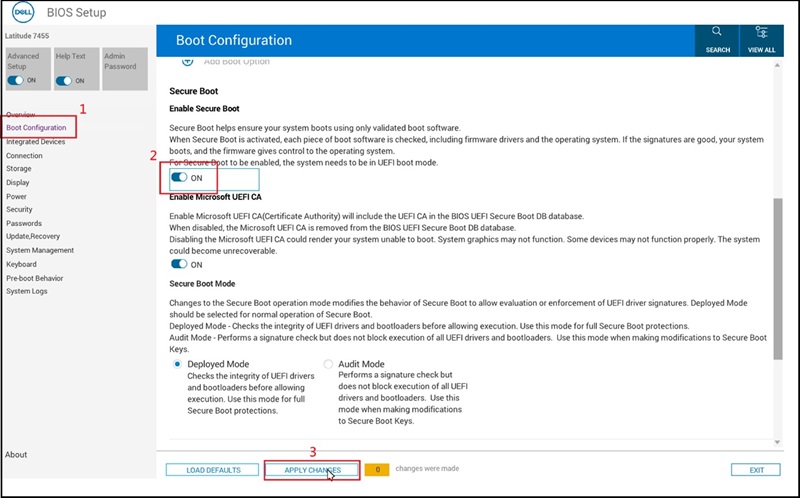
- Click "OK" when the "Apply Settings Confirmation" dialog appears.
- Update to BIOS version 2.12.2 or later to avoid this issue in the future.
受影响的产品
Inspiron 14 5441, Inspiron 14 Plus 7441, Latitude 5455, Latitude 7455文章属性
文章编号: 000353653
文章类型: Solution
上次修改时间: 04 12月 2025
版本: 2
从其他戴尔用户那里查找问题的答案
支持服务
检查您的设备是否在支持服务涵盖的范围内。