$399.99
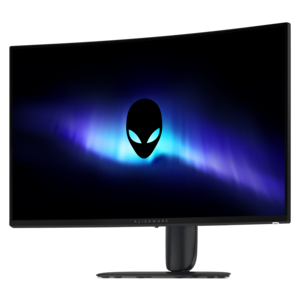
A curved ultrawide WQHD gaming monitor delivering vivid color and an exceptionally smooth 240Hz refresh rate.
Curved ultrawide monitors provide an expansive viewing area for immersive gaming, multitasking, and content creation. Explore options across screen sizes, resolutions, refresh rates, panel technologies, and connectivity features to find a monitor suited to your workspace and everyday needs.
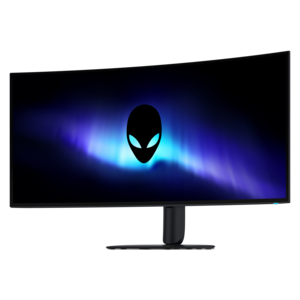
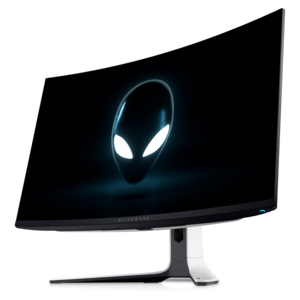
A curved ultrawide WQHD gaming monitor delivering vivid color and an exceptionally smooth 240Hz refresh rate.
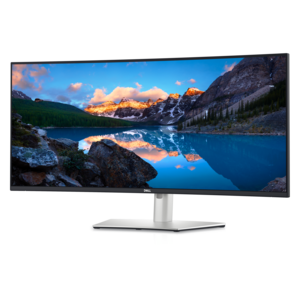
A curved ultrawide WQHD monitor with USB-C power delivery up to 90W and RJ45 Ethernet connectivity.
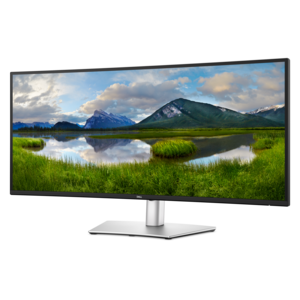
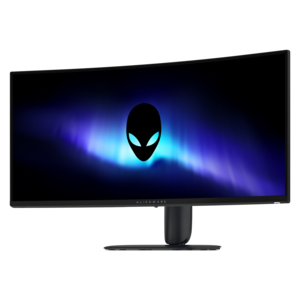
An ultrawide curved WQHD+ monitor with IPS Black technology, expansive color coverage, and integrated USB-C hub.
Curved ultrawide monitors bring a broad, continuous workspace to a desk, combining the horizontal room of a wide display with a gentle shape that follows the natural sweep of your vision. Instead of dividing attention between separate screens, you can place a document, browser window, communication app, timeline, spreadsheet, or creative canvas side by side and keep more of the work in view. The curved design can make the outer edges feel closer and easier to see, especially when you sit centered at a comfortable distance. For a home office, that extra width can make it easier to compare documents, monitor multiple projects, or keep reference material visible while writing. For creative work, a wide canvas gives photo editors, video creators, musicians, and designers more room for tool panels and previews without constantly collapsing menus. It can also make everyday computing feel more immersive, from exploring large maps and panoramic images to watching wide-format content in a relaxed setting. When choosing a curved ultrawide monitor, consider the screen size, resolution, refresh rate, response time, brightness, contrast, and connectivity together rather than focusing on a single specification. A larger screen may provide an expansive workspace, but it also requires enough desk depth for comfortable viewing. Higher resolution can keep text and fine details looking crisp across a wide panel, while a faster refresh rate may make scrolling, animation, and interactive entertainment appear smoother. Ports such as HDMI, DisplayPort, USB, and USB-C can simplify connections to a computer, laptop, accessories, or other compatible devices. Built-in speakers, an adjustable stand, height and tilt controls, and a low-blue-light or flicker-reduction mode may also matter when the display will be used for long stretches.
The best fit depends on how the monitor will spend its days. Someone working from home may appreciate the ability to arrange email, a video meeting, and a project dashboard in one uninterrupted view, reducing the desk clutter that can build up when several smaller screens compete for attention. A student can keep research notes open beside a writing application, while a financial professional, analyst, or multitasking office user may benefit from seeing wide tables without repeatedly moving across separate windows. Creative professionals often value a broad workspace for editing, because a longer timeline or larger artboard can make subtle adjustments easier to follow. A curved ultrawide display can also be a thoughtful gift for a person setting up a first dedicated office, refreshing a study area, or creating a more capable workstation for a new hobby. It suits the friend who spends evenings editing videos, the family member who enjoys immersive computer entertainment, or the remote worker who wants a cleaner, more organized desk. For an entertainment-focused setup, compare the display’s refresh rate, response performance, adaptive synchronization support, and graphics compatibility. Those details can help motion look fluid and reduce distracting visual artifacts when paired with suitable hardware. People looking for a wider, more immersive gaming setup may also want to explore Ultrawide Gaming Monitors. For mixed use, a balanced panel with accurate color, comfortable brightness, strong connectivity, and useful ergonomic adjustments may be more practical than choosing the most specialized specifications. A monitor arm or a sturdy, appropriately sized desk can further improve comfort, particularly because an ultrawide display needs enough horizontal and front-to-back space to sit at the right height and distance.
Before choosing, measure the available desk area and consider where windows, lamps, and overhead lighting are positioned. A wide curved panel can look impressive in a room, but glare from a bright window or a lamp placed directly behind you may become noticeable across the screen. Positioning the monitor so the top edge is near eye level and the center of the display sits directly in front of you can encourage a more natural posture; with a larger panel, a modest viewing distance often helps you take in the full width without excessive head movement. Think about your computer’s available graphics outputs and whether its hardware can support the chosen resolution and refresh rate. If the monitor will serve multiple computers, built-in input switching or USB connectivity can make changing between devices more convenient. A model with a VESA-compatible mount may provide added flexibility for an adjustable arm, while a stand with smooth height, swivel, and tilt movement can be valuable when more than one person uses the workspace. Picture a quiet work session during the cooler months: a warm drink beside the keyboard, a long document open across the center of the screen, reference material resting at one side, and enough open space to keep the desktop calm rather than crowded. That practical sense of room is one of the defining strengths of a curved ultrawide monitor. With the right size, sharpness, ergonomics, and connections, it can support focused work, creative projects, comfortable browsing, and immersive entertainment while helping a desk feel more intentional and capable.
Add the products you would like to compare, and quickly determine which is best for your needs.