Gaming LED Monitors

Level up your play with gaming LED monitors designed to deliver an immersive experience for every type of gamer. Whether you're into fast-paced action, strategy games, or expansive open worlds, these monitors offer the visual clarity and vibrant colors needed to stay ahead of the competition. Explore a range of sizes and styles to find the perfect gaming LED monitor that fits your setup and enhances your performance.

Filters

$199.99

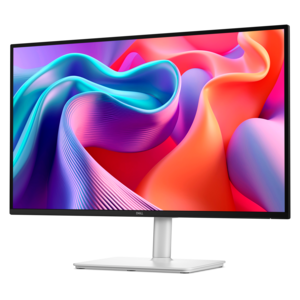
A QHD gaming monitor with a Fast IPS panel delivers vivid colors and smooth visuals.

$199.99
$129.99

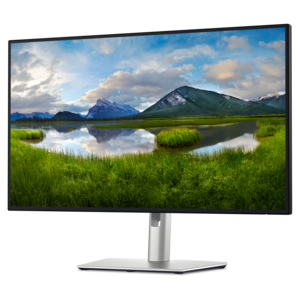
A fast IPS monitor with FHD resolution, 240Hz refresh rate, adjustable stand, and certified eye comfort.

$129.99
$219.99

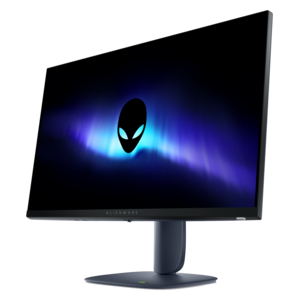
A QHD monitor with a 144Hz refresh rate, built-in speakers, and TÜV 4-star eye comfort certification.

$219.99
$799.99

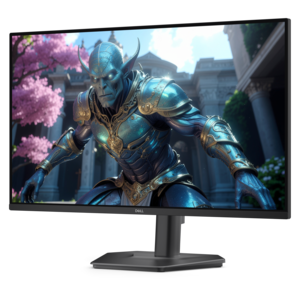
A 4K monitor with IPS Black, 3000:1 contrast, 120Hz refresh, ambient light sensing, and eye comfort.

$799.99

Gaming LED Monitors

Gaming LED monitors are displays that use light-emitting diodes to illuminate an LCD panel, combining familiar screen technology with features designed for responsive play. The LED backlight supplies illumination, while the liquid crystal layer controls the image. That distinction matters: an LED label describes the lighting system, not a guarantee of a particular resolution, refresh rate, or level of picture quality. Conventional LED backlights may illuminate the screen from its edges or from behind the panel, while Mini-LED designs use smaller light sources that can support more finely controlled local dimming. When implemented well, local dimming helps bright highlights stand out against darker surroundings, such as a torch moving through a stone corridor or sunlight reflecting off a race car. Performance still depends on the panel, the number and behavior of dimming zones, and the display’s processing. Some glow around bright objects against dark backgrounds can remain visible. Screen size and resolution shape the experience just as strongly. A compact Full HD display can suit a shallow desk and a player who wants the whole scene within easy view. QHD adds detail and workspace, while 4K can make distant scenery, fine textures, and small text look more defined when viewed at an appropriate distance. Higher resolution also places greater demands on the gaming system, especially when paired with a high refresh rate. A larger screen does not automatically produce a sharper image; pixel density and seating distance determine how crisp individual details appear. Widescreen displays provide a familiar shape for many games, while ultrawide formats can extend the visible environment in supported titles and leave more room for adjacent windows during everyday use. Curved screens can make the edges of a wide display feel more consistently positioned around a seated player, though the effect depends on screen size, curvature, and distance. For a setup that moves between gaming, school assignments, creative projects, and video calls, these physical and visual characteristics help determine how comfortably one monitor handles the full day.

Motion performance gives gaming LED monitors much of their appeal, particularly when quick camera turns or rapidly changing scenes are part of the action. Refresh rate, measured in hertz, describes how often the display can update its image each second. A higher refresh rate can make movement look smoother and provide more frequent visual updates, provided the connected system produces enough frames and the connection supports the selected settings. Pixel response time is a separate measurement: it describes how quickly pixels change between states. Slow transitions can leave visible trails behind moving objects, while overly aggressive response settings can introduce bright or dark outlines. A quoted response-time figure therefore does not tell the entire story of how clean motion will look during actual play. Input lag is different again, referring to the delay before an input is reflected on the screen. Players following fast opponents across an arena may put particular emphasis on motion clarity and responsiveness, while someone exploring a richly detailed landscape may place greater weight on resolution, contrast, and color. Panel type also influences that balance. IPS panels generally maintain consistent color and appearance across wider viewing angles, while VA panels often provide stronger native contrast, although performance varies by model. HDR capability can expand the range between bright highlights and dark areas, but a compatible signal alone does not establish how convincing the result will be. Backlight control, peak brightness, color reproduction, and tone mapping all contribute. Adaptive sync can help reduce tearing and uneven frame delivery when the monitor and graphics hardware support compatible operation within the relevant refresh range. Connections deserve equal attention: the resolution and refresh rate supported through a particular HDMI or DisplayPort input may differ, and USB-C video requires compatible functionality on both devices. Console users also benefit from checking support for their intended resolution, refresh rate, and variable refresh features rather than relying on the monitor’s highest advertised specification. The right fit among the Best Monitors For Gaming depends on how these capabilities work together with the system and the games being played.

A gaming monitor also needs to fit the room and remain comfortable through ordinary daily use. On a shared desk, a broad stand can compete with a keyboard, mouse pad, and notebook even when the screen itself appears suitably sized. Stand depth, base shape, cable placement, and clearance beneath the display all affect usable workspace. Height adjustment, tilt, and swivel make it easier to position the screen for a relaxed posture, with the viewing area centered rather than forcing the neck to turn. A compatible monitor arm can free desk space, but mounting dimensions, display weight, and the arm’s supported load must match. Housings commonly combine molded plastic with metal structural components, while stand construction and joint stability influence how firmly the screen stays in place when the desk moves. A matte screen surface can soften reflections from a nearby window, although careful placement still helps preserve visibility in a bright room. Headphone connections, built-in audio, and USB ports may simplify a setup, but those features vary and should not be assumed. For someone receiving a monitor as a gift, knowing the available desk space, connected computer or console, and preferred types of games is more useful than choosing by diagonal measurement alone. Care is straightforward but important to the display’s finish and longevity. Dust is best lifted gently with a clean microfiber cloth, with the monitor powered off and cooled before cleaning. Stubborn marks should be treated according to the manufacturer’s instructions; liquid sprayed directly onto the screen can run toward seams, and abrasive cleaners or firm pressure can damage the surface. Clear ventilation openings, supported cables, and careful handling help protect the housing, ports, and panel. LED-backlit LCDs do not have the same organic-pixel wear mechanism associated with OLED burn-in, though temporary image retention and other forms of aging can still occur. Sensible brightness, comfortable positioning, and routine care help make the display a practical centerpiece for competitive matches, quiet exploration, and the work between gaming sessions.

FAQs:

Add the products you would like to compare, and quickly determine which is best for your needs.
Add the products you would like to compare, and quickly determine which is best for your needs.