1080p Monitors

1080p monitors deliver crisp, clear visuals that are ideal for work, entertainment, and everyday computing. With a Full HD resolution, these monitors provide sharp image quality for browsing the web, streaming videos, and tackling productivity tasks. Whether setting up a home office or upgrading your gaming setup, 1080p monitors offer a versatile solution to fit a variety of needs. Explore a wide selection of screen sizes and designs to find the perfect match for your workspace or home environment.

Filters

$119.99

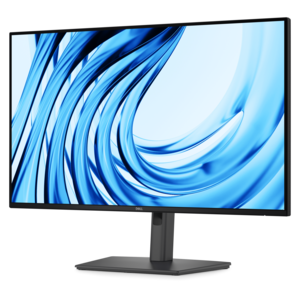
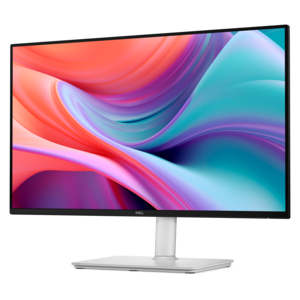
A Full HD monitor with 144Hz refresh rate, built-in speakers, and TÜV 4-star eye comfort certification.
$119.99
$129.99

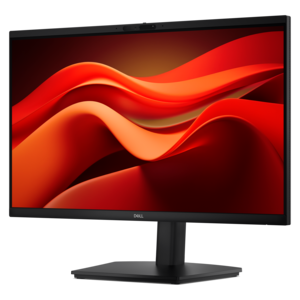
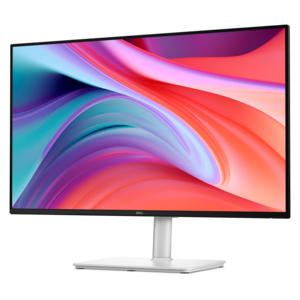
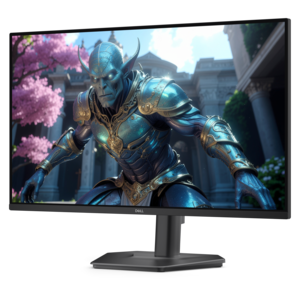
A Full HD monitor with 144Hz refresh rate, built-in speakers, and TÜV 4-star eye comfort certification.
$129.99
$129.99

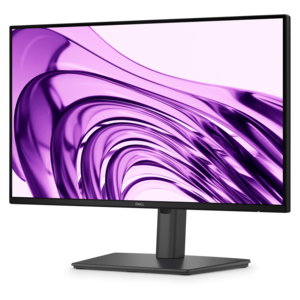
A fast IPS monitor with FHD resolution, 240Hz refresh rate, adjustable stand, and certified eye comfort.

$129.99
$149.99

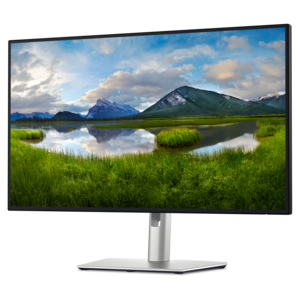
A productivity-focused FHD monitor with extensive connectivity, high refresh rate, and TÜV-certified four-star eye comfort.

$149.99
$234.99

A Full HD productivity monitor with extensive connectivity, high refresh rate, and TÜV-certified four-star eye comfort.

$234.99
$369.99

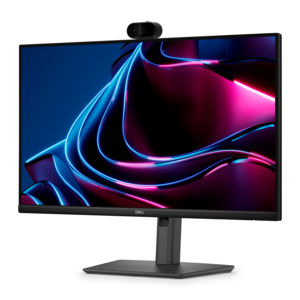
A Full HD IPS monitor with built-in webcam and USB-C hub, designed for streamlined open-workspace collaboration.

$369.99
$224.99

A Full HD conferencing monitor with built-in webcam, speakers, and microphone for seamless everyday collaboration.

$224.99
$799.99

A 4K monitor with IPS Black, 3000:1 contrast, 120Hz refresh, ambient light sensing, and eye comfort.

$799.99

1080p Monitors

A 1080p monitor has a Full HD resolution of 1920 x 1080 pixels, typically arranged in a widescreen 16:9 format. That gives the screen just over two million pixels to display documents, video, games, and everyday applications. For a home office, study corner, or shared family desk, this resolution supports familiar tasks such as writing reports, attending video calls, checking assignments, and watching streaming content. Full HD video can fill a matching screen without the resolution scaling required on a higher-resolution display, although the source quality and playback settings still affect the picture. Screen size makes a noticeable difference in how 1080p looks. A 24-inch display has approximately 92 pixels per inch, while a 27-inch display has about 82 pixels per inch. At the same viewing distance, the smaller screen generally makes individual pixels less noticeable and fine text look sharper. The larger screen presents the same pixel count across a wider area, making interface elements physically larger without adding more digital workspace. That distinction matters when a spreadsheet needs to remain readable or a screen sits close to the front edge of a shallow desk. Displays around 22 to 24 inches often fit comfortably into compact workspaces, while larger Full HD screens can suit people who prefer larger on-screen elements or sit farther back. A bigger screen does not automatically hold more rows, browser windows, or application controls when the resolution and scaling settings stay the same. Two 1080p monitors can provide separate spaces for a document and reference material, or a meeting window and notes, provided the computer supports both displays. Students, remote workers, and households sharing one computer can all benefit from matching the screen’s dimensions to the desk and the work that happens there, rather than choosing by diagonal measurement alone.

For gaming and other motion-heavy uses, refresh rate is an important distinction among 1080p monitors. Measured in hertz, it describes how many times the display can update its image each second. A 60Hz screen refreshes up to 60 times per second, while a 144Hz screen can refresh up to 144 times per second. Higher refresh rates can make scrolling, camera movements, and fast gameplay appear smoother when the computer delivers enough frames to take advantage of them. Refresh rate and frame rate are related, but they are not interchangeable: the monitor controls its refresh capability, while the computer and application determine how quickly new frames are produced. Compared with 1440p or 4K at otherwise comparable settings, 1080p places a lower rendering workload on the graphics processor. That can help a gaming system reach higher frame rates, though actual performance depends on the game, graphics hardware, processor, and selected settings. Adaptive sync can help reduce visible tearing by coordinating the display’s refresh timing with compatible graphics output. Response time describes how quickly pixels change, and slow transitions can leave trails behind moving objects even on a high-refresh-rate screen. Advertised response-time figures may use different measurement methods or aggressive settings, so a single number does not describe every aspect of motion clarity. Panel type also influences the viewing experience. IPS panels generally maintain consistent color across wider viewing angles, which can be helpful when sharing a screen or arranging two displays side by side. VA panels often provide stronger native contrast for darker scenes, while TN panels are commonly associated with fast pixel transitions and narrower viewing angles. Individual designs vary within each category. For photo adjustments, presentations, and creative coursework, color coverage, accuracy, and brightness consistency deserve attention alongside resolution. Full HD describes the pixel count; it does not, by itself, establish color quality, contrast, or HDR performance.

The best fit for a workspace also depends on connections, stand design, and the details that become noticeable over hours of use. HDMI and DisplayPort are common video connections, but the supported resolution and refresh rate depend on the monitor’s input, the computer’s output, and the cable connecting them. A screen capable of a high refresh rate may require a particular connection and a matching setting in the computer’s display controls to operate at that rate. USB-C can simplify a laptop setup when both devices support video over that connection; some monitors also provide power delivery and a USB hub, but those functions are not present on every model. A USB-C connector alone does not guarantee video support or enough charging power for a particular computer. For a portable setup that extends onto a larger desktop screen, 1080p Laptops can complement a Full HD monitor, with compatibility determined by the available display outputs and supported connections. Height adjustment, tilt, swivel, and pivot can make the screen easier to position for different users and tasks. A rotating display can be useful for long documents or coding, while compatible mounting points allow an appropriate monitor arm to free desk space. The arm’s weight capacity and mounting pattern need to match the display. Materials and construction matter here: a stable base, secure adjustment mechanisms, and a well-supported enclosure help the screen remain steady during typing and repositioning. Matte screen finishes can reduce distracting reflections, though lighting placement still affects visibility. Positioning a monitor away from direct window glare can make a bright room more comfortable to work in. For routine care, a clean microfiber cloth helps remove dust without scratching the surface; cleaning liquids should follow the manufacturer’s directions rather than being sprayed directly onto the panel. Gentle handling, clear ventilation openings, and cables routed without strain help protect the display during everyday use. As a practical gift for a graduate, a remote worker, or someone refreshing a study space, a 1080p monitor is most useful when its size, connections, and adjustability suit the recipient’s existing setup.

FAQs:

Add the products you would like to compare, and quickly determine which is best for your needs.

Add the products you would like to compare, and quickly determine which is best for your needs.