10GbE Network Cards
10GbE network cards offer a reliable solution for those seeking to upgrade their network infrastructure with faster data transfer and enhanced connectivity. Ideal for demanding applications in business environments, creative workstations, or home offices, these cards help streamline workflows and support high-bandwidth tasks. Explore a wide range of 10GbE network cards designed to meet the needs of professionals and enthusiasts looking to optimize network performance and future-proof their setups.
This product is not available
Check out the following recommendations.
Related Products

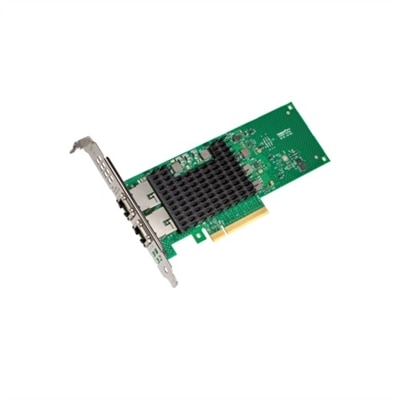
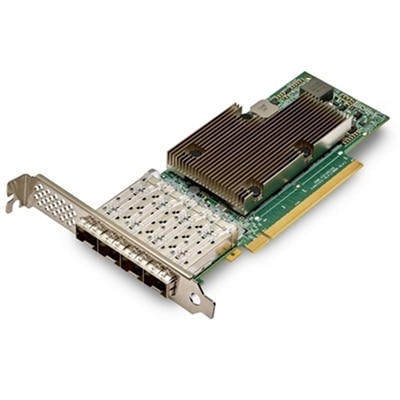
10GbE Network Cards
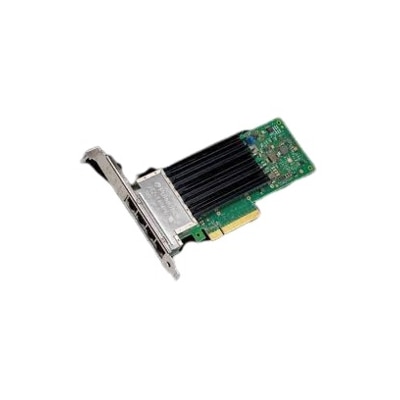
10GbE network cards can give a compatible desktop a substantial wired connection upgrade, supporting data rates of up to 10 gigabits per second when every part of the connection is ready for that speed. Compared with a standard 1GbE port, a 10GbE adapter can make large file transfers, local media libraries, creative project workflows and high-resolution content backups feel far less constrained. The actual improvement depends on the computer, the drive or application being used, the switch or router on the other end and the cabling between them, but a well-matched setup can move substantial files in much less time and help reduce bottlenecks for demanding home offices, content creation workstations, gaming PCs and enthusiast desktops. These cards typically install in an available PCIe slot inside a desktop computer, making them a practical way to add faster wired connectivity without replacing the entire system. Before choosing one, check the motherboard manual for an open slot with sufficient PCIe lanes and confirm that installing the card will not interfere with a graphics card or another expansion device. Many 10GbE adapters use a PCIe 3.0 x4 connection, although the physical connector may be longer, so reviewing both the slot type and the motherboard layout helps prevent an installation surprise. It is also worth checking operating system support, driver availability and whether the card includes features such as automatic speed negotiation, which allows it to connect at 5GbE, 2.5GbE, 1GbE or another supported rate when the rest of the setup is not yet operating at 10GbE.
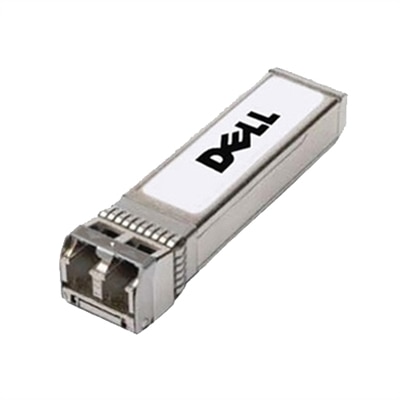
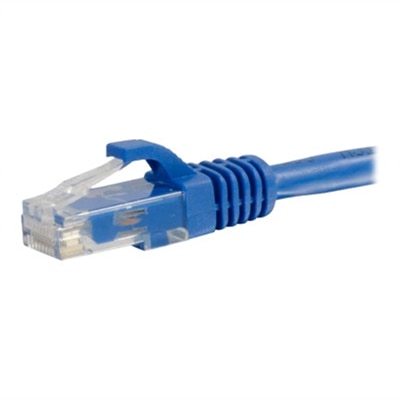
The two most common connection styles are copper RJ45 and SFP+, and the right choice depends on the equipment already in the room. An RJ45 card uses familiar Ethernet cabling and is often the simplest option for a desktop near a compatible port. Cat6A cable is the preferred choice for reliable 10GbE operation across longer runs, with the standard supporting distances of up to 100 meters under appropriate conditions; shorter runs may work with good-quality Cat6, but cable quality, installation and electrical interference can affect results. Copper connections are convenient because the cable connects directly to the card, though they may draw more power and produce more heat than some fiber-based configurations. SFP+ cards use a removable transceiver or a compatible direct-attach cable, so they are a good fit when the connecting equipment has SFP+ ports or when a cooler, efficient link is a priority. A transceiver must match the port type, supported distance and cable medium, while direct-attach copper cables are generally suited to short connections. Browse compatible 10GbE SFP+ Transceivers when building an SFP+ connection and verify that the transceiver, cable and card are designed to work together. A 10GbE network card cannot create a 10GbE connection by itself: the switch or router must have a matching 10GbE port, and an RJ45 card needs an RJ45 connection while an SFP+ card needs the appropriate module or cable. If the connected equipment supports only 1GbE, the adapter may still link at that lower speed, but throughput will remain limited by the slowest component.
For many people, a 10GbE network card is most useful when large amounts of data move between devices on the same wired connection. A photographer sorting a growing collection of high-resolution images, a video editor working with large project files, or a household with several computers accessing a shared media library may notice the difference when waiting for transfers that once took several minutes. It can also suit a home office where a desktop needs a steady, low-latency connection for remote collaboration, cloud synchronization or frequent movement of large work files. Gamers may appreciate the consistency of a wired connection, although a faster network card does not automatically lower internet latency or improve frame rates; those results depend more on the internet service, game servers, system hardware and overall network conditions. When planning an installation, leave room for airflow around the adapter, since sustained high-speed transfers can generate heat, and use the latest manufacturer-supported drivers for dependable performance. Confirm that the card’s bracket fits the computer case, especially when installing in a compact desktop, and look for link-speed indicators or operating-system status tools that make troubleshooting easier. A careful match between the PCIe interface, cabling, connection type and adjacent equipment helps the card deliver its intended performance through the warmer and cooler seasons alike, whether it is being added to a work-from-home setup, a creative workstation or a well-organized personal computing space.
FAQs:
Upgrading to a 10GbE network card provides significantly faster data transfer speeds, reduced latency, and improved network efficiency. This is especially useful for tasks like large file transfers, media editing, virtualization, and backup operations, allowing users to work more efficiently and handle bandwidth-intensive applications without bottlenecks.
Power users such as creative professionals, gamers, IT enthusiasts, and small business owners can benefit greatly from a 10 gigabit ethernet NIC. Anyone who frequently transfers large files, runs a home server, or needs reliable, high-speed connectivity for virtual machines or collaborative projects will see a noticeable performance improvement.
Most modern desktop computers with available PCIe slots can support 10GbE network cards. Before purchasing, it's important to check your system’s specifications and ensure there is a compatible slot and sufficient space for the card. Dell network cards are designed for easy integration with a wide range of desktops and workstations.
10GbE network cards can use different types of cabling, including Cat6a or Cat7 Ethernet cables for copper connections, or fiber optic cables when paired with compatible transceivers. The choice depends on your network setup, required distance, and desired performance.
A 10GbE network card can be used with existing network equipment, but to achieve full 10GbE speeds, your switches, routers, and cabling must also support 10GbE. If your current equipment only supports lower speeds, the network card will operate at the highest mutually supported speed.