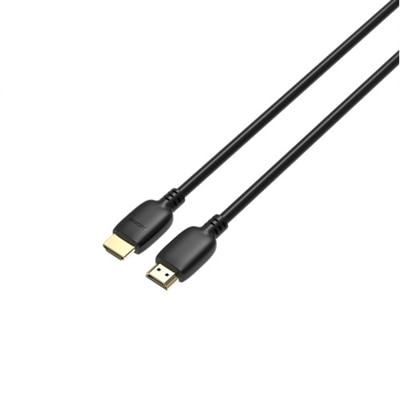
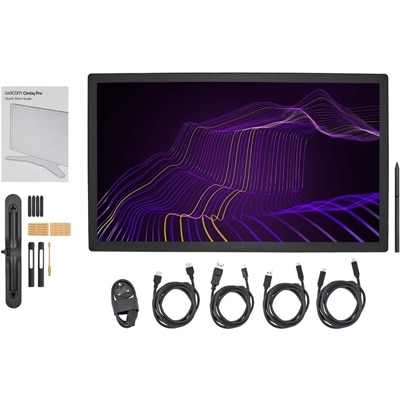
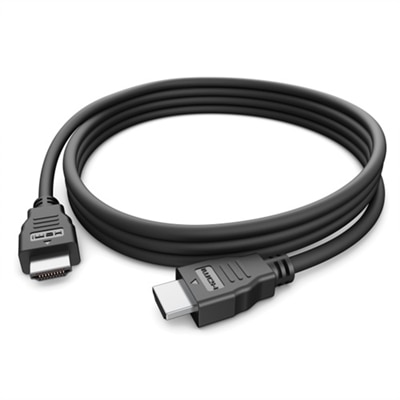
120Hz Cables
Experience smoother visuals and enhanced connectivity with 120Hz cables, designed to support high refresh rates for a more fluid viewing or gaming experience. Whether you're setting up a home theater, upgrading your workstation, or enhancing your gaming setup, these cables help deliver the performance you need. Explore a variety of options to find the ideal 120Hz cables compatible with your devices and enjoy seamless integration for all your entertainment and productivity needs.
This product is not available
Check out the following recommendations.
Related Products
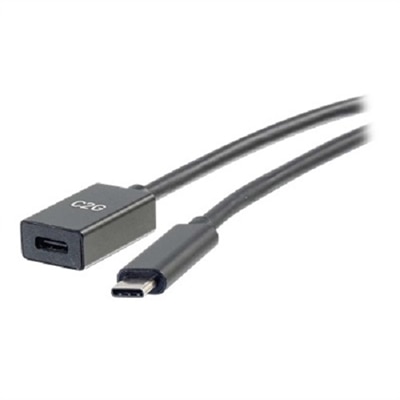


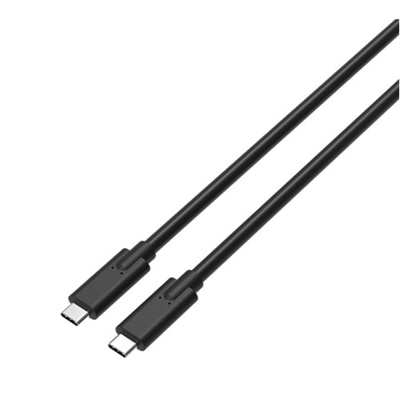
120Hz Cables
120Hz cables are designed for setups that need to move high-refresh-rate video smoothly between a compatible source and display. They are often chosen for gaming PCs, game consoles, laptops with external monitors, and home entertainment systems where fluid motion and responsive on-screen action matter. A 120Hz refresh rate means the display can update the image up to 120 times per second, which may make fast camera movement, sports, racing games, and animated scenes appear clearer and more natural than they would at a lower refresh rate. The cable is only one part of that connection, however. To run 4K resolution at 120Hz, look for an HDMI 2.1 cable identified as Ultra High Speed with support for bandwidth up to 48Gbps. This specification is designed to carry the large amount of video data required for uncompressed 4K at 120Hz and may also support 8K at 60Hz when the connected equipment has the necessary capabilities. Features such as dynamic HDR, Variable Refresh Rate (VRR), Auto Low Latency Mode (ALLM), and enhanced audio return through eARC can also depend on the cable, the source device, the display, and the settings used across the system. A cable cannot upgrade a display that has a lower refresh rate or add HDMI 2.1 functionality to a device with an older port, so check the specifications for every component before choosing one. The cable should be connected to HDMI 2.1-capable ports on both ends when using 4K at 120Hz. Port labels can vary by display, and some screens include only one or two ports that support the full feature set, making it worthwhile to review the owner’s manual or technical specifications before arranging a new setup.
When comparing 120Hz cables, begin with the resolution and refresh rate you plan to use, then consider the connection type, length, construction, and certification. For 4K at 120Hz, an officially certified Ultra High Speed HDMI cable with a 48Gbps rating is the most dependable choice. Look for the official certification label and, when provided, the QR code used to verify compliance. Certification does not replace checking your equipment’s specifications, but it can help distinguish a cable tested for the required performance from one using vague or incomplete speed claims. A shorter cable can be convenient for a monitor on a desk or a console placed beside a television, while a longer cable may be useful when a computer sits across a room or entertainment equipment is arranged inside a media cabinet. Choose enough length to create a relaxed connection without pulling on the ports, but avoid leaving a large coil behind the display, where it can become difficult to manage. Cable routing also matters: keep the line away from sharp bends, pinch points, and areas where furniture may press against it. If a 4K display is being used at 60Hz, or if the connection is limited to 1440p at 120Hz, an older HDMI specification may be sufficient in some configurations. Even then, a newer Ultra High Speed cable can provide useful flexibility for a future display or graphics upgrade. DisplayPort connections may be appropriate for some computer monitors, but the correct choice depends on the ports available on the computer and display. When troubleshooting, confirm that the cable is fully seated, the correct input is selected, the source device is set to the intended resolution and refresh rate, and settings such as VRR or HDR are enabled only when all connected equipment supports them. Flickering, intermittent black screens, or a system that falls back to a lower refresh rate can indicate an unsupported port, a setting mismatch, an excessively long run, or a cable that does not meet the required bandwidth.
These cables can be useful for anyone building a more responsive desk or entertainment setup during the cooler months, when indoor gaming, streaming, and movie nights often become part of the weekly routine. A student or remote professional may use one to connect a laptop or desktop computer to a high-refresh-rate monitor for smoother scrolling and comfortable everyday viewing, while a gaming enthusiast may pair one with a compatible console or graphics-equipped PC to take advantage of fluid 4K gameplay. They can also make a practical gift for someone assembling a new entertainment area, especially when the recipient already has a capable display but needs the right connection to use its advanced features. Before giving or buying one, check the ports on the source and display, the target resolution, the desired refresh rate, and the distance between devices. If the cable will be installed behind a wall or through a tight channel, measure carefully and select a suitable length rather than relying on an estimate. For desk setups, a modest length can reduce clutter around a monitor stand; for a television across the room, additional reach may prevent strain and make equipment placement easier. Those comparing compatible displays can also explore 120Hz Displays to see how screen capability fits into the overall setup. With the right port on each device, sufficient bandwidth, verified certification, and a length that suits the room, a 120Hz cable can help a display deliver the smooth motion and responsive performance its hardware was designed to provide.
FAQs:
To ensure compatibility with 120Hz refresh rates, look for cables that meet HDMI 2.1 or DisplayPort 1.4/2.1 specifications. These cables offer the necessary bandwidth for 4K at 120Hz and support features like HDMI Ultra HD Deep Color for enhanced visuals.
Gamers, video editors, and creative professionals benefit most from 120Hz-capable cables, as these cables enable smoother visuals, reduced motion blur, and enhanced color accuracy, particularly when paired with high-refresh-rate monitors or displays.
While 120Hz cables are backward compatible with older devices, you will only experience the full benefits of high refresh rates and resolutions if both your source device and display support those features.
Fiber optic HDMI cables are ideal for long-distance connections, as they maintain signal integrity and prevent loss of quality over extended runs, making them perfect for setups where your display and source device are far apart.
Depending on your laptop's available ports, you may need an HDMI to USB adapter or a compatible DisplayPort adapter to connect to a 120Hz display. Ensure that any adapter you use supports the required bandwidth for high refresh rates.