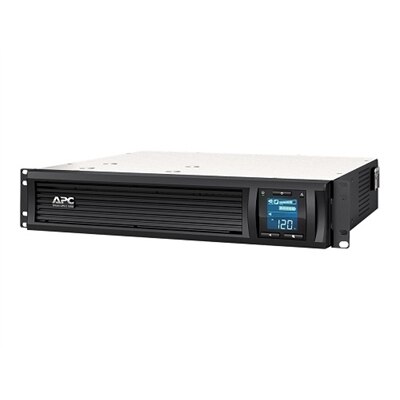
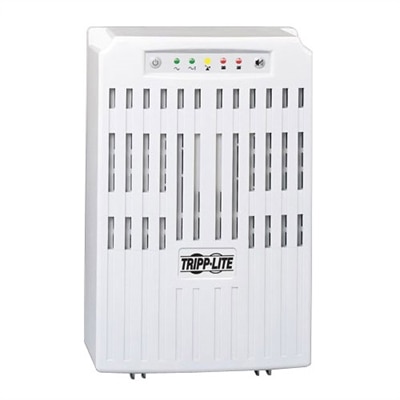
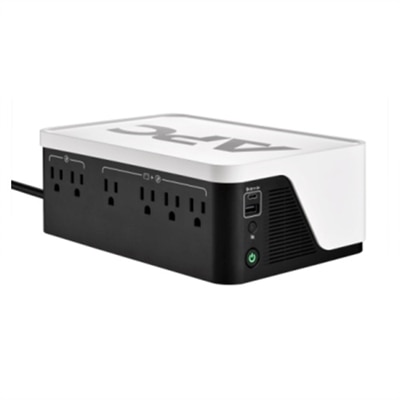
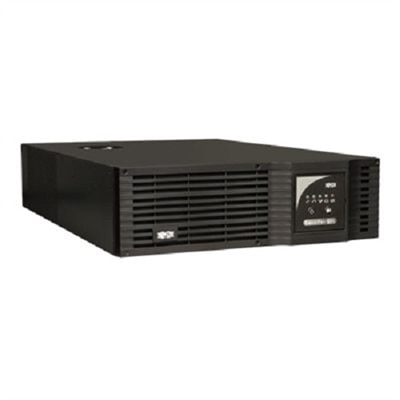
1500VA UPS
Power interruptions can disrupt your workflow and put valuable data at risk, making a reliable backup solution essential for any home or office setup. A 1500VA UPS provides the peace of mind you need by helping to keep your devices running smoothly during unexpected outages or fluctuations. Whether you're supporting computers, networking equipment, or other sensitive electronics, choosing the right 1500VA UPS ensures consistent performance and protection for your critical technology investments. Explore a range of options designed to deliver dependable power when it matters most.
This product is not available
Check out the following recommendations.




1500VA UPS
A 1500VA UPS provides dependable battery backup and surge protection for a desktop computer setup, gaming PC, monitor, printer, or home entertainment arrangement. The “VA” rating describes the unit’s apparent power capacity, while the watt rating indicates the amount of real power it can deliver to connected electronics. Many 1500VA models support up to 900 watts, although the exact output varies by design. That capacity makes this class of UPS a practical fit for a moderately powerful desktop, one or more displays, and essential accessories without taking up the space of a larger commercial unit. During a brief outage, the UPS can keep connected equipment running long enough to save open work, finish a match, shut down safely, or wait for power to return. It also helps protect against voltage fluctuations that may occur when power is restored or when larger household appliances switch on and off. A 1500VA UPS is especially useful in a home office where an unexpected interruption could erase a report or disconnect an important video call, as well as in a gaming area where a sudden shutdown can interrupt an installation, damage unsaved progress, or leave a desktop vulnerable to file errors. It can also be a thoughtful practical gift for someone setting up a study space, upgrading a gaming desk, or working from home during the cooler months. The best choice depends on the total power draw of the equipment, the number of devices that need battery support, and the amount of runtime you expect. Check the wattage listed on each device or estimate the combined load, then leave some capacity in reserve rather than operating at the UPS limit. A lower load generally provides more runtime and gives the battery room to handle brief changes in demand. For example, a desktop and display drawing around half of a 900-watt capacity may receive substantially more backup time than the same UPS supporting a full load. Actual runtime varies with battery age, connected equipment, operating conditions, and the UPS design, so manufacturer runtime charts are more useful than a single advertised estimate.
When comparing 1500VA UPS models, begin with the outlet arrangement. A unit may include several outlets with battery backup and surge protection, along with additional surge-only outlets intended for equipment that does not need to remain powered during an outage. Connect the desktop and primary monitor to battery-backed outlets, while speakers, a printer, a desk lamp, or other lower-priority accessories can often use surge-only outlets. Avoid plugging high-draw appliances such as heaters, refrigerators, or power tools into a UPS, since they can exceed the unit’s output and may damage the battery or trigger an overload. Automatic voltage regulation, often called AVR, is another valuable feature. AVR corrects modest brownouts and overvoltage conditions without switching to battery power, helping preserve battery life during the everyday fluctuations that can occur in a home or office. For a standard desktop setup, simulated sine wave output may be sufficient, but a computer with an active power factor correction power supply can operate more reliably with a pure sine wave UPS. If you are unsure which output type suits a gaming PC or workstation, check the computer’s power-supply documentation or choose a model specifically designed for compatibility with active PFC systems. A front-panel display can make ownership easier by showing load level, battery status, estimated runtime, and warning conditions at a glance. USB charging ports can be convenient for keeping a phone or other small device powered, although they do not replace the battery-backed outlets needed for a computer. Some models also support software that can monitor power conditions and initiate an orderly automatic shutdown when the battery reaches a selected level. This is useful when the connected computer is unattended, such as during an overnight backup or a long download. Consider the UPS footprint, cord length, ventilation requirements, and operating noise before placing it beside a desk or entertainment center. A unit should sit on a stable, dry surface with enough clearance for airflow, and its weight should be supported properly because internal batteries add considerable heft.
A 1500VA UPS works best when it is treated as part of a complete power-protection routine rather than as a guarantee of unlimited operation. It is designed to bridge short interruptions and provide time for a controlled response, not to keep a heavily loaded computer running for hours. Save important work regularly, enable automatic file recovery where available, and use the UPS monitoring features to set a safe shutdown threshold. When an outage lasts longer than the available runtime, shut down nonessential equipment first and preserve the remaining battery capacity for the computer and primary display. Keep in mind that rechargeable batteries gradually lose capacity, particularly in warm locations or under frequent cycling. Many UPS units provide a replaceable battery option, which can extend useful service life without replacing the entire enclosure. Follow the manufacturer’s instructions for battery replacement and recycling, and never open the battery compartment while the unit is connected to power unless the instructions specifically allow it. Surge protection ratings, warranty coverage, replacement-battery availability, audible alarm settings, and energy-saving features can also influence long-term value. If your equipment draws close to the limits of a 1500VA model, or if you need additional runtime for several high-performance devices, moving to a higher-capacity option may provide a more comfortable margin. Explore a 2000VA UPS when your setup requires greater wattage support or more reserve capacity. For many home offices, creative workspaces, and gaming desks, however, a carefully matched 1500VA UPS offers a balanced combination of protection, runtime, and manageable size. It can quietly sit beneath a desk through warm afternoons, passing storms, and cooler evenings, ready to keep essential electronics stable when the household power supply is not.
FAQs:
A 1500VA UPS is commonly used to support desktop computers, monitors, network routers, modems, NAS devices, gaming consoles, and small servers. It is also suitable for point-of-sale systems, home entertainment equipment, and other sensitive electronics that require continuous power during outages.
Automatic Voltage Regulation (AVR) helps stabilize incoming voltage without switching to battery power. This feature protects your devices from voltage fluctuations, such as brownouts or overvoltages, ensuring consistent performance and prolonging the lifespan of both the UPS battery and your connected equipment.
Pure sine wave output provides a smooth and consistent flow of electricity, closely mimicking the power from a typical wall outlet. This is especially important for sensitive electronics like high-end computers, audio/video equipment, and servers, as it reduces the risk of malfunctions, data corruption, or unexpected shutdowns.
Many modern 1500VA UPS models offer remote monitoring capabilities through network management cards or USB connections. This allows users to check battery status, receive alerts, and manage power events from a computer or mobile device, which is especially useful for IT professionals and business owners managing multiple systems.
The runtime of a 1500VA UPS during a power outage depends on the total power draw of connected devices. For a typical home workstation setup, it can provide approximately 10 to 30 minutes of backup power, allowing you to save work, safely shut down devices, or ride out short outages without interruption.
FAQs:
A 1500VA UPS is compatible with a variety of electronics such as laptops, desktops, monitors, Wi-Fi routers, and other essential home or office devices that require backup power during outages.
A 1500VA UPS provides backup power during power interruptions, allowing you to save your work and properly shut down your computer or other connected devices, helping to prevent data loss.
Yes, most 1500VA UPS units feature multiple outlets, allowing you to connect and protect several devices simultaneously, such as a desktop, monitor, and networking equipment.
The runtime of a 1500VA UPS depends on the total power draw of connected devices. It generally offers enough backup time to save your work and safely shut down your equipment during a power outage.
Yes, a 1500VA UPS typically includes built-in surge protection to help shield your connected devices from power surges and voltage fluctuations.