$799.99
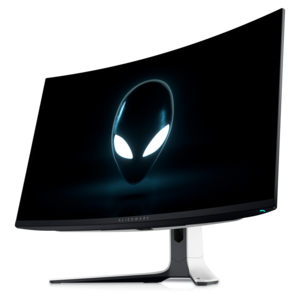
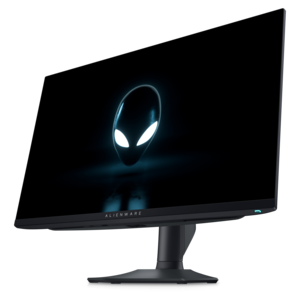
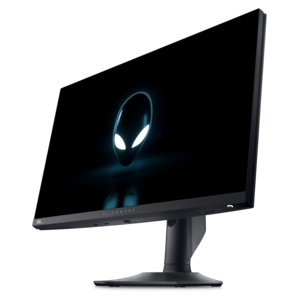
A 4K QD-OLED gaming monitor with 240Hz refresh rate, high pixel density, and Dolby Vision.
Elevate your gameplay with 240Hz Gaming Monitors for Competitive Performance, designed to give serious gamers the edge they need in fast-paced environments. Discover monitors that deliver ultra-smooth visuals and responsive experiences, perfect for high-intensity matches and tournaments. Whether you're aiming for victory in esports or looking to enhance your setup for immersive play, these monitors help you stay ahead of the competition and enjoy every moment of action.
A 4K QD-OLED gaming monitor with 240Hz refresh rate, high pixel density, and Dolby Vision.
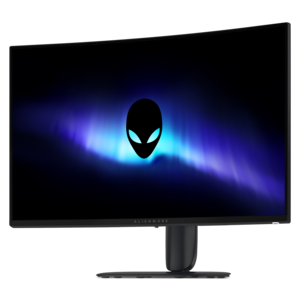
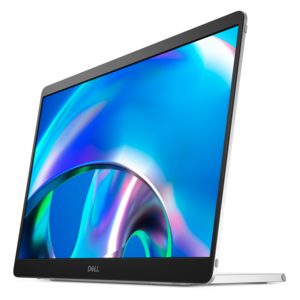
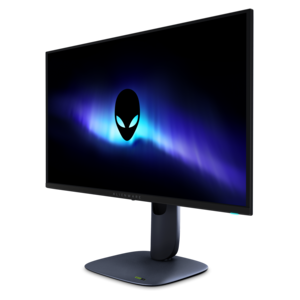
A curved 4K QD-OLED gaming monitor with Dolby Vision and an ultra-smooth 240Hz refresh rate.
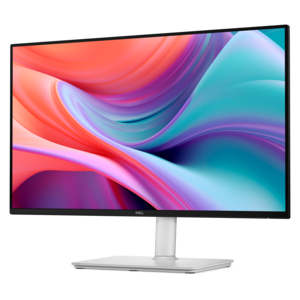
A curved QHD gaming monitor with a rapid 240Hz refresh rate and vivid colors for immersive gameplay.
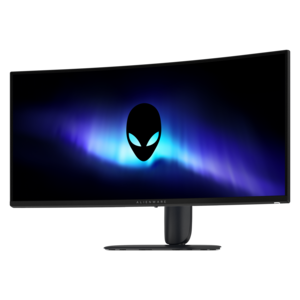
A curved ultrawide WQHD gaming monitor delivering vivid color and an exceptionally smooth 240Hz refresh rate.
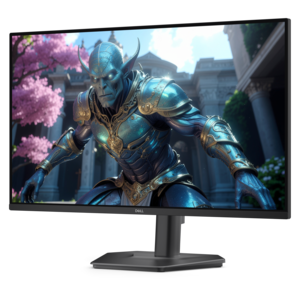
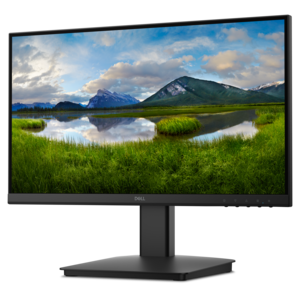
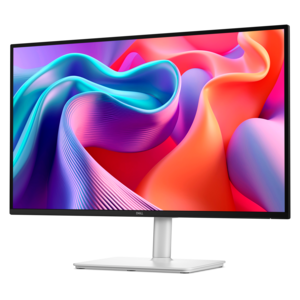
A fast IPS monitor with FHD resolution, 240Hz refresh rate, adjustable stand, and certified eye comfort.
240Hz gaming monitors bring fast, closely spaced frame updates to competitive play, where tracking a moving opponent or reacting to a sudden change in direction depends partly on how clearly the action appears. A 240Hz refresh rate means the display can update its image 240 times per second, with approximately 4.17 milliseconds between refreshes, compared with about 6.94 milliseconds at 144Hz and 16.67 milliseconds at 60Hz. When paired with a computer producing sufficiently high frame rates, that faster cadence can make movement look smoother and present newer visual information more frequently. The difference is especially relevant in first-person shooters, racing games, and other fast-paced competitions: a player crossing a doorway, a car approaching the apex of a corner, or an opponent changing position during a close-range encounter can appear in smaller, more frequent steps. Refresh rate is only one part of that experience, however. Pixel response time describes how quickly pixels change between colors, while input lag describes the delay associated with processing and displaying an input. A low advertised response time does not establish total system latency, and measurement conditions can vary. Effective motion clarity comes from the combination of refresh rate, pixel transitions, frame delivery, and display settings. Overdrive can speed transitions on some panels, but an overly aggressive setting may create bright or dark trails around moving objects. Adaptive synchronization can reduce screen tearing and uneven presentation by coordinating the display’s refresh timing with compatible graphics hardware within a supported operating range. Sustaining frame rates near 240 frames per second also depends on the game, processor, graphics hardware, resolution, and visual settings. A 240Hz monitor cannot make a computer render faster, but it can display more of the frames a capable system produces. For players practicing precise aim or following rapid lateral movement, those combined characteristics support a more responsive view without replacing the importance of consistent technique, a stable connection, and comfortable controls.
Screen size, resolution, and panel technology give 240Hz gaming monitors distinct personalities beyond their shared refresh rate. Displays around 24 to 25 inches keep a conventional widescreen image relatively compact, making it easier for some players to monitor the center of the action and peripheral interface elements without large eye movements. A 1080p resolution places a lighter rendering load on graphics hardware than higher resolutions under otherwise similar conditions, which can help support high frame rates in demanding matches. A 27-inch 1440p display provides more pixels and finer detail, with a balance of image definition and screen area that suits both competitive sessions and everyday desktop use. Higher-resolution screens require more graphics performance to sustain comparable frame rates, while ultrawide formats add horizontal workspace and a broader view in games that support their aspect ratio. Competitive titles and tournament rules may limit that wider presentation, so screen shape does not always translate into a larger playable field of view. Flat panels maintain a familiar geometry for aiming, browsing, and working with documents; curved panels can make the edges of a wide screen feel more naturally positioned around the seated viewer. Fast IPS panels offer broad viewing angles and consistent color, with motion performance that depends on the panel and its tuning. OLED panels use individually illuminated pixels for deep blacks and rapid pixel transitions, while QD-OLED combines OLED technology with quantum dots for color reproduction. Neither technology makes every moving image perfectly sharp: frame rate, refresh timing, and the way the eye tracks motion still matter. Room lighting also influences the experience. A matte surface can soften distracting reflections, while a glossy surface may look crisp in controlled lighting but reflect nearby lamps or windows more clearly. Brightness, contrast, text rendering, and color accuracy matter when the same screen handles daytime work, evening matches, and video viewing. HDR capability varies substantially between displays, so the label alone does not describe the strength of highlights, shadow detail, or local contrast.
The physical fit of a 240Hz gaming monitor matters over a long session just as much as its specifications. Height adjustment, tilt, and swivel help position the screen at a comfortable viewing angle, while a stable base keeps the image steady when rapid mouse movements shake a lightweight desk. A compact stand can leave more space for a large mouse pad and a keyboard angled for competitive play. Larger panels and deeper curved screens need enough desk depth to maintain a comfortable viewing distance rather than crowding the player. Compatible mounting points allow supported monitor arms to free up desktop space, provided the arm matches the display’s weight and mounting requirements. Durable housings, sturdy stand joints, and well-finished metal or reinforced plastic components contribute to everyday resilience, although no construction material makes a panel resistant to careless handling. Screen surfaces and coatings benefit from gentle care with a clean microfiber cloth and cleaning methods specified by the manufacturer; pressure, abrasive materials, and unsuitable liquids can damage the finish. OLED displays may also include panel-care functions intended to reduce the risk of uneven wear from static elements, an important consideration when scoreboards, taskbars, or application windows stay in the same position for extended periods. Connections deserve equal attention because the supported resolution and refresh rate depend on the monitor’s inputs, the computer’s output, and the cable being used. Some configurations require enabling the highest refresh rate in both the display controls and operating system, and console compatibility should be evaluated separately from a computer’s capabilities. For households with several gaming styles, High Refresh Rate Monitors for Competitive Gaming provides a broader range of display options beyond a single refresh-rate category. A 240Hz screen is particularly relevant for dedicated competitive players, students balancing coursework with team practice, and enthusiasts refining a familiar desktop setup. As a gift for an experienced player, its usefulness depends on matching the recipient’s computer, preferred screen size, desk space, and most-played games rather than focusing on refresh rate alone.
Add the products you would like to compare, and quickly determine which is best for your needs.