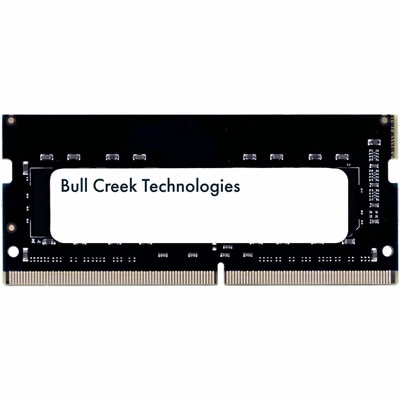
3200 MT S RAM
Upgrade your system’s performance with 3200 MT/s RAM, designed to support smoother multitasking and faster data access for a variety of computing needs. Whether you’re building a new PC or enhancing your current setup, 3200 MT/s RAM offers the speed and reliability required for work, gaming, and everyday tasks. Discover a range of options to find the ideal memory solution that fits your requirements and helps keep your computer running efficiently.
This product is not available
Check out the following recommendations.
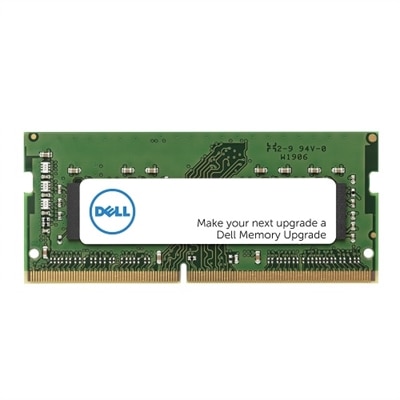
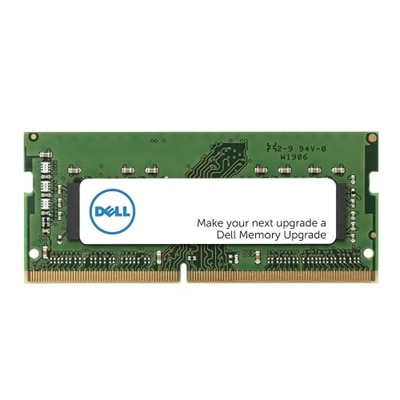

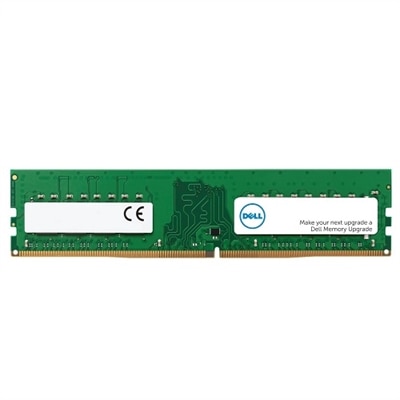
3200 MT S RAM
3200 MT/s RAM is a popular memory speed for compatible DDR4 computers, offering an effective data transfer rate of 3,200 million transfers per second. The term MT/s, or megatransfers per second, describes how many data transfers memory can complete in one second. You may also see this specification written as “3200 MHz” in product listings and computer settings, although the technically accurate term is 3200 MT/s. Because DDR, or Double Data Rate, memory transfers data twice during each internal clock cycle, the underlying clock frequency is 1600 MHz while the effective transfer rate reaches 3200 MT/s. This distinction rarely changes the buying decision, but understanding it can make computer specifications easier to compare. Memory at this speed is most commonly associated with DDR4 systems and can provide a balanced combination of responsiveness, compatibility and everyday performance for home offices, schoolwork, creative projects, gaming and general multitasking. When opening several browser tabs, switching between documents, joining a video call while other applications run in the background or loading a large project, additional memory capacity can help a computer feel more comfortable and less dependent on slower storage. Speed matters, but capacity and system compatibility matter just as much. A computer with enough RAM for its workload can keep frequently used information readily available, helping reduce pauses during ordinary tasks. For a broader look at available memory options, visit Computer RAM.
Choosing 3200 MT/s RAM starts with identifying the type of computer and the memory it supports. Desktop systems generally use full-size DIMM modules, while laptops and other compact computers typically use shorter SODIMM modules. These formats are not interchangeable, even when they share the same DDR4 technology and rated speed. Check the computer’s service documentation, motherboard specifications or system information before selecting an upgrade, and confirm the maximum supported capacity, number of memory slots and whether the computer uses standard or specialized memory. Matching the existing module’s generation is essential: DDR4 memory is not designed for a DDR3 or DDR5 slot, and a module that fits physically is not necessarily electrically compatible. It is also wise to consider the intended capacity. A modest amount may suit email, web browsing and word processing, while more memory can be helpful for photo organization, development tools, large spreadsheets, light content creation and gaming alongside other open applications. A matched kit can make it easier to maintain consistent specifications across modules, particularly in a desktop with multiple slots. If replacing existing memory rather than adding to it, compare the capacity, speed and timing of the current modules with the new configuration. Mixing modules can sometimes cause the system to operate at the speed of the slowest module, and in some cases a computer may be less stable when memory specifications differ. Anyone shopping for an upgrade as a practical gift should first confirm the recipient’s computer model and available slot type; a carefully matched memory upgrade is far more useful than a module chosen only by capacity or appearance.
After installation, a computer may initially report a lower memory speed than the rated 3200 MT/s. This does not always indicate a faulty module. Many systems begin with a conservative default setting, such as 2133 or 2666 MT/s, until a supported performance profile is selected in the system firmware. On compatible desktop platforms, that setting may be identified as XMP, DOCP or another manufacturer-specific memory profile. Enabling a profile should be done only after checking the motherboard and processor documentation, since the available options vary by system. Some computers automatically configure compatible memory, while others require a visit to the BIOS or UEFI setup screen. Before making changes, record the original settings and follow the system maker’s instructions carefully. A firmware update may also improve compatibility, but it should be performed with the computer connected to reliable power and only by following official guidance. Once the memory is installed, confirm that the full capacity is recognized and use the operating system’s diagnostic tools or a trusted memory test to check stability. Proper installation also means turning off the computer, disconnecting power, grounding yourself to reduce static risk and pressing each module evenly into its slot until the retaining clips engage. For a laptop, verify whether the memory is replaceable before ordering, as some thin designs have memory integrated into the motherboard. With the right form factor, capacity and DDR4 compatibility, 3200 MT/s RAM can be a sensible way to refresh an aging computer, improve multitasking and create a smoother workspace during long study sessions, workdays or cooler evenings spent on personal projects.
FAQs:
3200 MT/s stands for 3200 MegaTransfers per second, which is a measure of how many data transfers the RAM can perform each second. This is the standard high-performance speed for DDR4 memory, providing a good balance of speed and efficiency for most computing tasks, including gaming, content creation, and multitasking.
Yes, 3200 MT/s RAM is widely supported by most recent Intel and AMD platforms. However, some systems may require enabling XMP or DOCP profiles in the BIOS to achieve the full 3200 MT/s speed, as default settings might run the memory at a lower frequency.
Anyone who regularly multitasks, plays games, edits photos or videos, or uses demanding applications can benefit from upgrading to 3200 MT/s RAM. Students, remote workers, creative professionals, and gamers will all notice smoother performance and faster response times.
While installing 3200 MT/s RAM is similar to other RAM modules, you may need to enter your system’s BIOS after installation and enable an XMP or DOCP profile to ensure the memory runs at its rated speed. Always consult your system’s or motherboard’s manual for specific instructions.
3200 MT/s is considered the peak standard speed for DDR4 memory, offering excellent performance for most users. While higher speeds are available, the real-world performance gains are often minimal for typical tasks. Some users may also consider alternatives like DDR4 2400 MT/s RAM depending on system compatibility and needs.