$2599.99
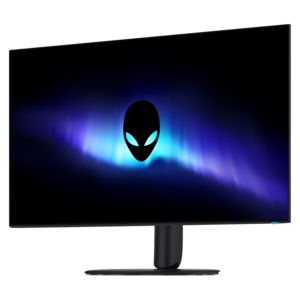
A color-critical 4K QD-OLED monitor with DisplayHDR True Black 500, anti-glare coating, and built-in colorimeter.
Shop 4K OLED monitors for sharp UHD detail, deep contrast, and vibrant color in a range of display options for gaming, creative work, entertainment, and everyday productivity. Compare available screen sizes, refresh rates, response times, connectivity, and ergonomic features to find a monitor that fits your setup.
A color-critical 4K QD-OLED monitor with DisplayHDR True Black 500, anti-glare coating, and built-in colorimeter.
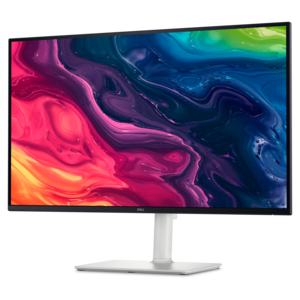
A 4K OLED gaming monitor delivering vibrant colors, sharp text, immersive HDR, and deep black levels.
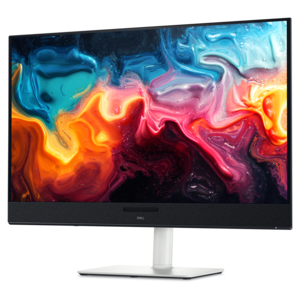
A 4K QD-OLED monitor with AI-enhanced 3D Spatial Audio for captivating entertainment.
4K OLED monitors combine a 3840 x 2160 resolution with self-lit pixels that can switch on and off individually, creating deep blacks, bright highlights, and highly detailed images. The result is a screen that can make small text, fine textures, shadow detail, and vivid color feel unusually clear, whether you are reviewing photographs, exploring a richly lit game world, watching high-resolution video, or moving between several work windows. Unlike conventional LCD displays that rely on a separate backlight, OLED technology can produce exceptionally strong contrast because dark areas do not need to remain faintly illuminated. Many models also offer a near-instant response time, often around 0.03ms, which helps reduce visible trailing behind fast-moving objects. These characteristics make 4K OLED monitors a natural fit for PC gaming, console gaming, photo and video creation, digital illustration, design work, and everyday productivity. A larger screen can make a desk feel more immersive and give creative applications room for timelines, tool panels, and full-size previews, while a more compact display may suit a smaller workspace or a setup shared between work and entertainment. For someone who spends cooler months indoors catching up on projects, playing games, or watching films, an OLED monitor can bring a more cinematic sense of depth to the desk without requiring a separate television.
Refresh rate is one of the most important specifications to compare. A 60Hz panel can be suitable for general office tasks, browsing, writing, and many creative workflows, while 120Hz, 144Hz, 165Hz, or 240Hz displays can make camera movement, scrolling, and animated interface elements appear noticeably smoother. Higher refresh rates are especially useful for competitive gaming, where rapid motion and quick inputs matter, but they can also make ordinary desktop use feel more fluid. Be sure that the computer or console, graphics hardware, and connection standard can support the chosen refresh rate at 4K resolution. HDMI 2.1 is useful for modern consoles and compatible PCs, while DisplayPort 1.4 or DisplayPort 2.1 may be important for high-resolution computer setups, depending on the monitor and graphics card. USB connectivity, audio output, integrated speakers, and a built-in hub can reduce desk clutter, and USB-C with power delivery may allow a compatible laptop to receive video, data, and charging through one cable. Ergonomic features deserve equal attention: height, tilt, swivel, and pivot adjustment can help position the screen so the top edge sits comfortably near eye level. If color work is part of the routine, look for broad color-gamut coverage, accurate factory calibration, support for HDR, and a menu with useful color modes. People comparing display options for illustration, photography, layout, or visual content may also find 4K Monitors for Graphic Design helpful when considering how resolution, color, and screen size fit together.
Panel construction can influence the way a 4K OLED monitor looks and feels in a particular room. QD-OLED designs are often recognized for rich, saturated color and strong brightness in highlights, while WOLED designs may offer different approaches to brightness, color reproduction, and reflection control. Neither label alone determines which display is the right fit, so consider the lighting around the desk, the type of content viewed, and the desired balance between contrast, color, and glare reduction. A room with a bright window or overhead lighting may benefit from an effective anti-reflective treatment, although no coating eliminates every reflection. OLED monitors also include protective features intended to reduce the possibility of image retention over long periods, such as pixel shifting, screen savers, automatic dimming, and compensation cycles. These features are useful when a desktop image, application toolbar, or game interface remains in the same position for hours. Review the manufacturer’s warranty carefully to confirm what coverage applies to burn-in, and follow the display’s care recommendations. A 4K OLED monitor can be a thoughtful gift for a gamer building a more immersive setup, a photographer refining images, a video editor working with detailed footage, or a student creating presentations and visual projects. It can also be a practical upgrade for a home office, where one spacious screen may replace several smaller displays and make room for documents, reference material, and communication tools side by side. Before choosing, measure the available desk depth, confirm that the stand or mounting arm can support the display, check the computer’s output capabilities, and compare the panel size with the preferred viewing distance. With the right combination of resolution, refresh rate, connectivity, ergonomics, color performance, and protection features, a 4K OLED monitor can serve as a vivid centerpiece for work, creativity, gaming, and entertainment throughout the year.
Add the products you would like to compare, and quickly determine which is best for your needs.