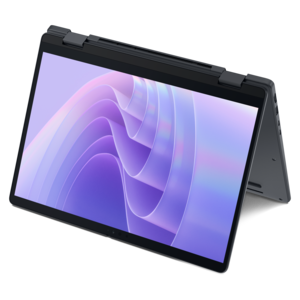
500 Nit Laptops
500 Nit laptops offer exceptional screen brightness, making them an excellent choice for users seeking vivid visuals in various lighting conditions. With enhanced display capabilities, these laptops are ideal for anyone who values clarity and color accuracy, whether working indoors or on the go. Explore a diverse selection of 500 Nit laptops designed to elevate your viewing experience and support productivity wherever you need it.
This product is not available
Check out the following recommendations.




500 Nit Laptops
500 nit laptops are designed for people who want a brighter, easier-to-read display than the standard laptop screen. Nit is a unit used to describe luminance, or how much light a display produces. Many everyday laptop screens measure around 250 to 300 nits, while a 500 nit panel can provide a noticeably clearer image in bright surroundings. That additional brightness is especially useful near a sunny window, on a covered patio, in a classroom with strong overhead lighting or in an office where reflections make darker screens tiring to view. Text appears more distinct against its background, images retain stronger visual impact and the screen is less likely to look washed out when ambient light changes. A bright display does not eliminate glare entirely, particularly when paired with a glossy finish, but it can help overpower some reflections that would otherwise obscure a spreadsheet, presentation or video call. When comparing listings, check whether the stated brightness is typical, minimum or peak output, since some displays reach 500 nits only in specific modes or while showing HDR content. It is also worth considering whether the screen supports HDR, as compatible content can use a wider range between deep shadows and bright highlights for a more dimensional picture. HDR performance depends on more than brightness alone, including contrast, local dimming, color coverage and the quality of the source material, so a 500 nit rating should be viewed as one important part of the display specification rather than a complete picture of image quality.
A 500 nit screen can be a practical fit for mobile professionals, students, creators and anyone who moves between different workspaces throughout the day. A consultant reviewing slides in a bright conference room may appreciate a display that keeps fine chart labels readable, while a student working beside a library window can spend less time tilting the screen to find a comfortable angle. For photographers, illustrators and video editors, brightness often works best alongside a broad color gamut, accurate color reproduction and a resolution that keeps detailed images sharp. Look for specifications such as sRGB or DCI-P3 coverage when color matters, and consider whether the display has been factory calibrated or includes selectable color profiles. A high refresh rate can make scrolling, animation and fast-moving games look smoother, while a standard refresh rate may be sufficient for writing, research and office applications. Screen size and resolution also shape the experience: a compact laptop may be easier to carry, while a larger screen can provide more room for timelines, side-by-side documents and creative canvases. Touch capability, an adjustable hinge and pen support may benefit people who sketch, annotate or present from the screen. At the same time, higher brightness can use more battery power, especially when the panel is operated near its maximum setting. Battery capacity, processor efficiency, charging speed and the ability to adjust brightness automatically all deserve attention for people who work away from an outlet. Those comparing display sizes or resolutions may also want to explore 1080p Laptops as another way to balance image clarity, portability and everyday battery life.
These laptops can also make thoughtful gifts for a college student setting up a first study space, a remote worker creating a flexible workstation or a family member who enjoys streaming, photo organization and everyday browsing. Their value is easy to notice in ordinary moments: reading a recipe on a kitchen counter with daylight pouring across the room, checking travel details outdoors, joining a video call from a sunlit room or watching a film in a space with lamps and windows reflecting across the screen. Brightness is not a substitute for comfortable ergonomics, so think about keyboard feel, palm-rest space, webcam quality, speaker placement and the weight of the device. A display with a matte or anti-reflective coating may be preferable for long work sessions, while a glossy panel can produce richer-looking images when reflections are controlled. Consider connectivity as well, including the ports needed for an external display, camera, card reader, headphones or other accessories. Memory and storage affect how smoothly the laptop handles many browser tabs, large creative files and demanding applications, while graphics capability matters for gaming, editing and three-dimensional work. Security features such as a fingerprint reader, privacy shutter or facial recognition can add everyday convenience, particularly for people who carry a laptop between home, school and work. During warmer seasons and the cooler months that follow, a 500 nit laptop can adapt to changing light across patios, cafés, commutes and indoor work areas. The best choice is one that combines the desired brightness with accurate color, comfortable viewing, dependable performance, suitable battery life and a design that fits naturally into the owner’s routine.
FAQs:
A 500 nit display refers to the brightness level of the laptop screen. Nits are a measurement of luminance, and a 500 nit display is considered very bright, making it ideal for use in well-lit environments or outdoors.
Yes, laptops with 500 nit displays are well-suited for outdoor use. The high brightness helps reduce glare and ensures content remains visible even in direct sunlight.
A 500 nit display offers enhanced brightness and color accuracy, which is beneficial for creative professionals who require precise visuals for tasks such as photo editing, graphic design, and video production.
A brighter screen, such as a 500 nit display, can make it easier to see content clearly in various lighting conditions, which may help reduce eye strain caused by squinting or straining to see a dim screen.
Many 500 nit laptops are capable of supporting HDR (High Dynamic Range) content, providing richer colors and greater contrast for an enhanced viewing experience. Check the specific model’s specifications for HDR support.