Adjustable Stand Monitors
Elevate your viewing experience and enhance your workspace with adjustable stand monitors. Designed to provide flexibility and comfort, these monitors allow you to customize the height, tilt, and orientation to suit your individual needs. Whether you're working long hours at the office, gaming at home, or simply browsing the web, adjustable stand monitors offer the versatility to create an ergonomic setup that reduces strain and boosts productivity. Discover a range of options that seamlessly blend functionality with modern design, ensuring you find the perfect fit for any environment.
This product is not available
Check out the following recommendations.




Adjustable Stand Monitors
Adjustable stand monitors are designed to make a desktop display more comfortable to use by letting you position the screen to suit your height, seating posture and daily routine. Instead of keeping the panel at one fixed level, an adjustable stand may allow you to raise or lower the display, tilt it forward or backward, swivel it from side to side or rotate it between landscape and portrait orientation. These movements can make a noticeable difference during long work sessions. A screen set too low may encourage you to lean forward or angle your head downward, while a display that sits too high can create tension across the neck and shoulders. With the top portion of the screen near eye level and the viewing angle adjusted to reduce glare, it is easier to settle into a natural posture. Built-in adjustable stands are also useful when a desk is shared by people of different heights. One person can lower the monitor for a seated task, then raise it for someone who prefers a taller viewing position, without moving the entire workstation. Some designs include a broad, weighted base for stability, while others use a compact footprint that leaves room for a keyboard, notebook, speakers or a cup of coffee. When comparing options, consider the adjustment range rather than looking only at the screen size. A stand with a generous height range provides more flexibility, particularly for users who alternate between sitting and standing or move between a standard desk and a raised work surface. Tilt and swivel can help position the screen directly in front of you, and a pivot function can be helpful for reading long documents, coding, reviewing webpages or working with portrait-oriented content. Monitor size and resolution should also match the space and the way the display will be used. A compact screen can work well on a smaller desk, while a larger display may make spreadsheets, creative applications and side-by-side windows easier to view. Resolution, refresh rate, brightness, contrast and panel technology all contribute to the experience, but an excellent picture is most useful when the stand lets you place it comfortably.
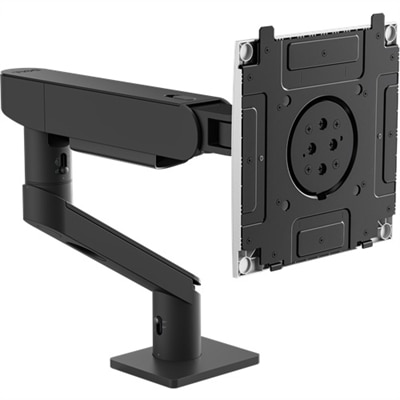
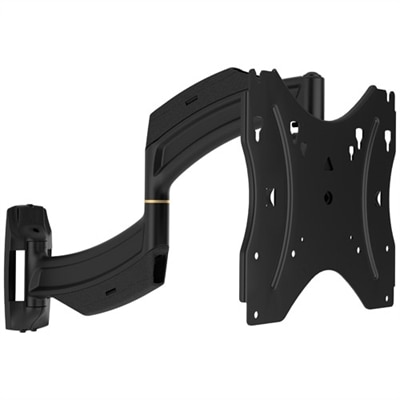
Before choosing an adjustable stand monitor, measure the area where it will sit and note the depth of the desk from front to back. A monitor that fits the available width may still feel crowded if its base extends too far toward the keyboard. Check the stand dimensions, screen size and weight, including the base, and leave enough room for cables to bend without being pinched. A cable-management channel or opening in the stand can keep power and display cables tucked away, giving the workspace a cleaner appearance and making it easier to adjust the screen without pulling on connections. If you plan to use two displays, look at the space between them and consider whether each stand can swivel inward for a comfortable viewing angle. Users who already own a compatible display may prefer a separate riser, arm or mounting solution, but it is important to verify the screen’s weight, mounting pattern and compatibility before purchasing an accessory. A freestanding riser can lift a monitor while creating storage space underneath for a notebook or keyboard, whereas an arm can free more of the desktop and provide a wider range of movement. For people who read documents, write code or view tall webpages, portrait orientation can reduce scrolling and show more lines at once. A display with a pivoting stand makes this change simple, provided the connected computer and software support screen rotation. Those looking for more flexibility in a vertical setup can also explore Vertical Monitor Stands. Other practical details include the available ports, built-in speakers, webcam support, blue-light or comfort-view features and the location of the monitor’s controls. A monitor with easily reached controls is convenient when changing brightness or input sources, while multiple video inputs can make it easier to connect a desktop and laptop to the same display. For a home office, a monitor with a clean, understated base can blend into a room that serves several purposes. In a classroom, study area or family workspace, a sturdy stand and simple height adjustment can help different users share the same screen without constant rearrangement.
These monitors can suit remote professionals, students, designers, writers, analysts, gamers and anyone who spends meaningful time at a computer. A remote worker may raise the display during a video meeting, angle it to limit reflections from a nearby window and lower it again for focused keyboard work. Someone managing a wide spreadsheet can use a larger screen and adjust the height so the top rows remain easy to see without hunching forward. A photographer or designer may prioritize accurate color and a stand that swivels smoothly, while a gamer may place greater emphasis on refresh rate, response time and a stable base that stays firmly planted during fast-paced play. Students can benefit from a screen that adjusts as they move between reading, writing and online classes, especially when a desk also needs to accommodate books and study materials. Adjustable stand monitors can also be thoughtful gifts for a recent graduate, a family member setting up a home office or a friend refreshing a compact workspace, because the benefits are practical and used throughout the year rather than limited to one type of task. During the cooler months, when more work, study and entertainment may take place indoors, a comfortable monitor position can make a desk feel more inviting, much like a well-placed reading lamp or supportive chair. Keep the display about an arm’s length away when practical, place it directly in front of your primary seating position and adjust the tilt so overhead lighting does not reflect into your eyes. Take short breaks, change positions and use the stand’s range instead of forcing your body to adapt to a fixed screen. The best choice balances ergonomic adjustability with the image quality, connectivity, size and footprint that fit your routine. By considering how the monitor will be used from morning work sessions through evening browsing or entertainment, shoppers can choose a display that feels natural at the desk and remains useful as their workspace evolves.
FAQs:
Monitors with adjustable stands help users achieve a more comfortable viewing position by allowing for height, tilt, and sometimes swivel or pivot adjustments. This flexibility reduces strain on the neck, shoulders, and eyes, especially during extended periods of use, and supports better posture throughout the day.
A Dell adjustable height monitor is ideal for remote workers, students, creative professionals, and gamers who spend significant time at their desks. It's also a great option for shared workspaces where multiple users may need to quickly customize the monitor’s position to suit their preferences.
An adjustable monitor stand can free up valuable desk surface by allowing the monitor to be positioned off-center or raised above other items. Some stands offer clamp-on or compact bases, making it easier to organize accessories, documents, or other essentials beneath or around the monitor.
For dual-screen setups, look for monitor stands or mounts that offer full-motion capabilities, such as independent height, tilt, and swivel adjustments for each monitor. This ensures seamless alignment and ergonomic comfort, whether you’re working, gaming, or multitasking across multiple applications.
Yes, most adjustable monitor stands are designed to be compatible with a wide range of desk types, including traditional, standing, and compact desks. Many stands feature adaptable mounting options, such as clamp-on bases or VESA-compatible plates, making them versatile for various workspaces.