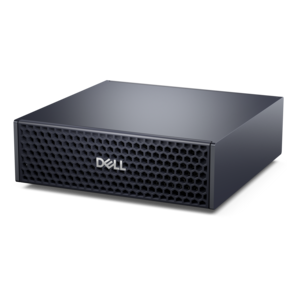
$9007.00
A compact AI accelerator delivering powerful local inferencing, AI development, and versatile edge performance.
AI development tools empower innovators to design, build, and refine intelligent solutions across a wide range of industries. Whether you’re a seasoned developer or just beginning your journey into artificial intelligence, the right tools can streamline workflows and accelerate project timelines. Explore a diverse selection of ai development tools designed to support machine learning, data analysis, automation, and more, helping you unlock new possibilities in technology.
A compact AI accelerator delivering powerful local inferencing, AI development, and versatile edge performance.
AI development tools bring intelligent assistance into the everyday work of writing, reviewing, testing and maintaining software. The category includes in-editor coding assistants, AI-native code editors, terminal-based coding agents, browser-based development environments and hardware designed to keep demanding development workflows responsive. Some tools provide real-time code completion as you type, while others explain unfamiliar functions, generate tests, summarize pull requests or suggest fixes based on an error message. More advanced options can inspect a broader repository, trace how data moves between files, propose coordinated changes across multiple modules and run tests before presenting a recommendation. When comparing products, begin with the way you already work. An assistant that lives inside a familiar integrated development environment may be a comfortable fit for someone who wants suggestions without changing established habits. A code editor built around AI may be better suited to developers who want repository-aware chat, multi-file refactoring and a more conversational workflow. Terminal agents can appeal to experienced users who prefer command-line control and want an assistant to explore a project, execute approved tasks or prepare commits. Browser-based environments can simplify setup for students, instructors, hobbyists and distributed teams by reducing the need to configure a local terminal before an idea can become a working prototype.
The most useful AI development tools provide enough context to be helpful without making the developer surrender judgment. Look for support for the programming languages, libraries and frameworks used in your projects, along with compatibility with the editor, source-control platform and testing tools that form your normal routine. Context length matters when a project spans many files, but context quality matters just as much: repository indexing, symbol awareness, file search and data-flow tracing can help an assistant understand relationships that a single pasted snippet cannot show. Agent features may offer plan and act modes, letting you review a proposed sequence before changes are applied, while model choice can affect speed, reasoning depth, cost and support for specialized tasks. Collaboration features such as code review summaries, shared prompts and pull request assistance can help a small team maintain a consistent process. Privacy and governance deserve equal attention. Review whether code is sent to a cloud service, whether local or private deployment options are available, how prompts and project data are retained, and what controls exist for access, auditing and administration. Developers working with confidential source code may prioritize tools with clear data-handling policies and flexible deployment choices. It is also wise to confirm how suggestions are attributed, how generated code should be reviewed and whether the tool can be configured to require approval before editing files, running commands or creating commits.
Hardware plays an important part in the experience, particularly when development involves large repositories, virtual environments, containers, local models, design previews or several applications open together. A capable laptop can suit students, consultants and developers who move between a home office, classroom and client site, while a desktop may provide a comfortable foundation for a fixed workspace with room for expanded memory, additional displays and sustained workloads. Processing capability, memory and fast solid-state storage all influence how quickly an editor opens a project, searches a codebase or switches between build and testing tasks. Systems with an AI Processors can also support compatible local features designed to handle certain intelligent workloads efficiently, which may help reduce reliance on cloud services for supported functions. A clear, high-resolution monitor can make dense code, logs and documentation easier to read, and a second display can keep test results or reference material visible beside the editor. Comfortable input accessories, reliable connectivity and a well-organized workspace matter during long debugging sessions, when small distractions can interrupt concentration. These products can be practical gifts for a computer science student, an aspiring programmer, a teacher preparing hands-on lessons or a hobbyist turning an idea into a working application, especially when chosen around the recipient’s preferred operating system and development environment. During the cooler months, a thoughtfully selected setup can make a home workspace feel more inviting, but the best choice remains the one that matches the user’s projects, technical comfort and plans for growth.
Add the products you would like to compare, and quickly determine which is best for your needs.