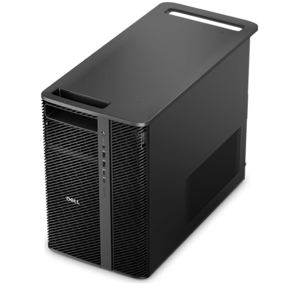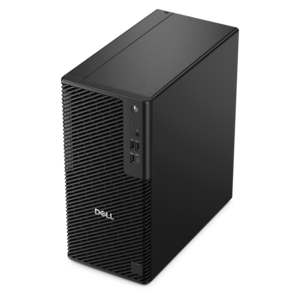
AMD Workstations

Unlock new levels of performance and reliability with AMD workstations designed to power your most demanding projects. Whether you're tackling complex data analysis, graphic design, or engineering tasks, these advanced systems provide the computing strength professionals need to stay productive. Explore a wide selection of AMD workstations tailored for seamless multitasking and efficient workflows, ensuring you have the right tools to achieve your goals.

Filters

$1298.00

A reliable workstation desktop delivering excellent performance with professional graphics for demanding productivity and creative workloads.
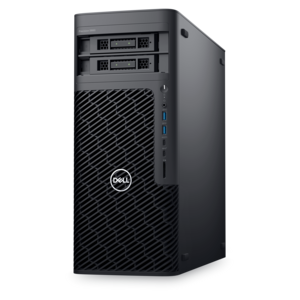
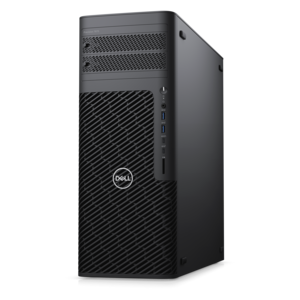
$1298
$4104.00

A workstation with Xeon processing, dual 300W graphics, 56TB storage, 2TB memory, and Windows 11 Pro.

$4104
$4958.00

A scalable tower workstation delivering reliable, outstanding performance for demanding multi-threaded applications.

$4958
$7979.00

A scalable, high-performance workstation designed to handle critical professional tasks and evolving workloads.

$7979

AMD Workstations

AMD workstations are computers powered by AMD processors and configured for demanding professional tasks such as 3D rendering, computer-aided design, video editing, scientific computing, and software development. Their usefulness comes from how well the processor, graphics, memory, cooling, and software work together—not from a single specification. For an architect rotating a detailed building model, responsive graphics and strong interactive performance help keep design changes fluid. For an animator generating hundreds of finished frames, a processor with more cores may shorten rendering time when the application can distribute that work across them. These are different demands, even though both involve complex visual projects. Processor core count describes how many processing cores are present, while thread count indicates how many instruction streams the processor can handle; neither number alone predicts performance in every application. Tasks that rely heavily on a single processing thread can respond differently from workloads designed to use many cores simultaneously. Graphics requirements deserve the same attention. Some applications use the graphics processor primarily to display intricate scenes, while others rely on it for rendering, effects, computation, or local artificial intelligence workloads. Graphics memory can become particularly important when working with large textures, detailed assemblies, or models that must fit within the graphics processor’s supported memory capacity. Software support also matters: an application must support the relevant hardware and acceleration features to benefit from them. A video editor adjusting a color grade while previewing layered footage has a different performance profile from an engineer running a lengthy numerical simulation. An AMD workstation configuration that suits one task may therefore be less appropriate for another. The most useful comparison starts with the applications, project sizes, and working habits involved, including whether the computer will spend most of its time supporting hands-on creation, completing extended calculations, or moving between both throughout the day.

Memory capacity helps determine how comfortably a workstation handles large projects and overlapping applications. A typical professional session might include a detailed design file, reference images, several documents, a browser full of research, and a meeting application running at once. Enough memory gives those activities room to coexist, while an undersized configuration can interrupt the rhythm of work as projects become more demanding. The requirements published by software developers provide a useful baseline, but recommended specifications and requirements for advanced features often offer a more realistic picture than minimum specifications alone. Supported memory capacity, module configurations, and future expansion options vary by system. Where error-correcting memory is supported, it can help detect and correct certain memory errors, although that capability depends on the complete platform and its configuration. It should not be assumed from the processor brand or workstation description. Compatibility extends beyond memory. The operating system, graphics drivers, application version, and connected equipment all influence the experience. For specialized professional software, certification for a particular system and configuration can provide evidence that the combination has undergone defined testing; certification should be checked for the actual application rather than treated as universal. Everyday connections matter just as much as advanced specifications. A photographer may need convenient access for importing images, while a designer may depend on several displays and a pen input device. Port types, display limits, supported resolutions, and connection placement affect how naturally those tools fit into the workspace. A port on the front of a tower can save repeated trips behind a desk, and correctly matched display connections can simplify a two-screen arrangement. Project-opening times, media playback, and file transfers also depend on the full configuration and the characteristics of the files involved. For AMD workstations, balanced specifications are generally more useful than an unusually strong component paired with limitations elsewhere, especially when a normal workday involves several applications rather than one isolated benchmark.

Physical design shapes how an AMD workstation fits into a studio, office, classroom, or home workspace. A larger desktop enclosure may provide more room for supported components and cooling, while a compact design can leave more space for drawing tablets, documents, and other everyday tools. External dimensions are only part of the fit: ventilation clearance, cable bends, access to ports, and room to open service panels also deserve consideration. A tower tucked tightly against a cabinet wall may be harder to maintain and less able to move air freely than one positioned with the recommended clearance. Chassis materials and construction contribute to durability, with metal panels, reinforced mounting points, and well-fitted covers offering different practical benefits depending on the design. Exterior appearance alone does not establish how a system will handle sustained work, however. Cooling capacity, component layout, and the demands of the workload affect temperatures, fan behavior, and performance over longer sessions. In a quiet editing room, fan sound may be more noticeable than it is in a busy design studio, making acoustic information useful when comparing suitable configurations. Routine care supports dependable operation: keep ventilation openings unobstructed, limit dust buildup, and follow the manufacturer’s instructions for cleaning and servicing. Before opening an enclosure or cleaning around internal components, shut down and disconnect the computer as directed in its documentation. Accessible components and documented service procedures can make maintenance more straightforward, but upgrade compatibility should always be verified for the particular system. Intended use also determines whether a fixed desktop is the right format. A dedicated workstation can remain connected to a larger display setup and specialized input equipment, creating a consistent place for detailed work. Professionals who regularly move between offices, client meetings, and shared workspaces may also consider AMD Processor Laptops, recognizing that portability does not automatically provide the same sustained performance, expansion options, or professional application support. The strongest fit is a computer whose capabilities, physical footprint, and maintenance needs match the work it will perform every day.

FAQs:

Add the products you would like to compare, and quickly determine which is best for your needs.

Add the products you would like to compare, and quickly determine which is best for your needs.