1. Display Quality
2. Performance and Graphics
3. Portability and Battery Life
4. Input Options and Compatibility
Choosing the right laptop can help art students bring their creative visions to life and keep up with demanding coursework.
1. Display Quality
2. Performance and Graphics
3. Portability and Battery Life
4. Input Options and Compatibility

A slim, lightweight laptop with Intel Core 5 processor, 512GB SSD, FHD+ anti-glare display, and immersive audio.
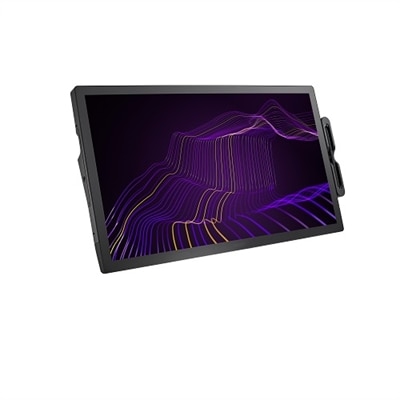
A 27" 4K pen display with 120Hz refresh rate, customizable pen, and 99% Adobe RGB coverage.

A business laptop with AI, Intel Arc graphics, and a 16-inch 2.5K anti-glare display.

A slim, stylish laptop featuring an AMD Ryzen AI 7 processor, 32GB RAM, and QHD+ anti-glare display.

A portable laptop with Intel Arc graphics, 16GB LPDDR5x memory, and a 2.5K anti-glare display.

A powerful business laptop featuring an AMD Ryzen™ 5 processor, 16GB memory, and FHD+ anti-glare display.

A high-performance gaming laptop featuring Intel Core 7 processor, NVIDIA GeForce RTX graphics, and a 165Hz display.
Art students should prioritize laptops with high-resolution displays, accurate color reproduction, powerful processors, ample RAM, and compatibility with creative software. Touchscreen functionality and stylus support can also be beneficial for digital drawing and design work.
Display quality is crucial because art students need to see colors and details accurately when creating or editing visual projects. A laptop with a high-resolution screen and wide color gamut ensures that artwork appears true-to-life and meets professional standards.
For smooth performance with creative applications like Adobe Photoshop, Illustrator, or CorelDRAW, it's recommended that art students choose a laptop with at least 8GB of RAM. For more intensive tasks or multitasking, 16GB or more is ideal.
A dedicated graphics card can significantly enhance performance when working with graphic-intensive programs or 3D modeling software. While integrated graphics may suffice for basic tasks, dedicated GPUs are recommended for advanced digital art and animation.
Yes, touchscreen laptops—especially those with stylus support—allow art students to draw directly on the screen, offering a more natural and intuitive creative experience. This feature is particularly useful for digital illustration and graphic design work.


Add the products you would like to compare, and quickly determine which is best for your needs.


