1. Display Quality
2. Processing Power
3. Graphics Capability
4. Portability and Battery Life
Choosing the right laptop is essential for graphic design students who need reliable performance and vivid displays for their creative projects.
1. Display Quality
2. Processing Power
3. Graphics Capability
4. Portability and Battery Life

A sleek, durable laptop featuring an AMD Ryzen AI 7 processor, 16GB DDR5 memory, and 512GB SSD.

A portable business laptop featuring an AI-powered AMD Ryzen processor, 16GB DDR5 memory, and 512GB SSD.

A business laptop featuring a 16" FHD+ anti-glare display, Intel Core Ultra 5, and 16GB DDR5 memory.

A lightweight 2-in-1 laptop featuring a QHD+ display, Intel Core Ultra 5 processor, and 512GB SSD.

A sleek AI-powered laptop featuring Intel Core Ultra processor, 16GB DDR5 memory, and FHD+ anti-glare display.

A powerful laptop with AMD Ryzen 7 Pro processor, 16GB LPDDR5 memory, 512GB SSD, and FHD+ display.

A premium 14-inch workstation featuring Intel Core Ultra 7, NVIDIA RTX Pro graphics, and QHD+ OLED display.

A semi-rugged laptop with a 14" FHD anti-glare screen, Intel Core Ultra processor, and 16GB DDR5 RAM.

A fully rugged 13.3-inch touch laptop with Intel Core Ultra 5, 16GB RAM, and low blue light display.
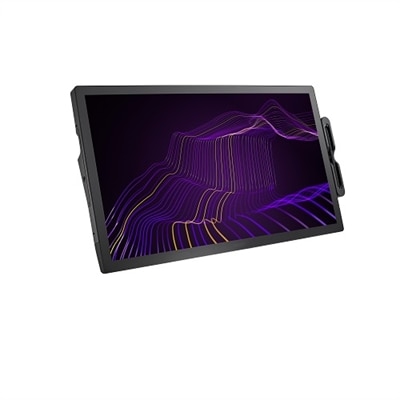
A 27" 4K pen display with 120Hz refresh rate, customizable pen, and 99% Adobe RGB coverage.
Graphic design students should prioritize laptops with high-resolution displays, accurate color reproduction, powerful processors, dedicated graphics cards, and ample RAM. These features help ensure smooth performance when running creative software and working on detailed projects.
Color accuracy is essential for graphic design because it ensures that the colors you see on your screen are true to life. This is crucial for creating professional-quality designs, as it helps maintain consistency across different devices and printed materials.
For graphic design work, it is recommended to have at least 16GB of RAM. This allows you to run multiple creative applications simultaneously and work with large files without slowing down your laptop’s performance.
An IPS (In-Plane Switching) display panel is considered best for graphic design students because it offers wide viewing angles and superior color accuracy compared to other panel types, making it ideal for detailed visual work.
While integrated graphics can handle basic graphic design tasks, laptops with dedicated graphics cards are better suited for demanding projects and running advanced design software. Dedicated graphics provide smoother performance and faster rendering times.


Add the products you would like to compare, and quickly determine which is best for your needs.


