$629.99
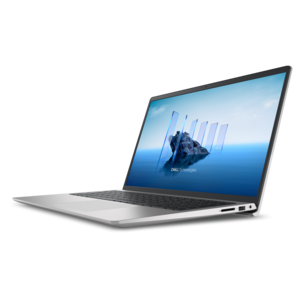
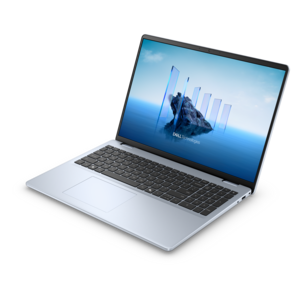
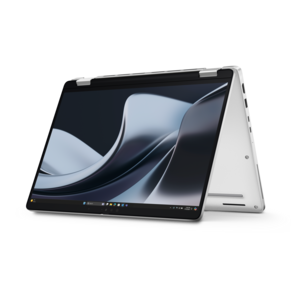
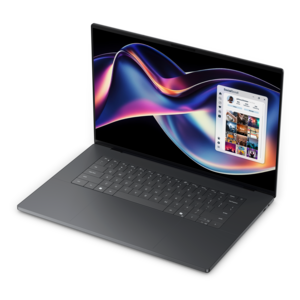
A laptop featuring an FHD camera, enlarged ergonomic keyboard, and AMD Ryzen™ processing.
Finding the perfect tool for your creative endeavors is essential, and laptops for designers are tailored to meet the unique demands of graphic design, video editing, 3D rendering, and other artistic pursuits. These high-performance machines offer the power, precision, and reliability needed to bring your visions to life. Whether you're a professional designer or an aspiring artist, investing in a laptop that can handle intensive software and multitasking with ease will elevate your work to new heights. Discover a range of laptops for designers that blend cutting-edge technology with sleek design to support your creative journey.
A laptop featuring an FHD camera, enlarged ergonomic keyboard, and AMD Ryzen™ processing.
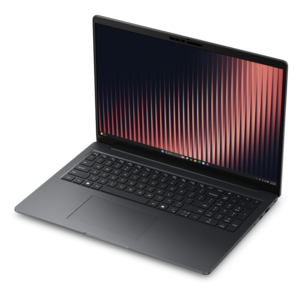
A laptop featuring Intel® 13th Gen processors, a built-in FHD camera, and an enlarged ergonomic keyboard.
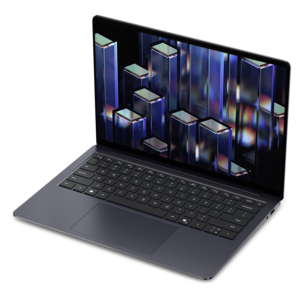
A thin, lightweight laptop crafted from eco-friendly materials with Series 3 Intel Core processors for productivity.
A portable laptop with a sleek design, 16:10 display, and AI PC options for productivity anywhere.
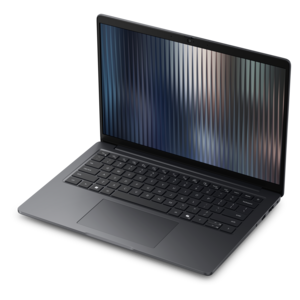
A remarkably thin, lightweight laptop designed for ultimate mobility.
A durable productivity laptop featuring an expansive 16:10 display and convenient numeric keypad.
A sleek, portable laptop with an expansive 16:10 display for reliable productivity anywhere.
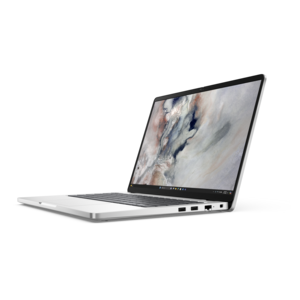
A slim, lightweight laptop with Intel® Core™ processors and graphics for productive work anywhere.
A modern laptop with AMD Ryzen™ processors delivers effortless productivity and captivating entertainment.
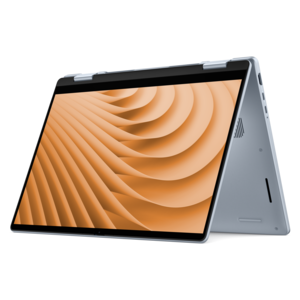
A versatile 2-in-1 laptop with multiple modes, Intel Core processors, and DDR5 memory for mobile creativity.
A streamlined gaming laptop powered by AMD Ryzen 200 Series processors and NVIDIA GeForce RTX graphics.
A lightweight AI-powered laptop designed for creative professionals and small businesses.
A sleek laptop with a stylish design, delivering powerful performance for modern multitasking.
A stylish laptop with built-in AI and a spacious display for creators and developers.
A versatile 2-in-1 laptop designed for AI experiences and seamless multitasking on the go.
A portable, durable laptop with modular design, strong security, spacious 16:10 display, and built-in AI options.
A modern laptop with Intel Core processors and graphics for effortless productivity and captivating entertainment.
A durable, modular productivity laptop featuring robust security, a 16:10 display, numeric keypad and AI options.
A lightweight AI-powered laptop with Intel Arc graphics, designed for creative professionals and small businesses.
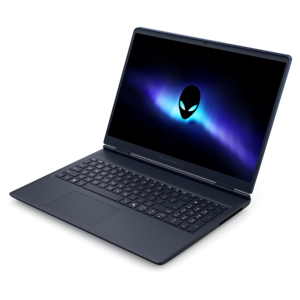
A sleek laptop delivering smooth AI experiences and accelerated creative workflows for demanding high-performance users.
A thin, lightweight business laptop powered by AMD Ryzen processors with commercial-grade security and manageability.
A streamlined gaming laptop delivering essential performance with up to NVIDIA GeForce RTX 50 Series graphics.
A durable, reliable business laptop offering commercial-grade security, manageability, and everyday productivity in a lightweight design.
A secure, scalable commercial AI laptop featuring a durable aluminum design and productivity-focused display.
Laptops for designers bring together the screen quality, responsive performance, and everyday comfort needed to turn an early concept into finished creative work. For graphic designers, illustrators, photographers, and digital product designers, that work might involve refining a logo, adjusting skin tones in a portrait, or arranging a website layout while reference images and feedback stay open nearby. A well-matched laptop keeps those transitions fluid without making portability an afterthought. Display quality is especially important because the screen is where choices about color, spacing, texture, and contrast take shape. Higher resolution can make small type, fine linework, and detailed photographs easier to inspect, although the benefit depends on screen size, scaling settings, and viewing distance. A 14-inch screen can suit a designer moving between classrooms, client meetings, and a shared workspace, while a 16-inch screen provides more room for toolbars, timelines, and side-by-side layouts. Color gamut and color accuracy describe different qualities: gamut is the range of colors a screen can reproduce, while accuracy concerns how closely displayed colors match their intended values. Strong sRGB coverage is useful for web and interface work, and wider gamut coverage, such as DCI-P3, can support workflows that use those additional colors. A wide gamut alone does not guarantee accurate results; calibration, application settings, and consistent room lighting also matter. OLED displays can offer deep blacks and strong contrast, while other panel types may suit preferences around surface finish, brightness, and extended use with static toolbars. A matte surface can reduce distracting reflections beneath overhead lights, whereas a glossy screen may look crisp but reflect nearby windows. For print projects, a calibrated display and an appropriate proofing process remain important because luminous screen colors and ink on paper behave differently. The most useful display is one that makes daily work comfortable and supports the intended output, rather than simply carrying the highest resolution number.
Performance requirements vary considerably across design disciplines, so laptops for creative work benefit from a balance of processor capability, memory, graphics, and fast access to project files. Editing vector artwork and building interface layouts place different demands on a system than sculpting a detailed 3D model or previewing a composition with multiple effects. A capable modern processor supports responsive editing and multitasking, while applications that distribute work across multiple cores may benefit from additional processing resources during exports and rendering. For many everyday 2D design tasks, 16GB of memory can be a practical starting point, subject to the requirements of the software in use. Moving to 32GB provides more breathing room for large layered images, several creative applications, and a browser full of references; 64GB may be useful for particularly demanding 3D, motion graphics, or high-resolution video projects. These amounts are not universal requirements, and project complexity matters as much as the name of an application. Integrated graphics can handle many illustration, layout, and interface design workflows, while dedicated graphics can accelerate supported rendering, effects, and other GPU-intensive tasks. Graphics memory deserves attention when working with complex scenes or large textures, and compatibility with required software is more meaningful than a graphics specification viewed in isolation. A solid-state drive helps applications open and project files load quickly. A 1TB SSD can provide useful capacity for active projects, fonts, reference libraries, and application caches, though the space needed grows with the size and number of assets. Separate backups remain essential for protecting original work. Sustained performance also depends on cooling and power settings: a thin laptop may behave differently during a brief image adjustment than during a lengthy animation export. Battery life varies with screen brightness, application load, and graphics use, so light-use estimates should not be treated as promises for intensive creative sessions. For a broader look at portable and desk-based options, Best Computers For Designers offers a related view of computers suited to creative work.
The physical design of a laptop becomes just as noticeable as its specifications over a full working day. Aluminum or magnesium enclosures can provide a rigid feel, while well-built composite housings can balance durability and carrying weight; construction quality, hinge stability, and protection during travel matter more than material alone. A laptop that feels manageable for a short walk may feel different in a shoulder bag alongside a charger, sketchbook, and drawing tablet. Fit includes both the space on a desk and the way the computer supports its user's habits. A comfortable keyboard helps with shortcuts and written feedback, a precise touchpad supports small adjustments, and a stable hinge keeps the screen steady when working away from a dedicated desk. Touch and pen support can be useful for sketching or marking up concepts, but pressure sensitivity, compatible pen technology, and application support vary. Designers who use an external drawing tablet may place greater value on convenient connections and enough room to position the tablet comfortably. Ports deserve similar attention: connecting a monitor, card reader, external drive, and other accessories can require different combinations of connectors, and not every USB-C port supports the same display, charging, or data capabilities. At a regular workstation, a laptop stand, external keyboard, and larger monitor can create a more comfortable setup for extended editing sessions. Away from the desk, a protective sleeve and a bag with a padded compartment help guard against scratches and everyday bumps. Routine care is straightforward but important: keep ventilation openings clear, use the laptop on a firm surface during demanding work, and clean the display according to its care instructions rather than spraying liquid directly onto the panel. For design students, independent creatives, and professionals collaborating across locations, these details help a laptop move naturally between study, production, and presentation. A laptop can also be a meaningful graduation gift or a practical way to support a new creative business, provided its software compatibility and configuration match the recipient's work. Screen quality, dependable performance, comfortable handling, and thoughtful care together support a machine that remains useful as projects become more ambitious.
Add the products you would like to compare, and quickly determine which is best for your needs.