$1299.99
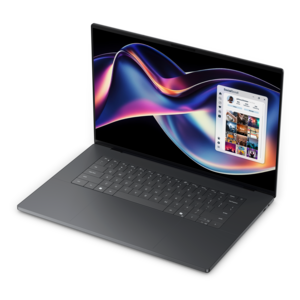
A stylish laptop with built-in AI and a spacious display for creators and developers.
Unleash your creativity with our exceptional range of laptops for graphic designers, meticulously curated to elevate your design experience. In the fast-paced world of digital artistry, having the right tools at your fingertips is crucial. Our selection offers high-performance laptops designed to meet the demanding needs of graphic design professionals, ensuring seamless multitasking and vibrant visuals. Whether you're working on intricate illustrations or complex 3D models, these laptops provide the power and precision you need to bring your visions to life. Explore our collection to find the perfect blend of performance and portability tailored for your creative journey.
A stylish laptop with built-in AI and a spacious display for creators and developers.
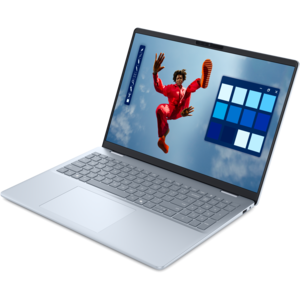
A thin, high-performance creator laptop delivering exceptional battery life for demanding creative work.
An AI-powered laptop with a spacious display and Intel Arc graphics for creators and developers.
A lightweight AI-powered laptop designed for creative professionals and small businesses.
Graphic design demands a laptop that can keep pace with ideas as they move from a rough sketch to a polished final file. Whether the work involves branding, illustration, photo editing, layout, motion graphics or digital artwork, a capable laptop provides the flexibility to create at a desk, in a studio or on the move. Look for a combination of a responsive multi-core processor, ample memory, fast solid-state storage and a display that presents color and detail with consistency. A laptop with at least 16GB of RAM can handle everyday creative work, while 32GB or more is a strong choice for larger files, layered compositions and workflows that involve several creative applications open at once. Memory becomes especially important when a project includes high-resolution images, multiple artboards, large typography libraries and reference material side by side. A fast NVMe SSD can shorten startup times, speed up file transfers and make it easier to move between active projects, while 1TB or 2TB of storage gives working files, source images, exported designs and application libraries room to grow. For designers who regularly work with 3D scenes, animation or demanding visual effects, a laptop with dedicated graphics can provide added performance for rendering, previews and GPU-accelerated creative tasks. A balanced configuration helps prevent one component from becoming a bottleneck, allowing the laptop to feel fluid when brushes respond instantly, artboards zoom smoothly and complex files open without interrupting the creative process.
The display is one of the most important parts of a laptop for graphic design because it is the window through which every color, curve and fine detail is judged. High-resolution QHD+ panels can make small interface elements, fine linework and detailed photographs appear clearer, while OLED displays can deliver deep blacks, strong contrast and vivid visual depth. Color coverage and accuracy matter just as much as resolution. Look for a panel with broad coverage of a color space such as 100% sRGB, or strong DCI-P3 coverage when work is intended for rich digital presentation, video or other color-intensive projects. Consistent color helps designs look closer to the creator’s intention across web pages, presentations and digital portfolios, and it can make the transition from screen to printed material more predictable when paired with a properly managed workflow. Brightness and viewing angles are also worth considering for designers who move between a home office, classroom, client space or shared studio. A larger screen gives complex layouts and timelines more breathing room, while a compact display can make it easier to work from a café table, a train seat or a quiet corner during the cooler months. Touch capability, a precise touchpad and support for a digital pen can add another layer of flexibility for sketching, retouching and marking up concepts, although the best setup depends on the designer’s preferred tools. A comfortable keyboard, a sturdy hinge and a clear webcam can be just as useful for creative reviews, virtual critiques and collaborative presentations. Those choosing a laptop for school can also explore Best Laptops For Graphic Design Students for additional context around portability, coursework and creative workloads.
Laptops for graphic designers can serve a wide range of people, from students building their first portfolio to established professionals managing client campaigns, freelance illustrators, photographers, content creators and small business owners producing their own visual materials. A student may use one to develop a logo system between classes, prepare a presentation late in the afternoon and export a portfolio before heading home, making a practical balance of performance, battery life and portability especially valuable. A freelance designer may prioritize a color-accurate display, generous storage and dependable performance for handling several active clients, while a photographer or artist may favor a high-resolution screen and a larger working area for examining texture and subtle tonal changes. For someone who travels often, a slim design, durable construction, efficient battery performance and versatile connectivity can make it easier to keep projects moving without carrying a bulky setup. Useful ports for external displays, card readers, storage devices and accessories can reduce the need for adapters, and a compatible monitor can provide extra workspace when detailed projects call for a larger canvas. These laptops can also make thoughtful gifts for a design student, aspiring illustrator or creative professional beginning a new role, particularly when the recipient values tools that support both experimentation and finished work. During warmer days spent working outdoors or the quieter indoor routines of cooler weather, the right laptop can move naturally with the creator’s schedule. The goal is a dependable creative companion that opens applications quickly, keeps complex files responsive, shows color with confidence and leaves enough performance overhead for the next idea, not just the project already on screen.
Add the products you would like to compare, and quickly determine which is best for your needs.