Logitech Desk Setup for Students

A well-organized workspace can make a big difference in productivity and focus, especially for students balancing assignments and study sessions. The Logitech desk setup for students brings together essential tools to help create an efficient and comfortable environment for learning. Whether you're attending virtual classes or working on projects, the right accessories can support your daily routine and keep your desk clutter-free. Explore options designed to enhance your study space and streamline your workflow.

Filters

$29.99

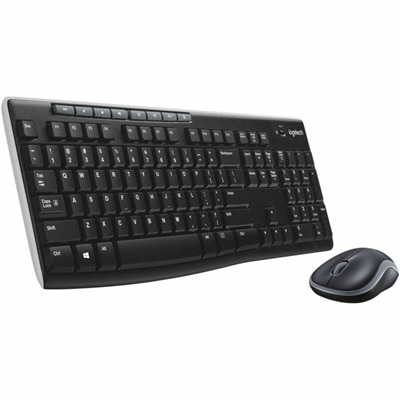
A black wireless keyboard and mouse combo with 2.4 GHz connectivity and long battery life.

$29.99
$34.99

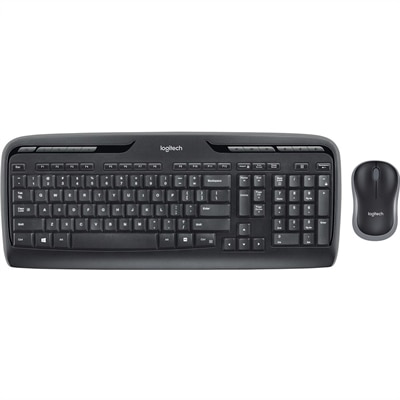
A wireless keyboard and mouse combo with 2.4GHz connectivity, multimedia keys, programmable F-keys, and long-lasting batteries.

$34.99
$119.99

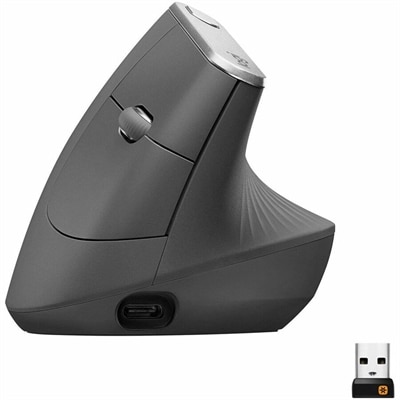
An ergonomic graphite wireless mouse with a 57-degree vertical design, rechargeable battery, and textured rubber grip.

$119.99
$34.99

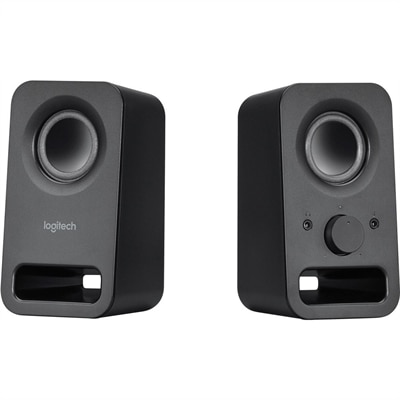
A pair of midnight-black multimedia speakers delivering clear stereo sound with 3W RMS power.

$34.99
$69.99

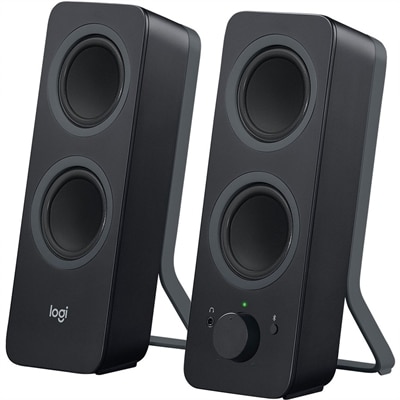
A black Bluetooth speaker system with four drivers, 10W peak power, 3.5mm input, and Easy-Switch controls.

$69.99
$69.99

A streaming light with full-spectrum LEDs, soft diffusion, adjustable brightness, color temperature, and monitor mounting.

$69.99
$22.99

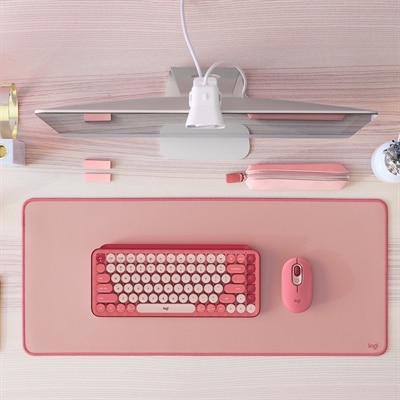
A dark rose desk mat featuring recycled-polyester fine-weave surface, anti-slip rubber base, and spill resistance.

$22.99
$99.99

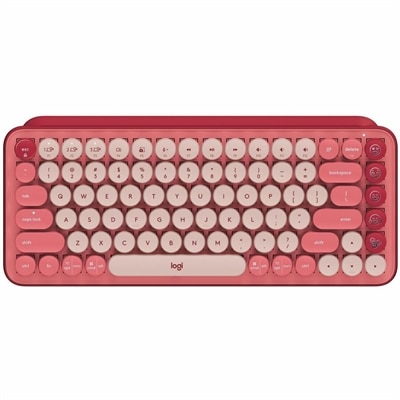
A rose wireless mechanical keyboard with customizable emoji keys and seamless three-device connectivity.

$99.99
$1099.00

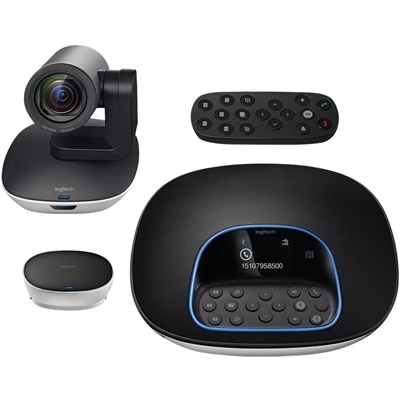
A plug-and-play conferencing system delivering 1080p video, 90-degree viewing, 10X zoom, and clear audio.

$1099
$7999.00

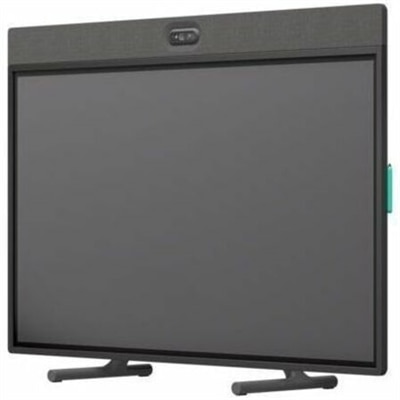
An all-in-one video conferencing device with brilliant audio, AI features, flexible camera placement, and graphite touchscreen.

$7999
$10799.00

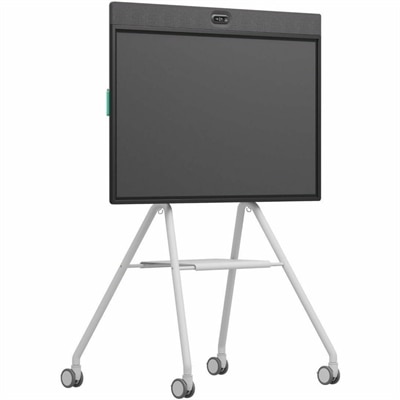
An all-in-one mobile conferencing system with touchscreen collaboration, AI-powered audio/video, recycled plastic, and lockable cart.

$10799

Logitech Desk Setup for Students

A student desk setup brings together the everyday tools that make typing, navigating, listening, and joining virtual classes feel more natural in a limited workspace. Keyboards, mice, webcams, headsets, and laptop stands each serve a different purpose, but their fit matters as much as their features. On a narrow dorm desk, a compact keyboard can leave more room for a notebook and give a mouse a comfortable area to move. A full-size layout with a number pad may be more useful for accounting assignments, lab results, or frequent spreadsheet work. Familiar key spacing, clearly marked keys, and a typing feel suited to personal preference can matter throughout a semester of essays and class notes. Quieter keys and mouse buttons are worth considering in a shared bedroom, where one student may be finishing a paper while another is trying to sleep. Mouse shape is equally personal: hand size, grip style, and left- or right-handed use all affect how a device feels during routine browsing or detailed coursework. A smaller mouse may travel easily, while a more generously shaped design may feel better at a permanent desk. Adjustable stands can raise a laptop screen, and a separate keyboard and mouse allow the screen and hands to sit in different positions. Comfort still depends on the whole arrangement, including chair height, desk depth, and room to move. A monitor or raised laptop should not take up so much space that the keyboard ends up perched at the desk’s edge. For students switching between reading, writing, and research, accessories that leave space for an open textbook can be more useful than a crowded arrangement of extra controls. The most practical student workspace supports the actual rhythm of schoolwork: a quick assignment before class, an afternoon of research, or a group project that stretches into the evening.

Connection options shape how easily desk accessories fit into that routine. Bluetooth connections can reduce cable clutter without occupying a USB port when the computer and accessory support a compatible connection. Other wireless accessories use a USB receiver, which makes the computer’s port type and the accessory’s connection requirements important details. A laptop with only USB-C ports may need an appropriate adapter for a USB-A receiver. Wired accessories remain useful for a stationary desk, especially when a direct connection is preferable to managing batteries. Wireless does not necessarily mean rechargeable; some devices use replaceable batteries, while others charge through a cable. Charging-port placement and whether an accessory works while charging can make a difference during a long study session. Students moving between computers may also value supported device switching, although the number of connections and switching method vary by model. Compatibility extends beyond pairing: basic typing or pointing may work even when optional customization software is not supported by a particular operating system. For online lectures, tutoring, and group presentations, audio and camera accessories bring another set of considerations. A webcam needs a stable position, a viewing angle that suits the space, and a connection the computer supports. Lighting from the front generally makes faces easier to see than a bright window behind the chair, regardless of camera resolution. A headset can keep a class discussion from filling a shared room, while an adjustable microphone helps position the pickup closer to the speaker. Headband adjustment, ear-cushion material, and overall weight influence how the headset feels through a lecture followed by a project meeting. Microphone mute controls and a camera privacy shutter, where included, provide straightforward ways to manage participation between sessions. These details matter during ordinary moments, such as answering a professor’s question without searching through several onscreen menus or moving from recorded coursework to a live conversation.

Materials, portability, and care help determine how well student desk accessories hold up beyond the first week of classes. Molded plastic housings are common on keyboards and mice, while some stands use metal construction or reinforced hinges for support. Weight alone does not establish durability; stable feet, secure joints, protected cables, and well-fitted battery covers also matter in everyday handling. A folding stand needs to support the laptop’s size and weight within its stated limits, and its contact points should keep the device steady without obstructing ventilation. Mouse pads and desk mats can provide a consistent surface for navigation, with dimensions that leave room for other school supplies. Fabric surfaces may feel soft under the hand, while firmer surfaces offer a different glide and cleaning experience. Care requirements vary by material, so manufacturer instructions are the best reference for cleaning methods and suitable products. Routine care generally means disconnecting accessories as directed, keeping excess moisture away from openings, and avoiding harsh cleaners unless specifically approved. Spill resistance, when stated, should not be treated as waterproofing. For equipment that travels, a protective compartment can keep keys, connectors, and camera lenses from rubbing against loose objects in a backpack. Beyond the desk, Logitech Accessories for Students can support a study routine that moves between a bedroom, a library, and a classroom. Compact shapes, manageable cable lengths, and securely stored receivers make that movement less cumbersome. Students furnishing a first college workspace, returning to school, or studying remotely may all use these accessory categories differently. They can also make thoughtful graduation or back-to-school gifts when the recipient’s computer compatibility, preferred layout, and available desk space are known. A restrained color palette can suit a shared room, while contrasting accessories can give a personal workspace more character. Lasting usefulness comes from the fit between the accessories and the student’s habits, rather than the number of devices on the desk.

FAQ

Add the products you would like to compare, and quickly determine which is best for your needs.
Add the products you would like to compare, and quickly determine which is best for your needs.