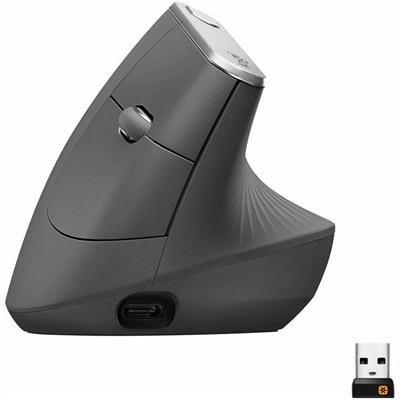
An ergonomic graphite wireless mouse with a 57-degree vertical design, rechargeable battery, and textured rubber grip.
Logitech Ergonomic Mice for Design Work
Logitech ergonomic mice for design work are thoughtfully crafted to support creative professionals who spend hours perfecting their projects. These mice are designed with comfort in mind, helping to promote a more natural hand position during extended sessions. Whether you’re editing images, creating illustrations, or managing complex layouts, Logitech ergonomic mice for design work can contribute to a smoother and more enjoyable workflow. Discover options that align with your needs and enhance your creative experience.
Logitech Ergonomic Mice for Design Work
FAQ
Logitech ergonomic mice are designed with sculpted shapes, customizable buttons, and precision tracking to reduce hand strain and enhance productivity during long design sessions. Many models also offer advanced scroll wheels and high DPI sensors for accurate control in graphic design applications.
Ergonomic mice from Logitech support the natural position of your hand and wrist, minimizing muscle fatigue and discomfort. This allows designers to work comfortably for longer periods without experiencing common issues like wrist pain or repetitive strain injuries.
Yes, most Logitech ergonomic mice are compatible with major operating systems and popular design software such as Adobe Creative Suite, AutoCAD, and Sketch. They often include programmable buttons that can be customized for specific functions within these programs.
Many Logitech ergonomic mice feature programmable buttons that can be tailored to your workflow using Logitech Options or Logi Options+ software. This allows designers to assign shortcuts or frequently used commands for increased efficiency.
Logitech offers both wired and wireless ergonomic mice. Wireless models typically connect via Bluetooth or a USB receiver, providing flexibility and reducing cable clutter on your workspace—an advantage for creative professionals.