A wireless ergonomic mouse in graphite with quiet clicks, four customizable buttons, and multi-device connectivity.
Logitech Mice for Everyday Work
Logitech mice for everyday work offer reliable performance and comfort to help you stay productive throughout your day. Designed with usability in mind, these mice provide smooth navigation whether you're working at home or in the office. Choose from a variety of styles and connectivity options to find the perfect fit for your workspace. Enhance your daily routine with Logitech mice for everyday work and experience seamless control at your fingertips.
A wireless ergonomic mouse in rose with quiet clicks, four customizable buttons, and Bluetooth or USB connectivity.
A left-handed wireless ergonomic mouse in graphite with quiet clicks, customizable buttons, and multi-device connectivity.
An off-white wireless ergonomic mouse with quiet clicks, Bluetooth or USB connectivity, and four customizable buttons.
A playful wireless mouse in Cosmos color with customizable emojis, silent clicks, and multi-device connectivity.
An ergonomic graphite wireless trackball mouse with smooth thumb control, customizable buttons, and secure Logi Bolt connectivity.
A compact wireless mouse in a floral bouquet design, featuring silent clicks and made with recycled plastic.
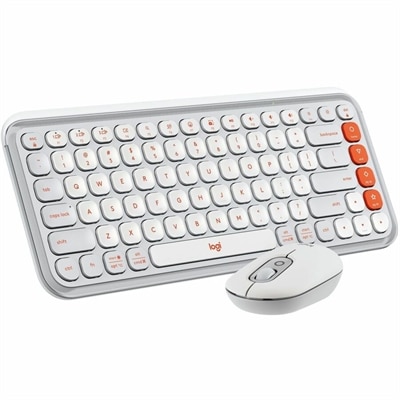
A quiet, portable wireless keyboard and mouse combo in tonal white, featuring customizable shortcuts and eco-friendly materials.
An ergonomic graphite wireless trackball mouse with Bluetooth, USB-C charging, customizable buttons, and quiet clicks.
A compact blue galaxy wireless mouse featuring silent clicks, recycled plastic, and an 18-month battery life.
A compact, sheer dream-colored wireless mouse featuring silent clicks, recycled plastic, and an 18-month battery life.
A mint wireless mouse featuring customizable emoji button, silent clicks, smartwheel, and multi-device connectivity.
An ergonomic wireless trackball mouse in black with a blue ball, featuring quiet clicks for comfort.
A slim, rose-colored wireless keyboard and mouse set with Bluetooth connectivity and customizable keys.
A stylish graphite and green keyboard and mouse combo featuring customizable keys, quiet typing, and smart scrolling.
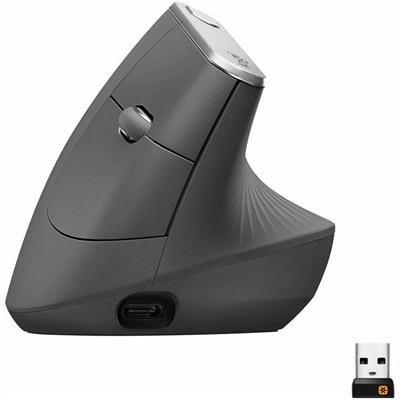
An ergonomic wireless mouse in graphite with a vertical design to reduce muscle strain and improve posture.
A compact wireless mouse in celebration black with micro-precise scrolling and tilt wheel for accuracy.
An ergonomic off-white wireless keyboard and vertical mouse combo with cushioned palm rest and multi-OS support.
A compact red wireless mouse offering micro-precise scrolling and tilt wheel for enhanced speed and accuracy.
A wireless mouse in mist color featuring customizable emojis, SilentTouch clicks, and precision/speed scroll modes.
A stylish lilac and off-white Bluetooth keyboard and mouse combo with customizable keys and comfortable typing.
A stylish rose and off-white Bluetooth keyboard and mouse combo with customizable keys and comfortable, quiet typing.
A compact wireless mouse in speckles color, featuring silent clicks, recycled plastic, and 18-month battery life.
A compact blue wireless mouse offering micro-precise scrolling, tilt wheel, and broad OS compatibility.
Logitech Mice for Everyday Work
Logitech mice are designed with ergonomic shapes, reliable wireless or wired connectivity, and responsive tracking, making them ideal for daily office tasks such as browsing, document editing, and multitasking.
Yes, most Logitech mice offer broad compatibility and can be used with both Windows and Mac operating systems, often without the need for additional drivers.
Many Logitech mice feature programmable buttons that can be customized using Logitech's software, allowing users to assign shortcuts or specific functions to enhance workflow efficiency.
While basic functions work out of the box, installing Logitech Options or Logi Options+ software unlocks advanced customization features and allows users to personalize their mouse settings.
To keep your Logitech mouse performing well, regularly clean the sensor and exterior with a soft cloth, replace batteries if applicable, and ensure your device firmware is up to date through the official software.