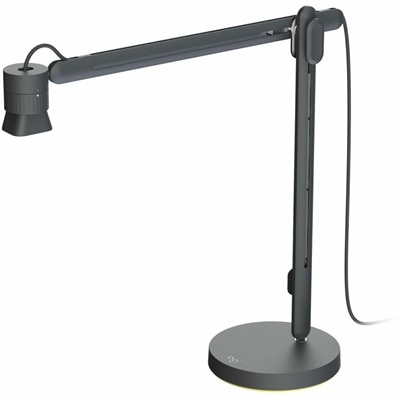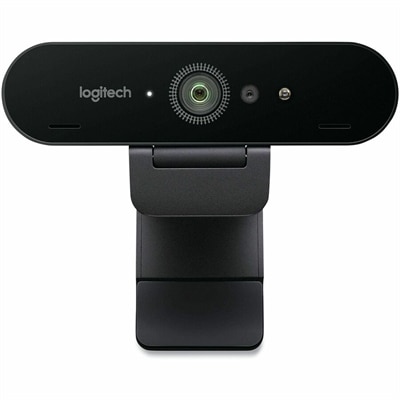
A graphite webcam delivering smooth 1080p HD video at 60fps with AI facial tracking and USB-C connectivity.
Logitech Webcams for Online Classes
Logitech webcams for online classes offer a reliable solution for students and educators looking to enhance their virtual learning experience. With easy connectivity and user-friendly design, these webcams help create clear communication during lessons, presentations, and group discussions. Explore a range of options designed to support interactive and engaging online classes, making it simple to stay connected and participate from anywhere.
A black Full HD webcam featuring auto-framing, Show Mode, dual noise reduction mics, and a privacy shutter.
A black video conferencing camera offering HD 1080p video and superior speakerphone audio for small groups.
A white streaming camera with dual microphones, AI autofocus, USB-C connectivity, and full HD 1080p at 60fps.
A flexible, intuitive camera designed for educators with easy one-hand vertical, horizontal, and 360° rotation.
A wireless streaming camera offering 1080p HD video, real-time editing, and six-hour battery life.
A sleek, portable conference camera offering HD video, 360-degree sound, and wireless screen-mirroring.
Logitech Webcams for Online Classes
Logitech webcams are known for their high-definition video quality, built-in microphones, and easy plug-and-play setup, making them ideal for clear communication during online classes.
Yes, most Logitech webcams are compatible with major video conferencing platforms such as Zoom, Microsoft Teams, Google Meet, and Skype, ensuring seamless connectivity for online learning.
Logitech webcams typically connect via USB and are designed to work with both laptops and desktops, offering flexibility for different learning setups.
Many Logitech webcams offer features like auto-focus, light correction, and adjustable resolution settings to enhance video clarity in various lighting conditions commonly found in home environments.
Logitech webcams are generally plug-and-play devices that require minimal setup. Most models do not need additional software installation and can be quickly connected to your computer’s USB port.