Compact Laser Printers

Compact laser printers offer an ideal solution for those seeking efficient printing in limited spaces. Perfect for home offices, small businesses, or dorm rooms, these printers are designed to deliver reliable performance without taking up too much room. With a streamlined footprint and straightforward setup, compact laser printers make it easy to keep your workspace organized and productive. Discover a range of options to suit your printing needs while maximizing both efficiency and space.

Filters

$160.99

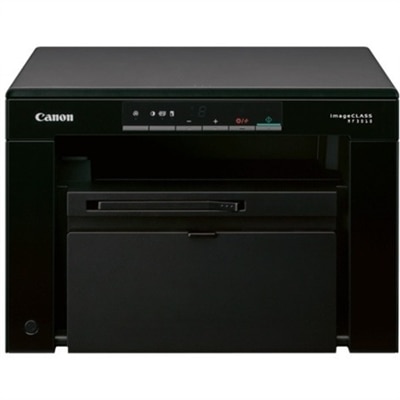
A compact monochrome multifunction laser printer delivering sharp prints, copies, and color scans with easy maintenance.
$160.99
$169.99

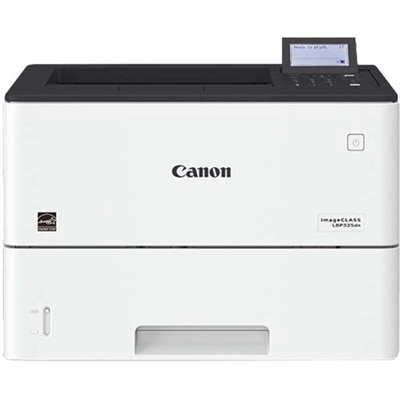
A monochrome laser printer delivering speedy performance, minimal maintenance, and expandable paper capacity for small workgroups.

$169.99
$449.99

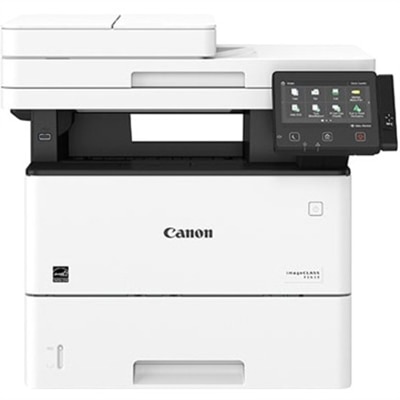
A monochrome multifunction laser printer with copier, fax, scanner, 45-ppm output and customizable color touchscreen.

$449.99

Compact Laser Printers

Compact laser printers deliver crisp text and everyday document printing in a space-saving format suited to home offices, shared work areas, and smaller business settings. They use powdered toner and heat to create durable printed pages, making them particularly useful for correspondence, forms, shipping labels, meeting notes, and school assignments. A compact design can leave more room beside a laptop or monitor, although the space needed during printing may be larger than the printer’s closed dimensions. Fold-down input trays, extended output supports, and access panels all affect how comfortably a printer fits on a desk or shelf. A shallow cabinet might accommodate the main body but leave too little clearance for loading paper or opening the cartridge compartment. Ventilation space also matters, especially when the printer sits near a wall. Many compact models concentrate on black-and-white output, while others add color printing or scanning and copying functions. For workspaces centered on text documents, Monochrome Laser Printers offer a focused alternative to equipment designed for color-heavy tasks. Black-and-white printing suits a marked-up manuscript, a stack of client forms, or a return label without requiring color supplies. Color laser printing can make charts, presentation handouts, and diagrams easier to interpret, but the additional components may increase the overall footprint. Multifunction designs add convenience when signed paperwork needs to become a digital file or a paper receipt needs to be copied. A flatbed scanner accommodates individual sheets and some bound materials, while an automatic document feeder can simplify multipage tasks. Those extra capabilities are most useful when they match the work happening at the desk. Someone who prints occasional reference pages may prefer a straightforward print-only design; a household managing school paperwork and administrative forms may get more use from scanning and copying. Compact describes the physical format rather than a single set of features, so intended use remains an important distinction within this category.

Everyday performance involves more than the number of pages a printer can produce per minute. For someone printing a single boarding pass before leaving home, the time between sending the job and receiving the first page may matter more than sustained speed. For a small office producing lengthy reports, continuous output and paper capacity become more noticeable. Rated speeds generally reflect particular test conditions, and actual results can change with document complexity, connection type, print settings, and whether the printer is waking from sleep. Automatic two-sided printing can keep reports tidy and reduce paper use, while manual two-sided printing requires someone to turn and reload the sheets. Paper handling also shapes the experience: an enclosed tray helps keep a regular supply of letter-size paper ready, and a manual-feed slot can accommodate occasional envelopes or other supported media without emptying the main tray. Support for legal-size sheets, heavier paper, and labels varies, so the supported media specifications are especially relevant for specialized tasks. Labels and envelopes must be suitable for laser printing because the printing process uses heat. A clear paper path and accessible jam-removal points can make routine interruptions less frustrating. Connectivity determines where a compact printer can work most comfortably. A direct USB connection suits a dedicated workstation, while compatible wireless printing can allow several household members or coworkers to send documents without moving the printer between computers. Mobile printing support depends on the printer, device, software, and connection requirements; wireless capability alone does not guarantee every mobile feature. Compatibility with the operating systems used on nearby laptops and desktops is equally important. For shared use, controls for access, firmware updates, and supported security settings can help protect sensitive documents. A printer handling medical forms or business correspondence also benefits from a location where finished pages do not sit within easy reach of passersby. Small details such as readable controls, an obvious paper-level indicator, and straightforward status messages can make repeated use feel much less fussy.

The practical appeal of a compact laser printer often becomes clearest over months of ordinary use. Toner does not dry out in the same way liquid ink can, which can be helpful in a workspace where printing happens in bursts rather than every day. That does not eliminate maintenance: paper dust can accumulate, rollers can wear, and imaging components may eventually need replacement. Some designs combine the toner cartridge and imaging drum, while others use separate components, creating different replacement routines. Published cartridge yields are based on standardized testing, and actual page counts vary with coverage, document types, and printing habits. A page filled with dense graphics uses toner differently from a short letter, so yield figures are better understood as reference points than guaranteed results. Recommended monthly print volume is another useful measure for matching a printer to its workload; a maximum duty-cycle figure describes a different limit and is not the same as a suggested ongoing pace. Durability depends partly on keeping everyday demands within the printer’s intended range. The outer housing is commonly molded plastic supported by internal mechanical components, and a stable, level surface helps trays and paper guides work as intended. Compact does not necessarily mean portable, and these printers generally belong in a settled workspace rather than a bag carried between appointments. Routine care includes following the manufacturer’s cleaning directions, allowing hot components to cool before accessing them, and keeping paper dry, flat, and protected from humidity. Paper guides should hold sheets neatly without bending them, helping prevent skewed pages and avoidable jams. Sleep settings can reduce energy use between tasks, though wake-up behavior differs by model. Operating sound also deserves attention in a bedroom office or a quiet shared room, where a brief printing cycle may be more noticeable than it would be in a busy workplace. A thoughtfully matched compact laser printer supports familiar moments: a student collecting a final assignment, a remote worker preparing meeting notes, or a small business organizing the next day’s paperwork, without letting the printer dominate the room.

FAQs:

Add the products you would like to compare, and quickly determine which is best for your needs.

Add the products you would like to compare, and quickly determine which is best for your needs.