$1275.00
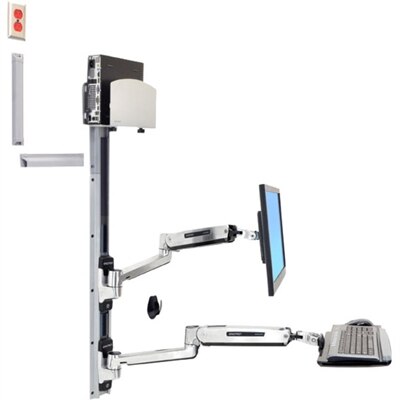
A space-saving wall-mounted computer workstation with a silver CPU holder, LCD, keyboard, and mouse support.
Maximize your IT efficiency and organization with top-tier computer racks. Essential for any data center or tech-savvy environment, these racks provide the perfect solution for managing servers, networking equipment, and other critical hardware. Designed to optimize space while ensuring easy access and enhanced airflow, computer racks help maintain an orderly setup that supports both performance and scalability. Whether you're outfitting a small office or a large-scale facility, finding the right rack can streamline your operations and protect your valuable technology investments. Explore a variety of options tailored to meet diverse needs and elevate your tech infrastructure with confidence.
A space-saving wall-mounted computer workstation with a silver CPU holder, LCD, keyboard, and mouse support.
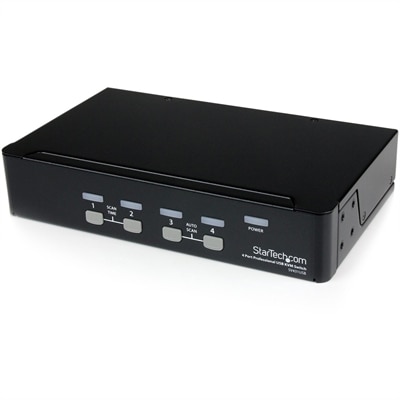
A dense, powerful rack-ready desktop engineered to optimize demanding computing environments.
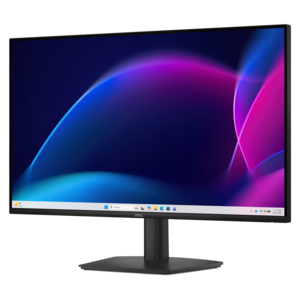
A scalable, secure rack workstation engineered to power demanding professional applications.
Computer racks bring structure to workspaces where a desktop computer, monitor, keyboard, and everyday accessories need a place without taking over the room. In a home office, that might mean keeping a computer tower beside the desk rather than in the space reserved for knees and feet. In a shared studio, it could mean grouping a computer and its peripherals on a sturdy, open frame that keeps the work surface clear for drawing, writing, or assembling projects. The most useful arrangement depends on what the rack will hold and how the equipment is used throughout the day. A compact tower support serves a different purpose from a freestanding workstation with separate levels for a display and keyboard, so overall dimensions alone do not tell the whole story. Usable shelf depth, clearance between levels, and the position of side rails all affect fit. A computer may fit within the frame yet leave too little room to plug in a display cable or reach a rear connection comfortably. Likewise, a shelf that looks generous can feel cramped once a monitor base, mouse, and keyboard share the surface. Attention to those details helps distinguish a rack that merely accommodates equipment from one that makes daily work easier. Intended use matters just as much. Someone who regularly connects a headset or external accessory benefits from unobstructed access to the relevant ports, while a workstation used mainly for writing may place greater emphasis on legroom and a comfortable typing position. For students, remote professionals, hobbyists, and households sharing a single computer, a well-proportioned rack can establish a defined work area without requiring a large desk. Its value comes from matching the physical setup to familiar routines: sitting down for a video call, reviewing coursework, editing photos, or moving between computer work and a hands-on task nearby.
Materials and construction influence how a computer rack feels in use as well as how it looks in a room. Steel frames can provide a firm foundation, though stability depends on the design, joints, and load limits rather than the material name alone. Aluminum components may reduce overall weight, while shelves made with engineered wood can give a workstation a more furniture-like appearance. Smooth laminated surfaces are generally straightforward to wipe clean, but exposed edges deserve care around spills and repeated bumps from chair arms. Powder-coated metal can stand up well to routine handling, although scratches and worn corners may develop where equipment or accessories rub against the finish. Shelf thickness, cross supports, and the quality of connection points also contribute to a dependable setup. Published weight limits should be considered for each shelf and for the complete rack; a total capacity does not necessarily mean that every level can carry an equal share. Placement of heavier equipment affects balance, particularly on taller or narrower frames, and the manufacturer’s assembly and loading directions remain important. Fit includes the room itself, not just the computer. Baseboards, desk legs, floor vents, and nearby furniture can all change where a rack sits comfortably. A shallow footprint may suit a narrow office, but enough open space is still needed to pull out a chair and reach equipment without twisting around a frame. For racks with adjustable shelves, the available height increments matter when accommodating a tall tower or setting a keyboard at a usable level. Shelves intended for accessories should not automatically be treated as comfortable typing surfaces. A display should sit where it can be viewed without persistent neck strain, and the keyboard and mouse need a position that allows relaxed shoulders and supported posture. These practical relationships between rack, equipment, chair, and user are more meaningful than choosing by appearance alone, especially when the computer is used for several hours at a time.
Open access and thoughtful cable routing help a computer rack remain useful after the initial setup. Desktop computers need the ventilation clearances specified by their manufacturers, and a rack should not place a solid panel or tightly packed accessories against an intake or exhaust opening. An open frame can make those areas easier to inspect, but it does not replace appropriate clearance or regular cleaning. Cables also need room to follow a gentle path rather than bending sharply against the back of a shelf. Leaving enough slack for necessary adjustments, while keeping loose lengths away from feet and moving parts, makes everyday use less awkward. This becomes especially important with mobile computer racks. Casters can make repositioning easier, but wheel size, floor surface, thresholds, and the loaded weight influence how smoothly the rack moves. Locking casters help hold a workstation in place when used as directed, though they are not a substitute for a level surface or proper balance. Before moving a loaded rack, connected power and peripheral cables need attention so that a short cord does not pull on a device or catch beneath a wheel. For a setup that stays in one location, a stationary base may be the simpler choice. Routine care is usually modest: wiping compatible surfaces with a soft cloth, addressing spills promptly, and checking accessible fasteners according to the manufacturer’s directions. Dust collecting beneath shelves and around the computer should be removed with methods appropriate to both the rack finish and the electronics. Over time, changes in equipment can reveal whether the original layout has enough flexibility. A different monitor base, a larger keyboard, or an additional everyday accessory may call for more usable surface area rather than a completely different workspace. Removable or adjustable components can help where the design supports them, but alterations should stay within the stated limits. A computer rack that suits the room, supports the equipment securely, and keeps frequently used controls within reach can become an unobtrusive part of a comfortable, orderly workspace.
Add the products you would like to compare, and quickly determine which is best for your needs.