$34.99
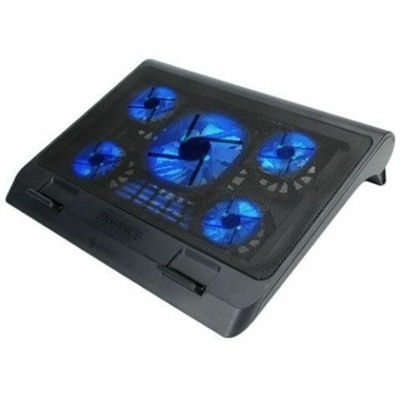
A metal mesh cooling stand with five quiet blue LED fans, dual USB ports, adjustable height.
Transform your workspace into an efficient and ergonomic environment with computer workstation stands. Whether you're setting up a home office, upgrading your corporate setup, or creating a dynamic gaming station, these versatile stands are designed to elevate your computing experience. Discover options that cater to various needs and preferences, ensuring comfort and productivity throughout your day. Explore our selection to find the perfect solution for optimizing your desk space and enhancing your workflow.
A metal mesh cooling stand with five quiet blue LED fans, dual USB ports, adjustable height.
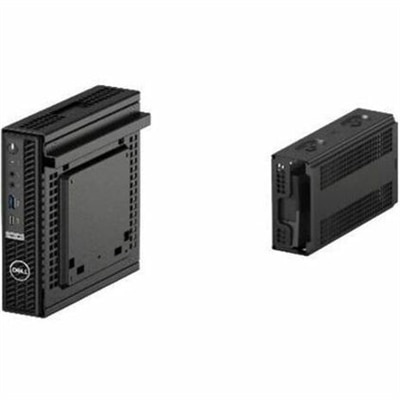
A secure all-in-one stand for workstations and monitors with effortless setup and integrated cable management.
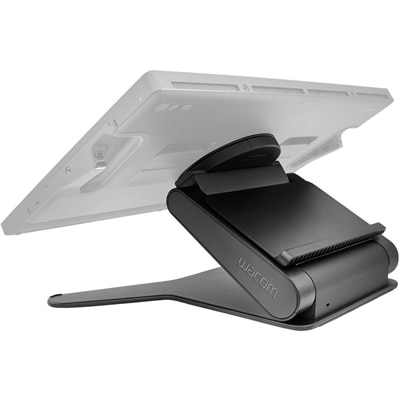
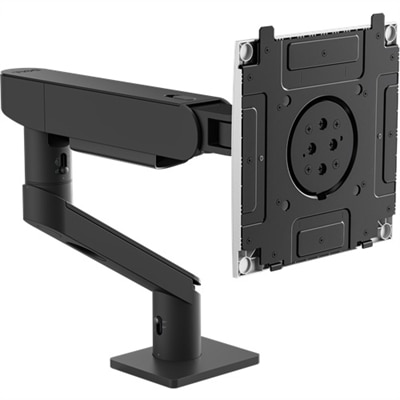
A stable, adjustable display stand offering height, angle, and 20-degree rotation for comfortable, natural creative workflows.
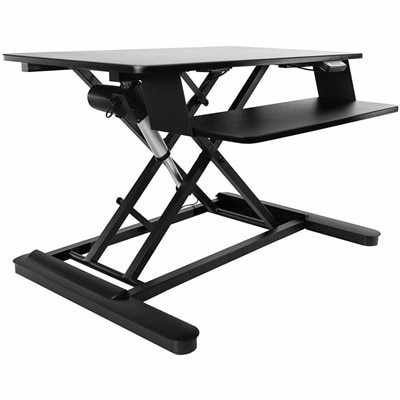
An electric sit-stand workstation with upper display and lower keyboard surfaces, arriving assembled for easy setup.
Computer workstation stands bring screens, keyboards, and other everyday equipment into a more usable arrangement, whether that means lifting a monitor above a crowded desk or creating a complete work surface that rolls between rooms. The category includes desktop risers, adjustable sit-stand platforms, freestanding computer stands, and mobile workstation carts. Each serves a different purpose: a desktop stand uses an existing table as its foundation, while a freestanding workstation provides its own support structure and may include separate surfaces for a display, keyboard, and desktop computer. Mobile designs add casters so equipment can move with the task rather than remain tied to one corner of a room. In a home office, that flexibility might mean bringing a laptop closer to a window for an afternoon of paperwork; in a shared workspace, it could mean moving a screen to a meeting area for a quick presentation. The most useful choice depends less on how many features a stand has than on how well its dimensions and adjustments fit the person using it. A compact footprint can free up floor space, but the working surface still needs enough room for the computer, mouse movements, and any notes kept within reach. For a desktop setup, check the depth of the monitor base as well as the width of the screen. For a laptop setup, consider whether the stand will hold only the computer or also accommodate an external keyboard and mouse. Those accessories become especially useful when a laptop is raised to improve screen placement. Anyone comparing computer workstation stands should start with three practical details: the equipment the stand must support, the available space, and whether the working position needs to change throughout the day. Getting those basics right makes it easier to distinguish a simple screen riser from a full workstation without paying for complexity that adds little to the daily routine.
Height adjustment is one of the biggest differences among workstation stands, but the adjustment range matters more than the label alone. A platform that reaches a comfortable seated height may not rise high enough for standing, particularly for a taller user. Likewise, a stand designed primarily for standing tasks may not lower enough for comfortable use with an office chair. Compare the stated minimum and maximum heights with the actual positions of your hands and screen in the intended workspace, accounting for any desk underneath the stand. When typing, shoulders should feel relaxed, elbows should stay near the body, and wrists should remain reasonably straight rather than bending upward to reach the keys. Screen placement is a separate consideration: a useful starting point is to position the top of the display at or slightly below eye level, then adjust for viewing comfort, text size, and any vision needs. Independently adjustable monitor and keyboard surfaces offer more flexibility than a single platform that raises everything together. For setups that primarily need a better screen position, Ergonomic Computer Monitor Stands provide a more focused category to explore. Beyond height, compare the adjustment mechanism and the effort required to use it. Manual settings can suit a workstation that rarely changes, while assisted lifting mechanisms may be more convenient when alternating positions frequently. Check whether adjustments can be made with equipment in place and follow the manufacturer's instructions for loading and movement. Weight capacity deserves equally close attention. Add up everything that will rest on each surface, and distinguish between an overall capacity and separate limits for individual shelves or mounting points. With two monitors, confirm that the surface or mounting system supports both the combined weight and the required spacing. Screen size alone does not establish compatibility; base dimensions, mounting patterns where applicable, and the position of the load also matter. A sturdy, appropriately sized stand should accommodate ordinary typing and mouse use without distracting movement.
The smaller construction details often become the ones people notice most after a few weeks of use. A keyboard tray needs enough usable width for comfortable typing and pointing, not just enough space to squeeze in a keyboard. Adequate legroom matters when sitting, while the shape of the base affects how close someone can stand to the work surface. Rounded edges can be welcome in tight rooms, and smooth, accessible surfaces are easier to wipe down between users. For mobile computer workstation stands, look closely at caster size, floor compatibility, and the locking mechanism. Wheels that move easily across a hard floor may behave differently on carpet or at a doorway threshold, and locks should help keep the workstation in place during use. A loaded cart can feel quite different from an empty one, so consider the total weight and follow any instructions for lowering surfaces or securing equipment before moving it. Cable routing is another practical priority. Power cords and display cables need enough slack for height changes without hanging where they could catch a foot or wheel. Built-in cable guides can help keep connections orderly, but cord length and outlet placement still determine where a powered workstation can go. These considerations make workstation stands useful for remote workers, college students, teachers, reception staff, and people who share a computer at home. Picture a small apartment desk at the end of the day: the keyboard tucked beneath a riser, a notebook finally lying flat, and the screen positioned for tomorrow's first call. In a classroom or shared office, the benefit may instead be a workstation that can be repositioned for different users and activities. A stand can also be a thoughtful gift for someone setting up a study area or home office, provided their equipment dimensions and available space are known. When comparing prices, prioritize suitable dimensions, dependable support, accessible controls, and adjustments that will actually be used. Check assembly requirements and included hardware, too. The right computer workstation stand makes everyday tasks feel less cramped and keeps the tools for work, study, or creative projects comfortably within reach.
Add the products you would like to compare, and quickly determine which is best for your needs.