$550.00
A durable, serviceable Chromebook tailored for education environments and commercial learning needs.
Unlock the full potential of your data with our curated selection of computers for data analysis, designed to meet the demands of both budding analysts and seasoned data scientists. Whether you're diving into big data, developing complex algorithms, or visualizing intricate datasets, our range offers the performance and reliability you need to transform raw numbers into actionable insights. Explore powerful options that seamlessly integrate with your workflow, ensuring that every calculation is swift and every result is precise. Elevate your analytical capabilities and drive innovation with computers tailored for data analysis excellence.
A durable, serviceable Chromebook tailored for education environments and commercial learning needs.
A durable, serviceable Chromebook designed specifically for education environments.
A durable, serviceable Chromebook designed for K–12 learning environments.
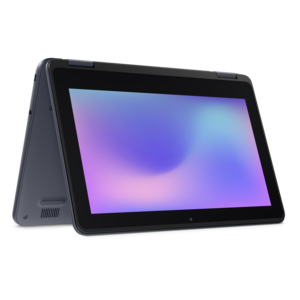
A durable, serviceable laptop or 2-in-1 designed specifically for K-12 learning environments.
A laptop featuring Intel® 13th Gen processors, a built-in FHD camera, and an enlarged ergonomic keyboard.
A thin, lightweight laptop crafted from eco-friendly materials with Series 3 Intel Core processors for productivity.
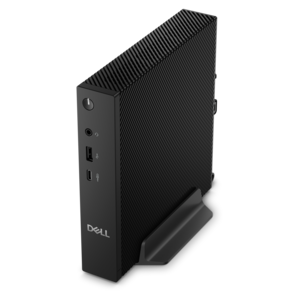
A compact thin client supporting cloud software, ThinOS, Windows 11 IoT Enterprise, or no operating system.
A remarkably thin, lightweight laptop designed for ultimate mobility and effortless everyday productivity.
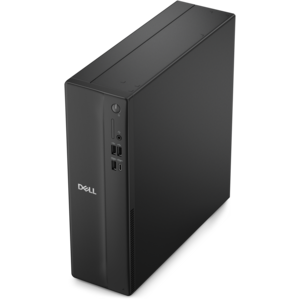
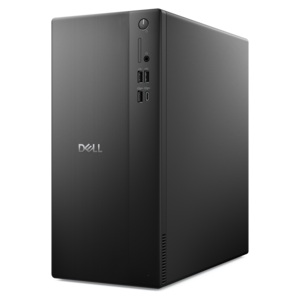
A business-ready tower desktop delivering reliable everyday performance with essential security features for productive workflows.
A powerful desktop designed to boost everyday productivity in a streamlined setup.
A compact desktop designed for everyday productivity and creative tasks.
A durable, serviceable laptop or 2-in-1 designed specifically for demanding education environments.
A versatile 2-in-1 laptop with Intel Core processors, DDR5 memory, and multiple modes for creative work.
A versatile desktop for everyday productivity and creative tasks.
A powerful desktop designed to boost everyday productivity while conserving workspace.
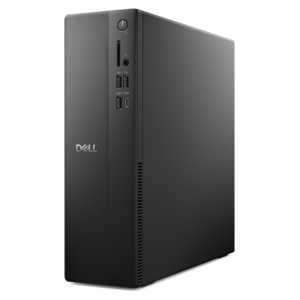
A space-saving desktop delivering reliable performance and security for everyday productivity.
A compact desktop delivering reliable performance and security for everyday productivity.
A durable, serviceable laptop designed specifically for demanding education environments.
A portable laptop with a sleek design, 16:10 display, and AI PC options for productivity anywhere.
A durable productivity laptop featuring an expansive 16:10 display and convenient numeric keypad.
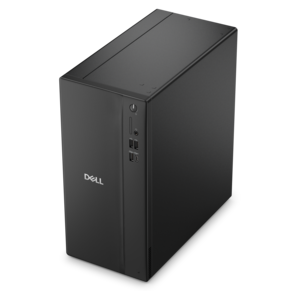
A business-ready tower desktop delivering dependable performance and security for everyday productivity workloads.
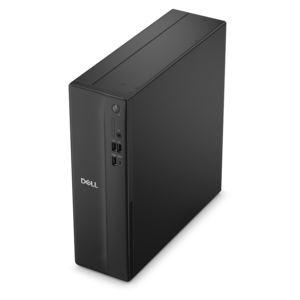
A space-saving business desktop delivering reliable everyday performance with essential security features for productive work.
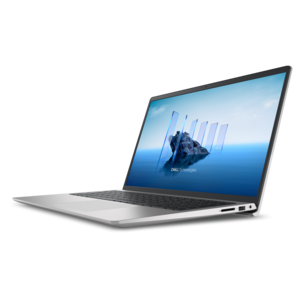
A sleek, portable laptop with an expansive 16:10 display for reliable productivity anywhere.
A modern laptop with AMD Ryzen™ processors, delivering effortless productivity and captivating entertainment in a design.
Computers for data analysis help turn rows of numbers, survey responses, transaction records, and research observations into information people can use. The right laptop or desktop makes everyday analytical work feel more manageable, whether that means cleaning a spreadsheet, querying a database, building a dashboard, or testing a statistical model. For general data analysis, a modern multicore processor, 16GB of RAM, and a 512GB solid-state drive provide a practical starting point. For larger datasets, frequent multitasking, or memory-intensive calculations, 32GB of RAM or more and a 1TB SSD can offer useful breathing room. These are starting configurations rather than universal requirements: the best fit depends on the software, the size of the working dataset, and how much processing happens locally rather than through a remote computing service. A student working with classroom datasets has different needs from a researcher combining years of observations or an analyst refreshing several reports before a morning meeting. Even seemingly straightforward work can become demanding when a browser full of reference material, a programming environment, a spreadsheet, and a visualization tool are open together. That familiar moment when a filter takes too long to apply or switching windows interrupts your train of thought is often a reminder to consider memory and overall responsiveness, not just processor specifications. Computers for data analysis serve financial professionals, scientists, operations teams, graduate students, and independent consultants, along with anyone learning to make better use of information. They can also be a thoughtful graduation gift or a practical contribution toward a new role, provided the recipient’s software requirements are known beforehand. Across these uses, the goal is consistent: enough computing capability to explore an idea, check the result, and keep working without repeatedly adjusting the task to fit the machine. A balanced configuration usually contributes more to that experience than putting the entire budget into one high-end component.
Processor performance matters because many analytical tasks involve repeated calculations, sorting, filtering, and transforming data. Strong single-core performance helps with operations that cannot spread efficiently across multiple cores, while additional cores can benefit parallel processing, simulations, and certain model-training workloads. A higher core count does not automatically make every spreadsheet or script faster; software design, available memory, and cooling all affect the outcome. For lengthy calculations, sustained performance deserves attention alongside short bursts of speed. A computer that stays responsive during an extended workload is particularly useful when the next step depends on the current calculation finishing. RAM is equally important because active datasets, intermediate results, and open applications compete for the same working space. A file’s size on disk may be much smaller than the memory needed to analyze it, especially after decompression, joins, or the creation of additional working copies. For that reason, 16GB is a sensible baseline for many everyday tasks, 32GB is often more comfortable for heavier analysis, and 64GB or more may be appropriate for demanding local workflows. Check whether memory can be upgraded later, since some designs have fixed configurations. A fast NVMe SSD can reduce delays when opening large files, launching applications, and reading or writing temporary data, although it cannot replace sufficient RAM. Capacity matters, too: raw files, cleaned versions, exported charts, software environments, and project backups can accumulate quickly. Integrated graphics are generally sufficient for spreadsheets, database queries, programming, and many dashboards. Dedicated graphics become more relevant when compatible software uses GPU acceleration for deep learning, selected numerical workloads, or complex visualization. Before paying for a more powerful GPU, confirm that the intended applications support it and check their video-memory requirements. The distinction is practical: displaying a detailed chart and training a large neural network are very different jobs, even when both fall under the broad heading of data analysis.
Choosing between a laptop and a desktop comes down to where the work happens and how demanding it becomes. A laptop suits someone moving between lectures, meetings, a home office, and shared workspaces, especially when notes, code, and presentations need to travel together. Consider weight, keyboard comfort, screen readability, battery life, and charging options, while remembering that intensive calculations generally shorten time away from an outlet. A desktop can be a better fit for a dedicated workspace, offering room for cooling and, depending on the design, more options for future upgrades. For workflows centered on market research, financial modeling, and several charts visible at once, Desktop PCs for Financial Trading and Analytics offers a related selection to explore. Whatever the form factor, the display and connection options shape the working day more than they sometimes get credit for. A clear, comfortably sized screen makes dense tables easier to scan, while an external monitor can keep a reference document beside a notebook or put a dashboard next to its underlying data. Check supported display resolutions, the number of external screens the computer can drive, and whether a compatible dock or adapter is needed. A comfortable keyboard and mouse also matter during long stretches of cleaning column names, reviewing formulas, and checking small discrepancies. Software compatibility should be settled before purchase: confirm the operating system, required applications, organizational security requirements, and any specialized analytical libraries or peripherals. When most computation happens remotely, prioritize a responsive everyday configuration, a readable display, and dependable connectivity rather than assuming the most powerful local hardware is necessary. When sensitive or substantial datasets must remain on the computer, give greater weight to memory capacity, sustained processor performance, encryption support, and a separate backup plan. Leave room in the budget for the full workspace, including useful accessories, software, and appropriate support coverage. The most suitable computer for data analysis is one that matches the actual routine, from the first file opened in the morning to the final checked report, with enough headroom for the projects that come next.
Add the products you would like to compare, and quickly determine which is best for your needs.