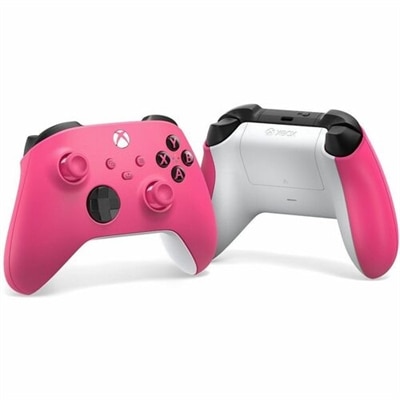
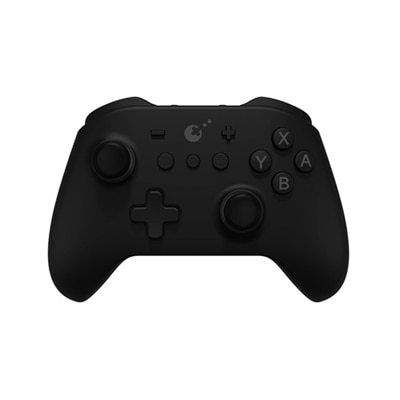
Controllers Compatible With Windows 10
Discover a wide range of controllers compatible with Windows 10, perfect for enhancing your gaming experience and boosting productivity. Whether you're a casual gamer or a dedicated enthusiast, these controllers offer seamless integration with your Windows 10 devices. Find the ideal option to suit your preferences and enjoy smooth, responsive control for all your favorite games and applications. Explore reliable choices designed to deliver comfort and convenience every time you play.
This product is not available
Check out the following recommendations.




Controllers Compatible With Windows 10
Controllers compatible with Windows 10 give PC gaming a familiar, comfortable alternative to a keyboard and mouse. They can be useful for racing games, platformers, sports titles, fighting games, action adventures and any other experience designed around analog movement, triggers and responsive face buttons. A controller can also make a Windows 10 laptop or desktop more inviting for shared play, especially when the computer is connected to a larger display in a living room or family space. During the cooler months, settling in with a game and a controller can feel as natural as picking up a remote, while a compact gamepad is easy to keep in a laptop bag for gaming away from a desk. These products can make thoughtful gifts for PC players, students, frequent travelers and anyone building a flexible gaming setup. When choosing a controller, start by considering how it will connect. A wired model uses a USB connection and typically offers straightforward setup, consistent power and low-latency input without requiring a charged battery. It is often a practical choice for desk gaming or for players who prefer to connect and play without managing wireless settings. A wireless model may use a small USB receiver operating on a 2.4GHz connection, providing a direct link that can be convenient from a sofa or across a room. Bluetooth is another popular option for compatible Windows 10 computers and can reduce cable clutter, particularly when the computer already includes Bluetooth support. Explore Bluetooth Controllers for additional options. Wireless convenience makes battery life, charging methods and connection range important considerations, while wired designs make cable length and available USB ports more relevant. A controller with both wired and wireless modes can offer added flexibility as a gaming space changes from a compact desk to a larger entertainment area.
Windows 10 generally recognizes many compatible controllers through a USB connection, a 2.4GHz wireless receiver or Bluetooth pairing, but the experience can vary by controller, game and computer. Before purchasing, check the product specifications for Windows 10 support and confirm whether the controller uses a widely supported input standard. Many PC games are designed to recognize an XInput-style controller, which can provide clear button prompts and familiar automatic mapping. Other titles may rely on DirectInput or their own control settings, and some games may require configuration through a game launcher or third-party software before every button behaves as expected. After connecting a controller, Windows 10 settings can help confirm that the device is detected and that the sticks, triggers, directional pad and buttons respond correctly. Keeping Windows and controller firmware up to date can help address connection or recognition issues. For Bluetooth models, place the controller in pairing mode, open the computer’s Bluetooth settings and select the controller from the available device list. A USB wireless receiver generally requires an open port and may need to remain connected during play. If a game does not respond immediately, reviewing its controller settings, enabling controller support in the game launcher or checking the manufacturer’s setup instructions can often resolve the problem. Compatibility is also influenced by the game itself, so a controller that works well with one title may need button mapping in another. Features such as vibration, motion controls, headset support or additional programmable buttons may require separate game support or software. These details matter for someone who wants a simple plug-and-play experience as well as for an experienced player who enjoys tailoring controls for different genres.
Comfort and control quality can make a noticeable difference during a long session. Look for a shape that fits naturally in the hands, textured grips that help prevent slipping and buttons with a clear, consistent response. Analog sticks should move smoothly and return to center accurately, while triggers with a gradual range of motion are useful for driving, flying and action games. Some controllers use Hall Effect or TMR sensing in their analog sticks, technologies designed to reduce the physical contact associated with traditional stick mechanisms and potentially help maintain precise movement over time. A high polling rate may help a controller report inputs frequently, although the practical benefit depends on the game, connection method and overall system. Low-latency 2.4GHz wireless connectivity can be appealing to competitive players, while Bluetooth may be a better fit for simple, cable-free play. Players who enjoy competitive games may also value adjustable trigger stops, rear buttons, interchangeable components or remapping options; families and casual players may place greater importance on uncomplicated setup and a comfortable layout. Consider the size and weight as well, since a smaller controller can suit younger users or compact hands, while a larger design may feel more secure for adults. Accessibility features, button customization and the ability to adjust sensitivity can help more players enjoy Windows 10 games in a way that suits their movement and comfort needs. Whether it is added to a first gaming computer, kept beside a desktop for occasional play or given as a gift to someone who already enjoys PC gaming, a compatible controller can make Windows 10 gameplay feel more immediate, relaxed and engaging.
FAQs:
Windows 10 supports a wide range of controllers, including both wired and wireless models. Most modern controllers connect via USB, USB-C, or Bluetooth, and Windows 10 typically installs the necessary drivers automatically. Popular choices include controllers designed for gaming consoles, as well as third-party options specifically made for PC use.
In most cases, you do not need to install special drivers for a gaming controller for PC on Windows 10. The operating system usually recognizes and configures compatible controllers automatically through plug-and-play functionality. However, some advanced features on certain models may require additional software for customization.
Yes, Windows 10 allows you to connect and use multiple controllers simultaneously. This makes it easy to enjoy local multiplayer games or co-op experiences with friends and family. Simply connect each controller via USB or pair them via Bluetooth, and the system will detect them individually.
Wireless controllers are highly reliable for PC gaming on Windows 10, offering flexibility and freedom of movement. Most models connect via Bluetooth or a dedicated wireless adapter, providing stable connections and low latency. For the best experience, ensure your PC supports the necessary wireless standards and keep your controller charged.
When selecting a controller for PC gaming, consider factors like ergonomics, button layout, connectivity options, battery life, and compatibility with your favorite games. Some controllers offer customizable buttons, trigger sensitivity adjustments, and textured grips for enhanced comfort and performance. Think about your preferred gaming genres and choose a controller that matches your play style.