$699.99
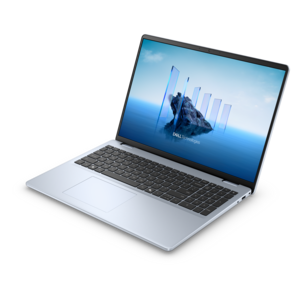
A thin, lightweight laptop crafted from eco-friendly materials with Series 3 Intel Core processors for productivity.
Explore the dynamic world of core computing, where cutting-edge technology meets everyday functionality. Whether you're a professional seeking powerful solutions for complex tasks or a student needing reliable tools for learning and creativity, core computing offers a diverse range of options to suit your needs. From sleek desktops to versatile laptops, these devices are designed to enhance productivity and streamline your digital experience. Dive into our curated selection and discover how core computing can elevate your work and play to new heights.
A thin, lightweight laptop crafted from eco-friendly materials with Series 3 Intel Core processors for productivity.
A versatile 2-in-1 laptop with Intel Core processors, DDR5 memory, and multiple modes for creative work.
A slim, lightweight laptop with Intel® Core™ processors and graphics for productive work anywhere.
A modern laptop with Intel® Core™ processors and graphics for effortless productivity and captivating entertainment.
Core computing begins with the processor, the part of a computer that reads and carries out the instructions behind every tap, click, and keystroke. A processor core is an individual processing unit within the central processing unit (CPU). Each core can manage its own stream of instructions, performing the basic arithmetic, logic, and data movement required by software. A single-core processor has one worker handling tasks in sequence, while a multi-core processor has several workers operating on the same chip. This arrangement allows a computer to divide compatible tasks and handle more activity at the same time. Opening a browser while a video call runs in the background, editing a document with music playing, or switching between a spreadsheet and a photo library can feel smoother when the processor has enough cores for the workload. Core count is important, but it is not the only measure of performance. Processor generation, operating speed, power efficiency, graphics capability, memory, and the software being used all influence the experience. Two computers with the same number of cores can perform differently, just as two cars with the same number of seats can feel very different on a long drive. For everyday browsing, email, schoolwork, office tasks, streaming, and light creative work, a modern dual-core or quad-core processor may provide a comfortable balance. More demanding activities, including advanced multitasking, software development, three-dimensional design, gaming, and video production, can benefit from six, eight, or more cores. Some programs are built to divide work across many cores, while others rely more heavily on the speed of one or two cores, so it is helpful to consider the applications that will be used most often rather than choosing by core count alone.
When choosing a computer from a Core Computing selection, start with the rhythm of the person’s typical day. A student moving between research tabs, virtual classes, written assignments, and creative projects may appreciate a responsive laptop with enough processing capacity to keep each activity within easy reach. A home office user may value quiet, efficient performance for documents, video meetings, web tools, and personal finance tasks, along with a comfortable display and a keyboard suited to long sessions. A family computer often needs flexibility: one person may use it for homework, another for streaming, and another for organizing photos or managing household responsibilities. For gaming, look beyond the processor and consider the graphics hardware, display refresh rate, cooling design, and the requirements of the games being played. For photo and video work, additional cores can help with importing, encoding, rendering, and applying effects, while ample memory and a color-conscious display can make the workflow easier on both the eyes and the clock. Developers and technical users may appreciate additional cores when compiling code, running virtual environments, or testing multiple applications at once. If the computer is intended as a gift, think about the recipient’s habits rather than guessing from appearance alone. A lightweight laptop can suit someone who works from cafés, classrooms, or different rooms at home, while a desktop can be a better fit for a permanent workspace where a larger screen, full-size keyboard, and easy upgrades matter. For shoppers comparing higher core counts, 10 Core Processors can be worth considering for demanding multitasking and workloads designed to use many parallel threads. The best choice is usually the one that feels comfortably capable today without paying for performance the recipient is unlikely to use.
A well-matched computer should feel ready when inspiration arrives, whether that means joining a morning meeting, finishing a class presentation, editing a family video, or relaxing with a favorite game after a long day. Pay attention to the complete experience: screen size and resolution, battery life for portable systems, camera and microphone quality for calls, keyboard comfort, available connections for accessories, and the operating system preferred by the person using it. A faster processor cannot compensate for an uncomfortable keyboard or a display that is difficult to view for hours. Likewise, a high core count may be unnecessary if the computer will mainly handle web browsing, correspondence, and occasional document work. Think of the processor as the kitchen staff in a busy home. One capable cook can prepare a simple meal, but several coordinated cooks can manage multiple dishes at once, provided the kitchen has enough counter space, utensils, and ingredients. In the same way, cores work alongside memory, graphics, software, and cooling to create a balanced system. Future needs also deserve a place in the decision. Someone beginning school, freelance work, content creation, or a new hobby may gradually take on more demanding projects, making a little extra headroom worthwhile. On the other hand, choosing a compact, efficient system can be more practical for a user who values portability, quiet operation, and straightforward everyday performance. Core Computing products can support work, learning, communication, creativity, and entertainment across many routines. By matching core count and overall configuration to real activities, shoppers can choose a computer that responds promptly, remains comfortable through long sessions, and fits naturally into the recipient’s daily life.
Add the products you would like to compare, and quickly determine which is best for your needs.