$10.99
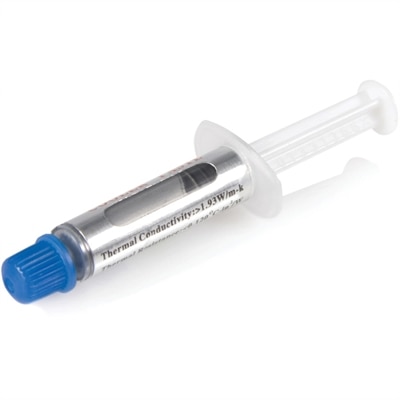
A metal oxide thermal compound delivering 3.195 W/m-K conductivity for CPUs up to 65W TDP.
Elevate your computing experience with a wide selection of CPU accessories designed to enhance performance and support your system’s needs. Whether you’re building a new setup or upgrading your current configuration, the right cpu accessories can make all the difference in efficiency and reliability. Explore options that cater to every requirement, from cooling solutions to essential connectors, and find the perfect additions to keep your computer running smoothly.
A metal oxide thermal compound delivering 3.195 W/m-K conductivity for CPUs up to 65W TDP.
A genuine OEM replacement fan engineered for reliable cooling and compatibility with Inspiron 5480 systems.
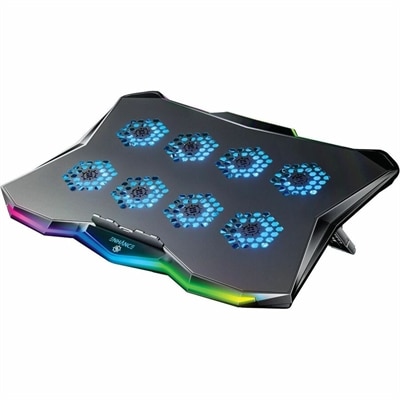
A slim metal laptop cooling pad featuring eight quiet fans, adjustable angles, and customizable RGB lighting.
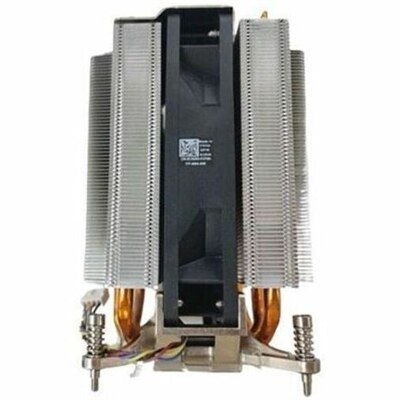
A genuine OEM CPU heatsink assembly engineered for reliable compatibility, thermal performance, and straightforward replacement.
A genuine OEM motherboard assembly with reserve coin battery, engineered for Intel Core i7-10850H systems.
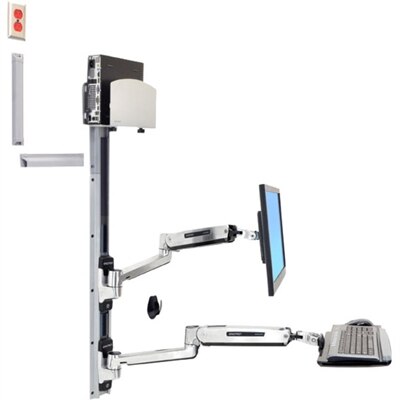
A space-saving wall-mounted computer workstation with a silver CPU holder, LCD, keyboard, and mouse support.
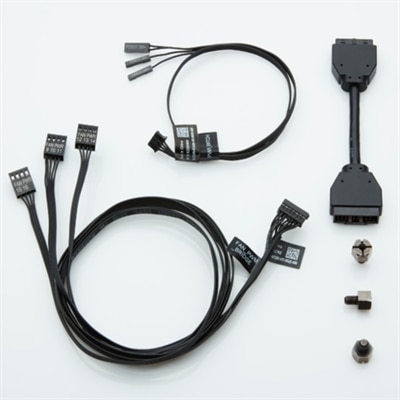
CPU accessories support the installation, cooling, and maintenance of a computer’s central processing unit, helping the processor function within the conditions its design requires. This category commonly includes processor coolers, thermal compounds, mounting brackets, and compatible cooling controls, with each serving a different purpose around the CPU socket. These components matter in everyday desktops as well as computers used for gaming, photo editing, software development, and other demanding tasks. A processor generates heat while it works, and its cooling assembly moves that heat away so the system can maintain appropriate operating temperatures. Thermal paste fills microscopic gaps between the processor’s heat spreader and the cooler’s contact surface, improving heat transfer between surfaces that appear smooth but are not perfectly flat. Mounting hardware holds the assembly in position with the pressure specified for its design, while compatible fans and controls help move warm air through and out of the case. Together, these accessories support a balanced computer rather than acting as independent performance upgrades. Their benefits depend on the processor, enclosure, workload, and surrounding conditions; a larger cooler alone does not guarantee a faster or quieter machine. For shoppers comparing Computer Processors, the socket type and manufacturer’s cooling requirements provide essential context for understanding compatible accessories. A desktop used for spreadsheets and video calls may have different cooling needs from a workstation that spends hours rendering detailed scenes. Likewise, a computer tucked into a compact home office has different space constraints from a roomy desktop tower. The most useful accessory is one that fits the system’s physical layout and intended workload without creating unnecessary installation or maintenance complications. CPU accessories can also be practical gifts for computer-building enthusiasts, particularly when the recipient’s exact system specifications are known. Compatibility matters more than appearance, since even similar-looking mounting parts can differ in dimensions, attachment points, and supported sockets.
Materials and construction influence how CPU cooling accessories transfer heat, fit inside a computer, and hold up through regular use. Air coolers often combine a copper contact surface or heat pipes with aluminum fins, creating a path that carries heat away from the processor and exposes it to moving air. Fin spacing, fan dimensions, and the overall shape of the assembly affect its relationship with the surrounding components. A tall tower cooler needs enough clearance beneath the case’s side panel, while a wide assembly may extend over memory modules or sit close to motherboard components. Low-profile designs suit some compact desktops, but their suitability still depends on the processor’s heat output and the enclosure’s airflow. Liquid cooling assemblies move heat from a block near the CPU to a radiator, adding considerations such as radiator thickness, fan placement, tubing reach, and supported mounting positions. Their pumps and fans both contribute to the computer’s sound, so liquid cooling is not automatically quieter than air cooling. For a desktop sitting beside a microphone during meetings or recording sessions, the character of fan noise can be as important as its overall volume. Gradual fan-speed changes may be less distracting than frequent bursts, although control options depend on compatible hardware and system settings. Thermal compounds also vary in consistency, electrical conductivity, and application requirements. Some coolers include a preapplied thermal interface, while others require a separately applied compound; combining layers is not a substitute for following the cooler’s instructions. Mounting kits must match both the cooler and the motherboard socket, and a supported processor socket does not by itself confirm clearance throughout the case. Contact frames and replacement retention parts require particular care because they alter how the processor is secured and are not necessary for every build. In laptops and other tightly integrated computers, cooling assemblies are typically model-specific, making generic desktop accessories unsuitable even when the underlying purpose is the same.
Long-term usefulness depends on thoughtful installation, sensible care, and a good match between the accessory and the way the computer is used. Durable mounting hardware should remain secure under the conditions for which it was designed, while fans need unobstructed space and properly routed cables that cannot touch their blades. Fan splitters and controllers can support more organized cooling arrangements, but connector type, control method, and the electrical limits of the motherboard header or controller determine which combinations are appropriate. A splitter does not increase the amount of power a header can safely provide. The computer’s power supply supports the processor and the rest of the system, although it is a system-wide component rather than a direct substitute for CPU cooling or mounting hardware. For someone updating an existing desktop, retaining a serviceable cooler may be possible when its cooling capacity, mounting support, and physical condition suit the new configuration. For someone assembling a computer for long creative sessions, steady cooling under sustained workloads may matter more than decorative lighting or an unusually large assembly. Day-to-day care is mostly about preserving airflow and avoiding preventable damage. Dust collecting on intake filters, fan blades, and cooling fins can restrict air movement, especially in rooms with carpeting or pets. Cleaning methods should follow the equipment manufacturer’s instructions, with the computer powered down and disconnected before internal maintenance. Delicate fins, exposed connectors, and fan bearings all benefit from careful handling rather than forceful brushing or uncontrolled spinning during cleaning. Thermal paste generally needs attention when a cooler is removed and reinstalled, or when troubleshooting indicates a cooling problem, rather than simply because a fixed amount of time has passed. Sealed liquid cooling units are generally not intended for user refilling, and unexpected pump noise or visible moisture warrants attention before continued use. Clear installation documentation, suitable mounting parts, and accessible maintenance points all contribute to an accessory’s practical value. Whether the computer supports homework, evening gaming, remote work, or detailed creative projects, well-matched CPU accessories help maintain an orderly, dependable setup built around the processor’s actual needs.
Add the products you would like to compare, and quickly determine which is best for your needs.