$159.99
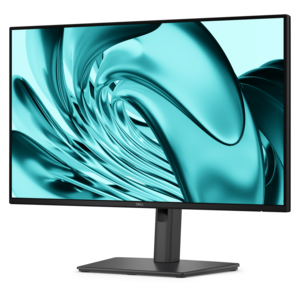
A stand-free FHD monitor offering extensive connectivity, high refresh rate, and TÜV-certified four-star eye comfort.
Enhance your workspace with our selection of desktop computer stands designed to elevate both your monitor and productivity. Perfect for creating an ergonomic setup, desktop computer stands provide the ideal solution for reducing clutter and optimizing desk space. Discover a variety of stylish and functional options that cater to different needs, ensuring you find the perfect stand to complement your office or home environment. Explore the benefits of improved posture and organized workstations with these essential accessories.
A stand-free FHD monitor offering extensive connectivity, high refresh rate, and TÜV-certified four-star eye comfort.
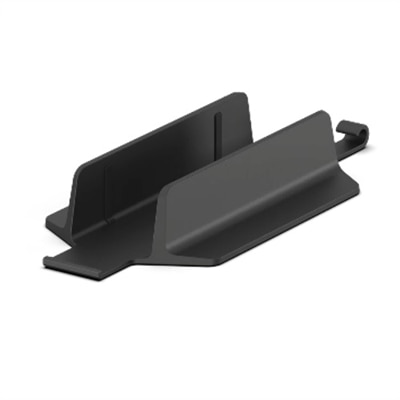
A streamlined all-in-one stand securing Slim desktops to VESA-compatible monitors for clutter-free workspaces.
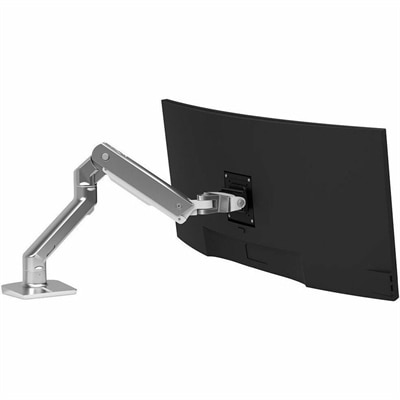
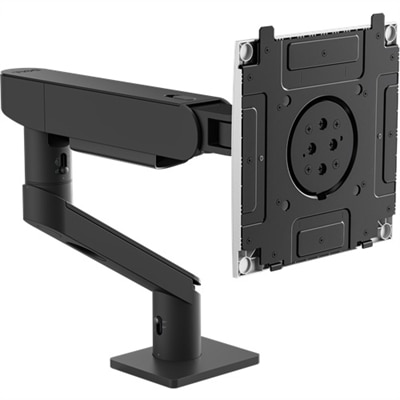
A polished aluminum monitor arm supporting 20–42-pound displays with smooth repositioning and optional multi-monitor expansion.
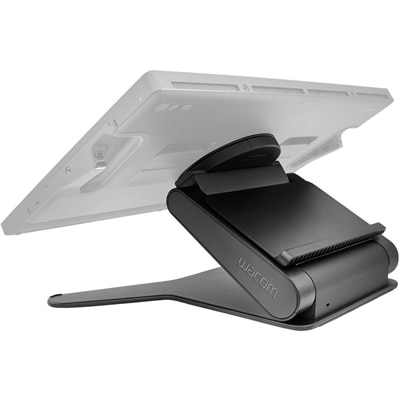
A stable, adjustable display stand offering height, angle, and 20-degree rotation for comfortable, natural creative workflows.
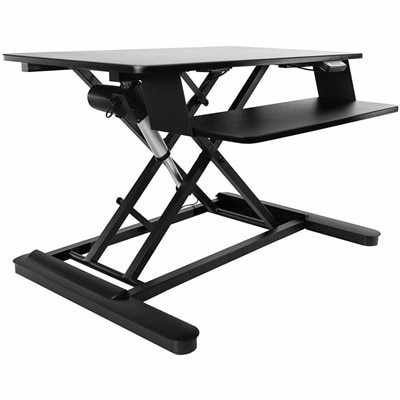
An electric sit-stand workstation with upper display and lower keyboard surfaces, arriving assembled for easy setup.
Desktop computer stands can help create a more comfortable, organized workspace while making better use of the surface around a desktop setup. Whether the goal is to raise a display to a more natural viewing height, create room beneath a monitor for notebooks and accessories, or keep a desktop tower positioned securely, the right stand can bring practical structure to an otherwise crowded desk. Many people spend long stretches at a computer for work, study, creative projects, gaming or staying connected with family, and small changes to the arrangement can make the entire area feel more inviting. A stand may lift the screen so the top edge sits closer to eye level, helping reduce the tendency to lean forward or angle the neck downward. It can also create a defined place for a keyboard, charging accessories or everyday supplies when the computer is not in use. As cooler weather encourages more time indoors, a tidy, comfortable desk can become a useful home base for remote work, online learning, hobbies and entertainment. When choosing a desktop computer stand, consider the size and weight of the equipment it will support, along with the dimensions of the desk itself. Measure the available width and depth rather than relying on appearance alone, especially if the workspace is tucked into a corner, placed on a narrow console or shared with other household activities. A stable base, strong construction and a surface that resists sliding can help keep equipment steady during regular use. It is also worth checking the stand’s height and clearance to ensure that a keyboard, small speakers, notebooks or other accessories can fit comfortably underneath or beside it. Some shoppers prefer a simple, low-profile design that blends into an established office, while others look for a more adjustable arrangement that can change as their setup evolves. Cable openings or channels can help guide cords toward the back of the desk, reducing tangles and making it easier to dust around the computer. A finish that complements the room, along with smooth edges and an easy-to-clean surface, can make the stand feel like a natural part of the workspace rather than an afterthought.
Desktop computer stands are useful for a wide range of people. A remote professional may use one to separate a display from paperwork and create a clearer working area for video calls, spreadsheets or detailed projects. A student can gain a little extra room for textbooks and writing materials without moving the computer to another location. A creative user working with photos, illustrations, music or documents may appreciate having equipment elevated and arranged within easy reach, while a gamer can use a stand to keep the screen positioned comfortably during longer sessions. Families may find them helpful in shared spaces where a desk needs to serve several purposes, from homework during the day to personal projects in the evening. They can also be a thoughtful gift for someone setting up a first apartment, refreshing a home office or creating a dedicated study corner. The most useful choice depends on the recipient’s equipment and habits, so it helps to think about how they spend time at the computer before selecting a style. Someone who prefers a clean, minimal desk may value a compact stand with a discreet profile. A person who frequently switches between work materials may benefit from open space underneath for quick access to papers and accessories. For households using more than one display, a stand designed to support the intended arrangement can help maintain a balanced layout, although available desk space and total equipment weight should always be checked carefully. Users who work with documents in portrait orientation may also explore Vertical Monitor Stands as part of a more flexible display setup. Proper placement matters as much as the stand itself: leave enough room for ventilation, avoid blocking ports or controls, and keep the base on a level surface. A little clearance around the computer can make connections easier to reach and help the workspace remain comfortable throughout the day.
Before adding a desktop computer stand to a setup, take a moment to picture the way the desk is used from morning through evening. If coffee, notebooks and charging cables tend to gather around the computer, an elevated platform may open a useful area underneath and make everyday items easier to sort. If the display feels too low, a taller design may support a more natural posture, but the final height should still allow the eyes to meet the screen comfortably without forcing the chin upward. Adjustable features can be valuable for shared desks or changing routines, while a fixed design may suit someone who prefers simplicity and a dependable fit. Check the stand’s stated capacity against the combined weight of the equipment, and consider whether its footprint leaves enough room for a keyboard, mouse and comfortable hand movement. A stand should not wobble when someone types, reaches for an accessory or adjusts the screen. It should also fit the visual character of the room, whether that means a clean contemporary look, a warm home-office feel or a practical study area that needs to remain uncluttered. For people who move between rooms during the cooler months, a lighter and easier-to-handle design may be convenient, while a more substantial stand can be appropriate for a permanent workstation. Keeping the surface free from unnecessary objects, routing cords neatly and wiping away dust from time to time will help preserve the organized feel that prompted the purchase. With thoughtful sizing and placement, a desktop computer stand can turn an ordinary desk into a more functional personal workspace—one that supports focused tasks, relaxed browsing, creative work and the everyday rhythm of life at home.
Add the products you would like to compare, and quickly determine which is best for your needs.