$1379.99
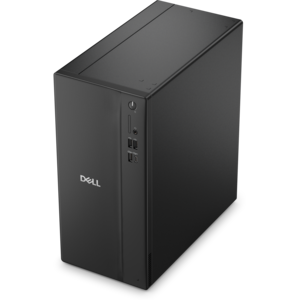
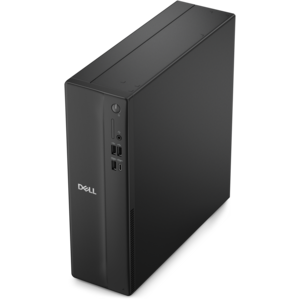
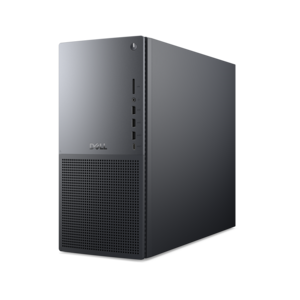
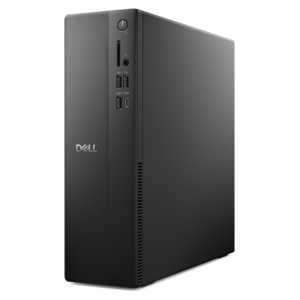
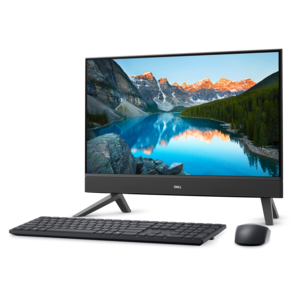
A compact all-in-one desktop designed for productive work and everyday entertainment.
Enhance your computing experience with high-quality desktop memory, designed to support smoother multitasking and improved system responsiveness. Whether you’re upgrading your current setup or building a new desktop, choosing the right memory is essential for optimal performance. Explore a wide selection of desktop memory options to find the perfect fit for your needs and keep your PC running efficiently for work, gaming, and everyday tasks.
A compact all-in-one desktop designed for productive work and everyday entertainment.
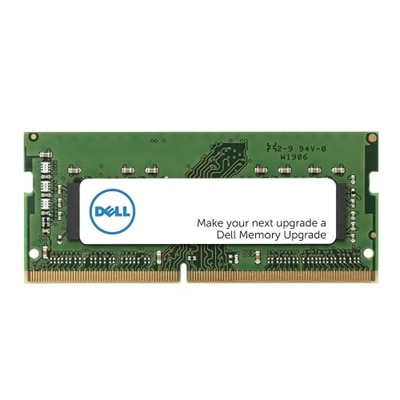
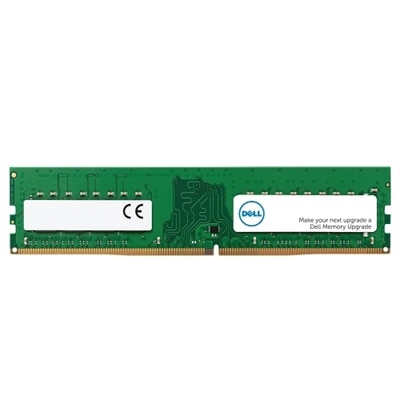
Desktop memory, commonly called RAM, is the short-term working space that helps a desktop computer keep active programs, files and processes readily available. Unlike long-term drive capacity, which retains information when a computer is turned off, RAM is used while the system is running: opening a browser with many tabs, editing photos, joining a video call, playing a game and switching between applications all place demands on memory. When a desktop has enough RAM, these everyday transitions can feel smoother, with fewer pauses when several tasks are open at once. Desktop memory modules are generally DIMMs, or dual in-line memory modules, which are longer than the SO-DIMMs designed for laptops. Choosing the right type begins with the desktop’s motherboard and processor platform. The motherboard determines which memory generation it supports, and DDR4 and DDR5 are not interchangeable. Their notches are positioned differently, and the electrical requirements also vary, so a DDR4 module cannot be installed in a DDR5 slot or used as a substitute for it. Check the motherboard documentation or the desktop manufacturer’s specifications before selecting a kit, including the supported memory generation, maximum capacity, number of slots and recommended operating speeds. A system that is ready for DDR5 may offer newer performance capabilities, while DDR4 remains a practical choice for compatible desktops and established builds. For shoppers comparing options, the DDR Memory selection provides a place to explore compatible memory categories alongside the specifications that matter for an upgrade. Matching the memory to the computer is more important than choosing the highest number on a package; a module that does not fit the motherboard, exceeds its supported limits or requires settings the system cannot use will not deliver the expected benefit.
Capacity is the amount of RAM available for active work, and the right amount depends on how a desktop is used. A desktop for email, web browsing, schoolwork, documents and routine communication may be well served by 8GB or 16GB, with 16GB offering more comfortable room for multitasking and modern applications. People who keep many browser tabs open, work with large spreadsheets, edit photographs, create music, use creative software or play contemporary games may appreciate 32GB, especially when several demanding applications are open together. Video editors working with high-resolution footage, 3D artists rendering complex scenes, software developers running virtual environments and serious content creators may benefit from 64GB or more, provided the motherboard and operating system support that capacity. More memory does not automatically make every desktop faster; it helps most when the computer regularly runs short of available RAM. If applications already have ample working room, increasing capacity may produce less noticeable change than updating another component or improving configuration. Speed is another consideration. Memory speed may be listed in MHz or, on newer specifications, MT/s, and it describes how quickly data can be transferred under supported conditions. Latency, often represented by a CAS latency value such as CL30 or CL36, describes the delay associated with certain memory operations. Speed and latency should be considered together rather than judged by either number alone. A higher transfer rate can be useful for gaming, content creation and other demanding workloads, but the processor and motherboard must support the selected profile for the system to operate at its intended performance. Some modules include tested performance profiles that may need to be enabled in the system firmware, so buyers should review the motherboard instructions and understand that advertised specifications can depend on compatible settings. Capacity, generation, speed, latency and compatibility form a connected set of decisions rather than separate features.
Desktop memory can be a sensible upgrade for a family computer that has begun to slow down when several people share it for work, learning and entertainment, and it can also be a thoughtful gift for someone assembling a custom PC or refreshing an older compatible system. A student moving between research tabs, presentations and video meetings may notice the benefit of additional headroom, while a home office user can keep communication tools, accounting software and documents open without closing one task to make room for another. Gamers often look for a balanced capacity and speed combination that complements the processor and graphics hardware, and creators may prioritize higher capacity for large images, timelines, audio projects and rendering applications. Before purchasing, identify the exact desktop model or motherboard, confirm the DDR generation, check the number of available slots and determine whether existing modules will remain installed. Memory is often most effective when modules are installed in matched pairs and placed in the motherboard’s recommended slots, allowing supported dual-channel operation; the correct slot arrangement is listed in the system manual. Mixing different capacities, speeds or memory specifications can work in some systems, but all modules may operate at the capabilities of the slowest or least flexible combination, and mismatched kits can sometimes create stability problems. Back up important work, turn the computer off completely, disconnect power and follow the installation instructions, taking care to handle modules by their edges and align the notch before applying even pressure. After installation, the operating system should report the expected capacity, and a memory diagnostic or stability test can help confirm that the upgrade is functioning properly. During the cooler months, when a desktop may become the center of home projects, creative work and indoor entertainment, dependable RAM can make it easier to move between tasks without interrupting the rhythm of the day. The best choice is a compatible, appropriately sized configuration that suits the person’s workload and leaves practical room for future applications, rather than memory selected by capacity or speed alone.
Add the products you would like to compare, and quickly determine which is best for your needs.