$49.99
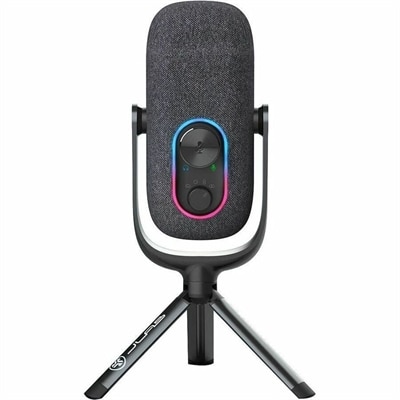
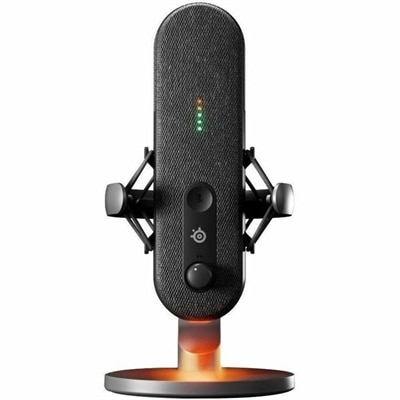
A compact black condenser microphone offering 24-bit/96kHz recording, cardioid and omnidirectional modes, and USB-C plug-and-play connectivity.
Enhance your audio experience with desktop microphones designed for clarity and convenience in any workspace. Whether you're connecting with colleagues, streaming content, or recording at home, desktop microphones offer reliable performance for a variety of needs. Explore a range of options to find the perfect fit for your setup and enjoy seamless communication and sound quality every time you connect.
A compact black condenser microphone offering 24-bit/96kHz recording, cardioid and omnidirectional modes, and USB-C plug-and-play connectivity.
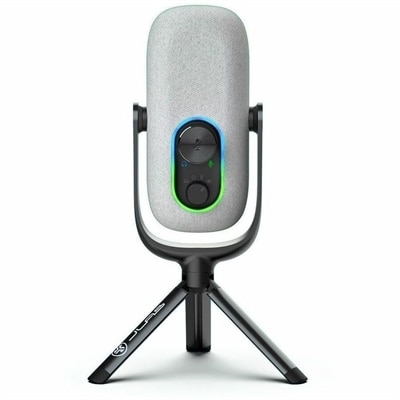
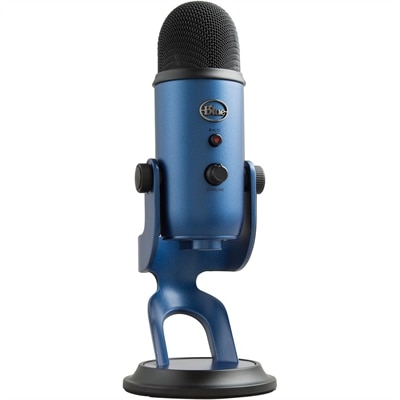
A black condenser microphone delivering 96kHz/24-bit recording, four directional patterns, USB-C plug-and-play, and convenient volume controls.
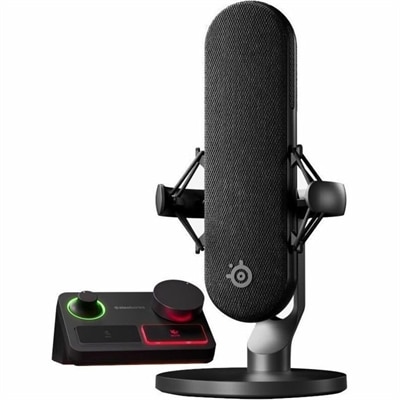
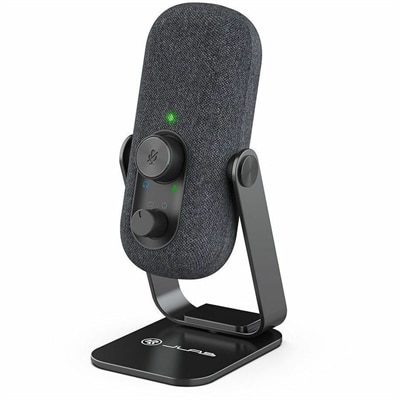
A wired condenser microphone with noise cancellation, XLR stream mixer, USB-C connectivity, and customizable controls.
Desktop microphones are external audio devices designed to sit on a tabletop, helping capture clearer, more consistent sound for gaming, streaming, podcasting, recording, online classes and video calls. Unlike a computer’s built-in microphone, a desktop microphone can be positioned closer to the speaker and adjusted to suit the room, which often makes voices sound fuller and easier to understand. A microphone can be a practical addition to a home office, study area or gaming setup, especially when conversations take place in rooms with hard surfaces, nearby appliances or other sources of background noise. It can also make a thoughtful gift for someone who spends time creating videos, broadcasting gameplay, attending virtual meetings or keeping in touch with family and friends online. During the cooler months, when more work, school and recreation may happen indoors, a dependable microphone can make a desk feel more capable without taking up the space required by larger audio equipment. Desktop microphones are available in several designs, including compact models for smaller work areas, adjustable tabletop microphones for flexible positioning and models with stands that keep the microphone stable while leaving the user’s hands free for typing, gaming or taking notes. A USB microphone connects directly to a compatible computer and is typically the simplest choice for beginners because it does not require a separate audio interface or complicated setup. After connecting it, users can select the microphone through their computer’s sound settings and adjust input levels before joining a call or beginning a recording. Some USB microphones include convenient controls for muting, volume adjustment and headphone monitoring, allowing users to make quick changes without opening software. Models with a headphone output can also help users hear their own voice and other audio more clearly, which is useful for live communication and recording. A microphone that supports an additional connection type, such as XLR, can suit someone who wants to begin with a straightforward computer setup while keeping open the option of expanding to more advanced audio equipment later. For a streamlined workspace, a laptop with an integrated microphone may be enough for everyday communication; explore Laptops With Microphone when portability and built-in audio are important parts of the setup.
Choosing among desktop microphones starts with considering how and where the microphone will be used. Condenser microphones are known for their sensitivity and detailed sound, making them well suited to vocals, narration, podcasts and quiet recording spaces. That sensitivity also means they can pick up keyboard clicks, air conditioning, hallway noise and room reflections, so placement and surroundings matter. A condenser microphone may perform best when positioned close to the speaker and aimed away from obvious noise sources. Dynamic microphones generally handle louder sounds well and tend to reject more ambient noise, which can make them a useful choice for busy rooms, shared spaces or energetic gaming commentary. They can also be forgiving when a user cannot create a dedicated recording area. Pickup pattern is another important consideration. A cardioid pattern focuses primarily on sound from the front and helps reduce noise from behind the microphone, while an omnidirectional pattern captures sound from several directions and may be useful for group conversations around a table. Some microphones offer selectable patterns for greater flexibility across calls, interviews and solo recording. Size, stand design and adjustment range deserve attention as well. A weighted base can help prevent movement, a compact body can preserve room for a keyboard and monitor, and a height or angle adjustment can help keep the microphone near the speaker’s mouth without blocking the screen. A boom arm or flexible neck may be helpful for users who need to move the microphone out of the way between conversations. Features such as a mute button, gain control, pop filter, shock isolation and real-time headphone monitoring can add convenience, but the most important factors remain clear placement, suitable sensitivity and compatibility with the computer. Before choosing, check the available ports, operating system support, cable length and desk space. It is also worth considering whether the microphone will be used for short calls, extended broadcasts or regular recording, since comfort and easy controls become more valuable over longer sessions. With the microphone placed a few inches from the speaker, pointed toward the mouth and kept away from tapping surfaces, even a simple desktop setup can produce a cleaner, more natural voice for work, creativity and everyday connection.
Add the products you would like to compare, and quickly determine which is best for your needs.