$254.99
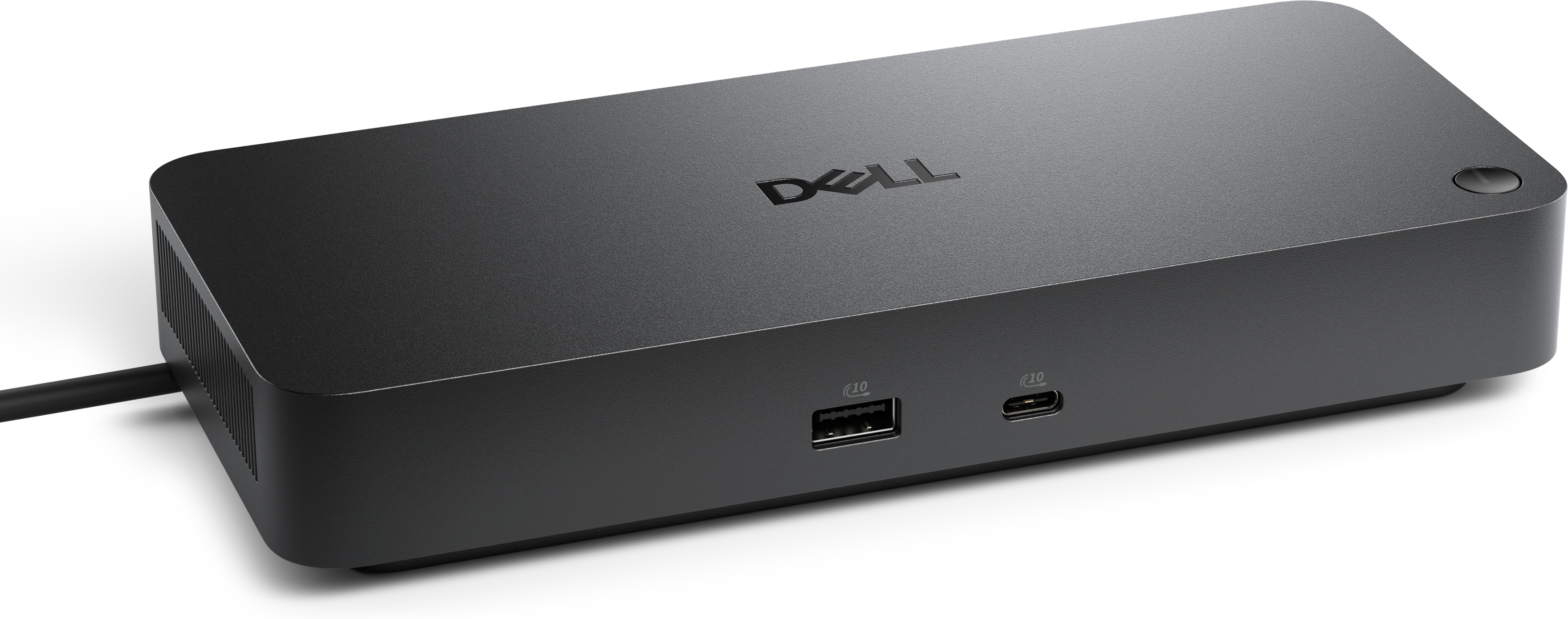
A Thunderbolt 4 dock delivering up to 130W of power for a powerful, streamlined workspace.
Docking Solutions for Multi-Device Workstations provide a streamlined way to keep your workspace organized and efficient. Whether you’re managing multiple screens, connecting essential peripherals, or looking to simplify cable management, these docking options help create a seamless transition between devices. Perfect for professionals who demand flexibility and productivity, Docking Solutions for Multi-Device Workstations offer the connectivity you need to power through your day with confidence. Explore a wide selection designed to support your unique workflow and elevate your workstation setup.
A Thunderbolt 4 dock delivering up to 130W of power for a powerful, streamlined workspace.
A versatile Thunderbolt 5 smart dock delivering up to 300W power with remote management capabilities.
In today’s ever-evolving landscape of remote and in-office collaboration, docking solutions for multi-device workstations have become essential for professionals who demand flexibility and efficiency. Whether you’re outfitting a home office, a shared workspace, or a dedicated creative studio, the right docking solution can transform a cluttered desk into a streamlined command center. These versatile hubs are designed to unify laptops, desktops, monitors, and a host of accessories, all through a single connection. For anyone managing multiple devices—such as switching between a work laptop and a personal computer, or integrating tablets and smartphones into their daily routine—a docking station can be a game-changer. The convenience of connecting displays, keyboards, mice, external drives, and even high-speed Ethernet through one dock means less time spent untangling cables and more time focused on productivity. As the seasons shift from the warmth of late summer into the crispness of fall, many find themselves rethinking their workspace setup, whether preparing for new projects, tackling back-to-school tasks, or simply aiming to boost efficiency during busier times of the year.
When considering a docking solution for a multi-device workstation, it’s important to think about the specific needs of your setup. Power delivery is a key factor—look for docks that offer robust USB-C or Thunderbolt connections capable of charging your primary laptop even under heavy workloads, ensuring your devices stay powered throughout the day. For those who rely on multi-monitor arrangements, checking compatibility with technologies like MST (Multi-Stream Transport) or DisplayLink is crucial, especially for users working across different operating systems. Creative professionals, content creators, and IT specialists often require a variety of ports—USB-A, USB-C, SD card readers, and Gigabit Ethernet—to connect cameras, external storage, and other peripherals seamlessly. KVM (keyboard, video, mouse) hybrid docks stand out for users who need to toggle between multiple computers while sharing a single set of peripherals and displays, making transitions smooth and uninterrupted. Charging hubs that incorporate high-wattage power delivery and data transfer capabilities are particularly appealing for those who juggle phones, tablets, and laptops in one workspace. These docking solutions also make thoughtful gifts for students, remote workers, or anyone setting up a new workstation, offering both practicality and the promise of a more organized, efficient environment.
No matter the season or the demands of your workflow, investing in a reliable docking solution is a step toward a more connected and adaptable workspace. The right dock can support everything from dual 4K displays to rapid charging for multiple devices, all while minimizing desktop clutter. For those navigating hybrid work arrangements or managing a mix of personal and professional devices, exploring the full range of available options can reveal features tailored to your unique needs. To dive deeper into the possibilities and find a solution that matches your hybrid work style, visit the dedicated page for Docking Solutions for Hybrid Work Environments and discover how the right docking station can elevate your productivity, connectivity, and workspace comfort throughout the changing seasons.
Add the products you would like to compare, and quickly determine which is best for your needs.