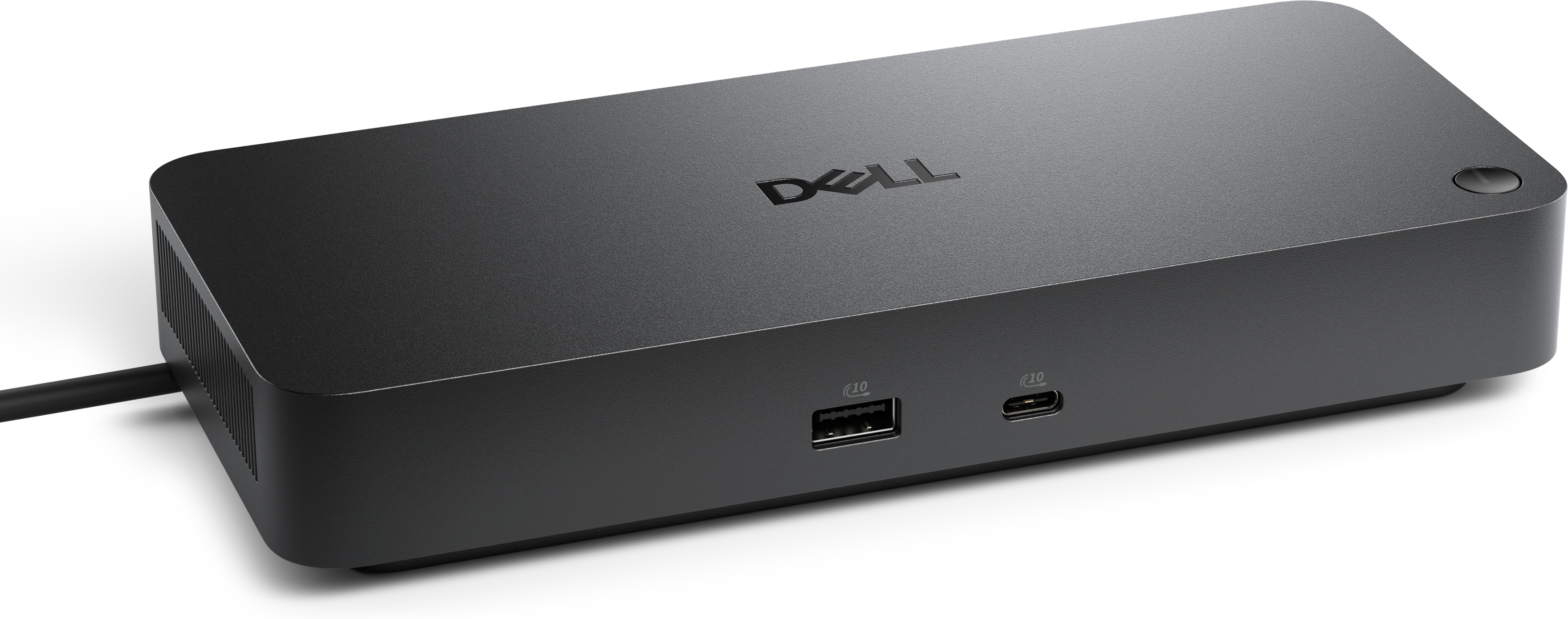
Docking Monitors for Clean Desk Setups

Filters

Docking Monitors for Clean Desk Setups offer a streamlined solution for maximizing workspace efficiency and organization. Perfect for professionals and home offices alike, these monitors help reduce cable clutter and create a more productive environment. Whether you're looking to enhance your multitasking capabilities or simply want a tidy setup, Docking Monitors for Clean Desk Setups are designed to support your workflow with style and simplicity. Explore options that make it easy to maintain a neat and functional desk.

$639.99

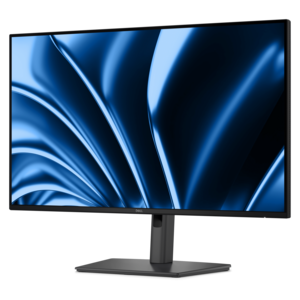
A 27-inch QHD monitor with Thunderbolt 4 connectivity, offering superior eye comfort and productivity.

$639.99
A 27-inch QHD monitor with Thunderbolt 4 connectivity, offering superior eye comfort and productivity.
$369.99

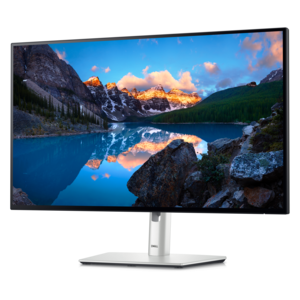
A Full HD 24-inch monitor offering enhanced eye comfort, productivity, and extensive USB-C connectivity.

$369.99
A Full HD 24-inch monitor offering enhanced eye comfort, productivity, and extensive USB-C connectivity.
$294.99

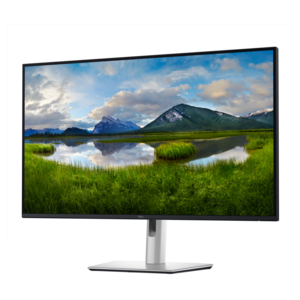
A dark gray FHD hub monitor with USB-C connectivity, 100W power delivery, and advanced eye comfort features.

$294.99
A dark gray FHD hub monitor with USB-C connectivity, 100W power delivery, and advanced eye comfort features.
$439.99

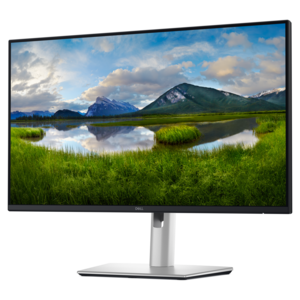
A dark gray 24-inch FHD monitor with 16:10 aspect ratio, USB-C hub, and advanced eye comfort features.

$439.99
A dark gray 24-inch FHD monitor with 16:10 aspect ratio, USB-C hub, and advanced eye comfort features.
$354.99

A dark gray 27-inch FHD hub monitor with USB-C connectivity, 100W power delivery, and eye comfort features.

$354.99
A dark gray 27-inch FHD hub monitor with USB-C connectivity, 100W power delivery, and eye comfort features.
$1199.99

A 42.5'' 4K monitor with multi-PC connectivity and four unique FHD partitions for enhanced productivity.

$1199.99
A 42.5'' 4K monitor with multi-PC connectivity and four unique FHD partitions for enhanced productivity.
$999.99

A 34-inch curved monitor with 3440 x 1440 resolution and 120Hz refresh rate for enhanced comfort.

$999.99
A 34-inch curved monitor with 3440 x 1440 resolution and 120Hz refresh rate for enhanced comfort.
$1499.99

An immersive 49-inch dual QHD monitor with IPS Black panel and eco-friendly, arsenic-free glass.

$1499.99
An immersive 49-inch dual QHD monitor with IPS Black panel and eco-friendly, arsenic-free glass.
$1359.99

A 37.5-inch WQHD+ curved monitor with IPS Black panel and 21:9 aspect ratio for immersive viewing.

$1359.99
A 37.5-inch WQHD+ curved monitor with IPS Black panel and 21:9 aspect ratio for immersive viewing.
$489.99

A 27-inch QHD IPS display with a 2K camera, dual microphones, and built-in speakers for seamless collaboration.

$489.99
A 27-inch QHD IPS display with a 2K camera, dual microphones, and built-in speakers for seamless collaboration.
$349.99

A 27-inch 4K USB-C monitor with 120Hz refresh rate, dual speakers, and eye comfort technology.

$349.99
A 27-inch 4K USB-C monitor with 120Hz refresh rate, dual speakers, and eye comfort technology.
$799.99

A 27" monitor with enhanced IPS Black, 3000:1 contrast, and eye comfort technology for vivid visuals.

$799.99
A 27" monitor with enhanced IPS Black, 3000:1 contrast, and eye comfort technology for vivid visuals.
$379.99

A 34-inch WQHD curved monitor with USB-C, 120Hz refresh rate, and dual 5W speakers for immersive entertainment.

$379.99
A 34-inch WQHD curved monitor with USB-C, 120Hz refresh rate, and dual 5W speakers for immersive entertainment.
$449.99

A 23.8-inch touch screen monitor with superior connectivity and an articulating stand for productivity.

$449.99
A 23.8-inch touch screen monitor with superior connectivity and an articulating stand for productivity.
$449.99

A 23.8-inch QHD monitor with extensive connectivity and TUV-certified eye comfort technology.

$449.99
A 23.8-inch QHD monitor with extensive connectivity and TUV-certified eye comfort technology.
$1029.99

An advanced 31.5" 4K monitor with IPS Black, 3000:1 contrast, and enhanced eye comfort technology.

$1029.99
An advanced 31.5" 4K monitor with IPS Black, 3000:1 contrast, and enhanced eye comfort technology.
$649.99

A 31.5-inch 4K monitor with extensive connectivity and TUV-certified eye comfort technology.

$649.99
A 31.5-inch 4K monitor with extensive connectivity and TUV-certified eye comfort technology.
$2499.99

An ultrawide 6K platinum silver monitor offering superior clarity, multitasking features, and advanced eye comfort technology.

$2499.99
An ultrawide 6K platinum silver monitor offering superior clarity, multitasking features, and advanced eye comfort technology.
$2999.99

An ultrawide 6K platinum silver monitor offering superior clarity, multitasking features, and advanced eye comfort technology.

$2999.99
An ultrawide 6K platinum silver monitor offering superior clarity, multitasking features, and advanced eye comfort technology.
$659.99

An immersive 34.1-inch ultrawide curved monitor with WQHD resolution and USB-C power delivery up to 90W.

$659.99
An immersive 34.1-inch ultrawide curved monitor with WQHD resolution and USB-C power delivery up to 90W.
$539.99

A 27-inch 4K monitor with extensive connectivity and TUV-certified eye comfort technology.

$539.99
A 27-inch 4K monitor with extensive connectivity and TUV-certified eye comfort technology.
$424.99

A 27-inch QHD monitor with extensive connectivity and TUV-certified eye comfort technology.

$424.99
A 27-inch QHD monitor with extensive connectivity and TUV-certified eye comfort technology.
$579.99

A 31.5-inch QHD monitor with extensive connectivity and TUV-certified eye comfort technology.

$579.99
A 31.5-inch QHD monitor with extensive connectivity and TUV-certified eye comfort technology.
$349.99

A 16:10 USB-C hub monitor with 4-star eye comfort and 90W power delivery.

$349.99
A 16:10 USB-C hub monitor with 4-star eye comfort and 90W power delivery.

Docking Monitors for Clean Desk Setups

A clean desk setup is more than just an aesthetic choice—it’s a foundation for productivity, focus, and comfort, especially as the days grow longer and the urge to refresh your workspace comes with the season. Docking monitors have become a centerpiece of these streamlined environments, offering an elegant blend of performance and organization. With a dell docking monitor, for instance, you can transform your workspace instantly by connecting your laptop and peripherals through a single USB-C cable. This not only minimizes cable clutter but also delivers reliable power delivery, often sufficient to keep your laptop fully charged throughout a busy workday. Imagine starting your morning with a clear desk, your monitor acting as a central hub for your keyboard, mouse, and even wired network connection—all without the tangle of cords. For those who juggle multiple devices, features like built-in KVM switches allow seamless switching between systems, making these monitors ideal for professionals who manage both personal and work computers from the same space.

The appeal of docking monitors extends beyond the office. They make thoughtful gifts for recent graduates stepping into their first jobs, remote workers upgrading their home setup, or anyone who values a tidy and efficient workspace. As you consider which docking monitor fits your needs, think about the size and resolution that best complements your workflow, as well as practical features like adjustable stands or compatibility with monitor arms for extra desk space. Integrated cable management solutions can make a world of difference, turning a crowded surface into an open, inviting area where creativity and focus thrive. Vertical laptop stands, risers, and under-desk trays further contribute to a clutter-free environment, letting you reclaim valuable real estate for notes, sketches, or that favorite mug of coffee. Whether you’re a designer needing the clarity of high-resolution displays, a multitasker running dual systems, or simply someone who appreciates a minimal look, docking monitors help you achieve a workspace that feels both polished and personal.

For those looking to further enhance their clean desk setup, exploring additional docking solutions can open up even more possibilities for efficiency and organization. From advanced cable management accessories to multi-port hubs that support a variety of devices, there are plenty of options to tailor your space to your unique needs. If you’re interested in learning more about how to create a seamless, multi-device workstation, visit Docking Solutions for Multi-Device Workstations for inspiration and practical advice. As you refine your setup this season, the right docking monitor can be the cornerstone of a workspace that not only looks clean but also supports you in doing your best work, day after day.

FAQs:

When choosing a docking monitor for a clean desk setup, look for built-in connectivity options such as USB-C, Ethernet, and multiple USB ports. These features allow you to connect your laptop and peripherals directly to the monitor, reducing cable clutter and streamlining your workspace.

A docking monitor consolidates multiple connections—like power, data, and video—into a single cable, minimizing the number of cords on your desk. Many models also include integrated cable management systems to further keep your workspace organized and tidy.

Yes, many docking monitors are designed with multiple input ports, such as HDMI, DisplayPort, and USB-C, allowing you to connect and switch between various devices like laptops, desktops, and tablets with ease.

Most docking monitors offer broad compatibility with both Windows and Mac laptops, especially those equipped with USB-C or Thunderbolt ports. Always check the monitor’s specifications to ensure it supports your device’s operating system and connection type.

A USB-C docking monitor can transmit video, audio, data, and power through a single cable, simplifying your setup. This not only helps maintain a clean desk but also makes it easy to connect or disconnect your laptop quickly when moving between workspaces.

Add the products you would like to compare, and quickly determine which is best for your needs.
Add the products you would like to compare, and quickly determine which is best for your needs.