$629.99
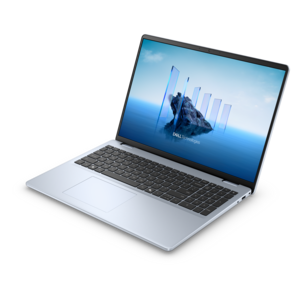
A laptop featuring an FHD camera, enlarged ergonomic keyboard, and AMD Ryzen™ processing.
Fast booting laptops deliver the speed and efficiency needed to keep up with your busiest days, whether you're tackling work projects, streaming your favorite content, or staying connected on the go. Experience seamless startups and minimal wait times with advanced systems designed for instant access and productivity. Discover a range of fast booting laptops engineered to help you get more done, so you can focus on what matters most without unnecessary delays.
A laptop featuring an FHD camera, enlarged ergonomic keyboard, and AMD Ryzen™ processing.
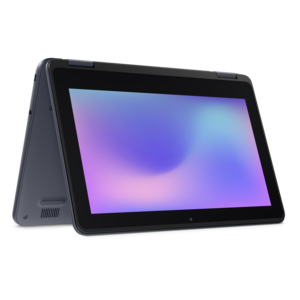
A durable, serviceable laptop or 2-in-1 designed specifically for K-12 learning environments.
A laptop featuring Intel® 13th Gen processors, a built-in FHD camera, and an enlarged ergonomic keyboard.
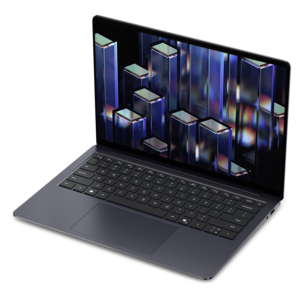
A thin, lightweight laptop crafted from eco-friendly materials with Series 3 Intel Core processors for productivity.
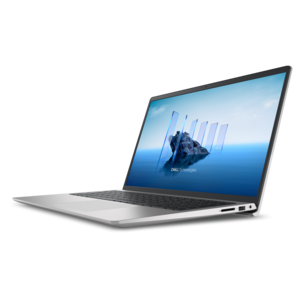
A modern laptop powered by AMD Ryzen™ processors for effortless productivity and captivating entertainment.
A durable, serviceable laptop or 2-in-1 designed specifically for demanding education environments.
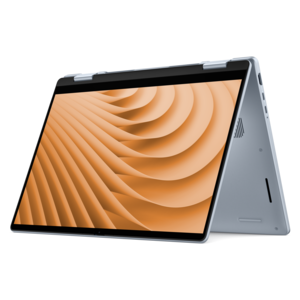
A versatile 2-in-1 laptop with Intel Core processors, DDR5 memory, and multiple modes for creative work.
A durable, serviceable laptop designed specifically for demanding education environments.
A portable laptop with a sleek design, 16:10 display, and AI PC options for productivity anywhere.
An exceptionally thin and lightweight laptop designed for ultimate mobility.
A sleek, portable laptop with an expansive 16:10 display for reliable productivity anywhere.
A slim, lightweight laptop with Intel® Core™ processors and graphics for productive work anywhere.
A streamlined gaming laptop powered by AMD Ryzen 200 Series processors and NVIDIA GeForce RTX graphics.
A lightweight AI-powered laptop designed for creative professionals and small businesses.
A sleek laptop with a stylish design, delivering powerful performance for modern multitasking.
A sleek laptop powered by the latest AMD Ryzen™ AI 400 Series processors for demanding users.
A versatile 2-in-1 laptop designed for AI experiences and seamless multitasking on the go.
A sleek laptop powered by AMD Ryzen AI 400, designed for smooth, capable multitasking.
A versatile 2-in-1 laptop with AI experiences, all-day battery life, and seamless multitasking.
A durable productivity laptop featuring an expansive 16:10 display and convenient numeric keypad.
A lightweight AI-powered laptop with Intel Arc graphics, ideal for creative professionals and small businesses.
A modern laptop with Intel Core processors and graphics for effortless productivity and captivating entertainment.
A durable, modular productivity laptop featuring robust security, a 16:10 display, numeric keypad and AI options.
An AI-ready laptop with a spacious display, designed for creators and developers seeking high performance.
Fast booting laptops are designed to reduce the time between pressing the power button and reaching a usable desktop, making them a practical choice for busy mornings, study sessions, travel, and everyday work. In many cases, a laptop that starts in under 10 seconds uses a solid-state drive (SSD) rather than an older mechanical hard drive. An SSD stores data on flash memory, so it can read system files, applications, and documents without waiting for spinning disks or moving read heads. For even quicker loading, look for an NVMe SSD, a type of solid-state storage that connects through a high-speed interface and is especially well suited to starting the operating system, opening larger applications, and moving between files. Boot speed is only one part of the experience, but it is one you notice every time you sit down to use a computer. A laptop that is ready shortly after opening the lid feels more responsive when you are checking messages before work, joining an online class, reviewing a presentation at an airport gate, or pulling up a recipe while preparing dinner. Processor performance, memory, and the operating system also contribute to that sense of readiness. A capable processor helps the computer handle several tasks at once, while sufficient memory lets browser tabs, documents, video calls, and creative applications remain available without constant reloading. For general productivity, schoolwork, streaming, and communication, a balanced configuration can feel faster and more dependable than a system built around one standout specification. If you regularly edit photos, work with large spreadsheets, create content, or use demanding applications, consider a faster processor, more memory, and ample SSD capacity so the laptop stays responsive after startup rather than slowing down once your work begins.
Windows includes a Fast Startup setting, sometimes called hybrid boot, that can shorten the next startup by saving a snapshot of system drivers to the storage drive when the computer is shut down. On a compatible laptop, this allows essential parts of the operating system to reload more quickly than they would during a complete cold start. Fast Startup is different from sleep mode and hibernation, and its effect can vary depending on system settings, updates, storage performance, and whether the computer is restarting instead of shutting down. Restarting generally performs a fuller system refresh, which can be useful after updates or when an application is behaving unexpectedly. Startup applications also have a noticeable impact on how quickly a laptop becomes comfortable to use. Programs configured to open automatically may include cloud storage tools, messaging services, launchers, and update utilities. Each one can add a small delay, consume memory, or continue working in the background after the desktop appears. Reviewing the startup list and disabling applications you do not need immediately can help create a cleaner, faster-feeling beginning to the day. Keeping the operating system and device drivers current, leaving enough free storage space, and removing software you no longer use can support consistent performance over time. A nearly full drive may have less room for temporary files and system operations, while unnecessary background processes can make an otherwise capable laptop feel sluggish. Battery condition matters as well, particularly for people who work away from an outlet. A lightweight design, efficient processor, clear display, comfortable keyboard, and reliable wireless connection can matter just as much as the first few seconds after power-on. Those details shape the entire routine: opening the laptop on a train, signing in at a library table, carrying it from one meeting to the next, or settling into a living-room chair for an evening of reading and streaming. For shoppers who value shorter charging breaks as well as quick startup, browsing Laptops With Fast Charging can help identify options suited to a mobile schedule.
Fast booting laptops can serve a wide range of people, from students who need to move quickly between classes and assignments to professionals who begin the day with a crowded calendar. A student may open a laptop in the hallway to review notes, start a video lecture from a shared workspace, or finish a paper during a short break; a quick startup leaves more of that limited time for the task itself. A remote worker may depend on prompt access to email, collaboration tools, and documents before a morning meeting, while a frequent traveler may appreciate a computer that is ready after passing through security or settling into a seat. These laptops can also make thoughtful gifts for someone beginning college, moving into a first apartment, working from home, or replacing an aging computer that takes several minutes to become usable. When choosing one for another person, consider how they spend their time rather than focusing only on the fastest possible boot measurement. A writer may prioritize a comfortable keyboard and a bright, easy-to-read display. A family member who enjoys video calls may value a clear camera, strong speakers, and simple wireless connectivity. Someone who travels often may prefer a compact build, long battery life, and durable construction, while a creative user may need a larger display, additional memory, and generous SSD capacity for photos or video projects. It is also worth checking the number and type of ports, display size and resolution, keyboard layout, webcam features, and included operating system. A quick start is most useful when the rest of the laptop fits naturally into daily life. Picture the small moments that add up: the lid opens during a commute, the login screen appears before the coffee is ready, a presentation loads without a long pause, and the computer is ready to close when the work is finished. Choosing SSD storage, keeping startup applications under control, and matching the laptop’s processor, memory, battery, and display to the intended use can help deliver that dependable, ready-when-needed experience.
Add the products you would like to compare, and quickly determine which is best for your needs.