$89.99
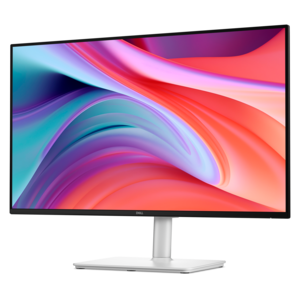
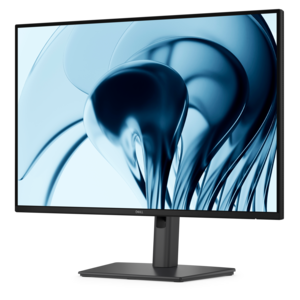
A productivity monitor offering 100Hz refresh and eye comfort solutions that reduce blue light emissions.
Fast refresh rate monitors deliver smoother visuals and more responsive gameplay, making them an ideal choice for gamers, creative professionals, and anyone seeking a seamless viewing experience. With advanced technology designed to reduce motion blur and enhance clarity, fast refresh rate monitors provide a noticeable upgrade over standard displays. Explore a wide selection of options to find the perfect monitor that elevates your setup for work, play, and everything in between.
A productivity monitor offering 100Hz refresh and eye comfort solutions that reduce blue light emissions.
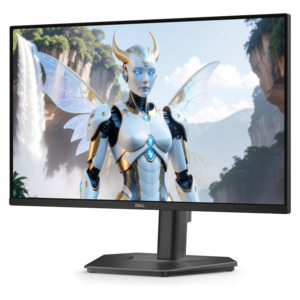
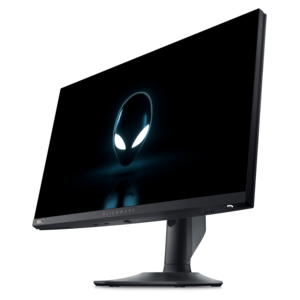
A fast IPS FHD monitor with 240Hz refresh rate, adjustable stand and TÜV Rheinland eye comfort.
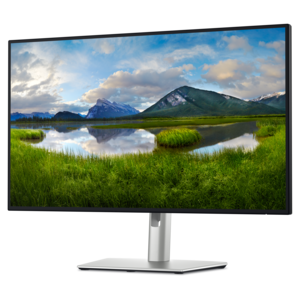
A Full HD monitor with 144Hz refresh rate, built-in speakers, and TÜV 4-star eye comfort certification.
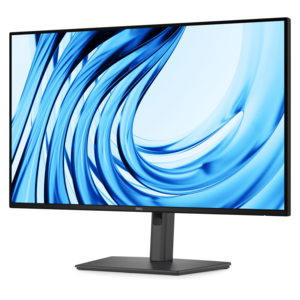
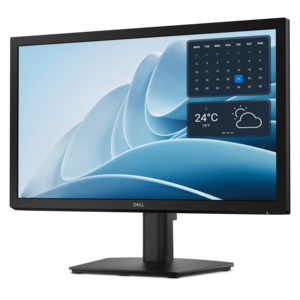
A Full HD productivity monitor with extensive connectivity, high refresh rate, and TÜV-certified four-star eye comfort.
A QHD QD-OLED gaming monitor delivering 360Hz refresh rates and VESA DisplayHDR True Black 400 visuals.
A 4K monitor with IPS Black, 3000:1 contrast, 120Hz refresh, ambient light sensing, and eye comfort.
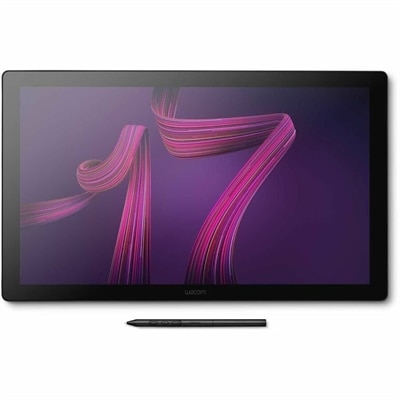
A professional 4K touchscreen pen display with 120Hz refresh, multi-touch control, customizable ExpressKeys, and pressure-sensitive stylus.
Fast refresh rate monitors update the image on screen more frequently than standard 60Hz displays, creating smoother motion and a more immediate feel during games, scrolling, window movement and everyday navigation. Refresh rate is measured in Hertz (Hz): a 144Hz monitor refreshes the image up to 144 times per second, while 240Hz, 360Hz and higher options can display motion with even greater fluidity. For many PC gamers, 144Hz to 180Hz is a practical starting range that delivers a noticeable improvement over 60Hz without requiring an exceptionally powerful computer. Monitors in the 240Hz to 360Hz range are well suited to competitive players who spend long sessions in quick-response shooters, racing games, sports titles or arena games, where tracking movement and reacting quickly are central to the experience. Extremely high refresh rates, including 480Hz and above, are designed for specialized competitive setups and are most meaningful when the computer can consistently produce very high frame rates. A fast panel cannot create additional frames on its own, so it is important to consider the graphics processing unit (GPU), processor, game settings and resolution together. A system that produces 200 frames per second can make better use of a 240Hz display than one that averages 90 frames per second, while a lower refresh rate can still provide an excellent experience for slower-paced games, creative work and general productivity.
Resolution is another key consideration when choosing among fast refresh rate monitors. Full HD, commonly called 1080p, can make it easier for a midrange gaming computer to reach high frame rates and is often a sensible choice for competitive play on a smaller screen. Quad HD, also called 1440p, offers a sharper image and more workspace while remaining easier to drive at high refresh rates than 4K, making it a popular balance for gaming and multitasking. 4K provides the greatest level of detail among these common resolutions and can be especially appealing for large screens, open-world games, photo work, video editing and detailed office layouts, although reaching high frame rates at 4K generally places greater demands on the GPU. For a closer look at displays that combine detailed resolution with fluid motion, explore High Refresh Rate 4K Monitors. Panel technology also shapes the viewing experience. IPS panels are known for accurate color, broad viewing angles and dependable performance across gaming, work and entertainment. VA panels typically offer stronger contrast and deeper-looking blacks, which can suit dark games and movie viewing, including curved or multi-monitor arrangements. OLED and QD-OLED panels can provide exceptionally fast pixel response, rich contrast and very deep blacks, creating a striking image in dim scenes and fast movement. Each technology involves tradeoffs involving brightness, price, viewing habits and the type of work performed on screen, so the best fit depends on more than refresh rate alone.
A fast monitor can serve a wide range of people. A competitive gamer may value high refresh rates, low input lag and clear motion above all else, while a casual player may prefer a balanced display that also offers strong color, comfortable brightness and a sharp resolution for streaming, browsing and schoolwork. People who work with spreadsheets, timelines, design applications or multiple documents can benefit from smoother scrolling and a responsive desktop, especially when a larger screen gives them room to arrange several windows side by side. A fast refresh rate monitor can also make a thoughtful gift for someone building a gaming setup, upgrading a home office or spending more time with a personal computer during the cooler months. Before choosing, check the computer’s available video outputs and make sure the monitor supports the connection needed for its highest resolution and refresh rate; newer standards may be required for the fastest combinations. Adaptive sync support can help coordinate the monitor’s refresh cycle with the GPU’s frame output, reducing visible tearing and making changes in frame rate feel smoother. Look for a stand with height, tilt, swivel or pivot adjustment when the display will be used for extended sessions, and consider VESA compatibility for an arm or wall mount. Built-in speakers, USB connectivity, headphone access and multiple video inputs may simplify a desk shared by a computer, game console or laptop. A matte coating can reduce reflections in a bright room, while a curved screen may feel immersive at a wider size but is a matter of personal preference. Whether the display is placed in a compact bedroom workspace, a family study area or a dedicated gaming corner, matching refresh rate, resolution, panel type and connectivity to the computer and the user’s habits helps create a smoother, more comfortable setup that remains useful well beyond a single season.
Add the products you would like to compare, and quickly determine which is best for your needs.