Gaming HDMI Cables
Upgrade your setup and experience seamless connectivity with gaming HDMI cables designed to support your entertainment needs. Whether you’re aiming for smooth visuals or reliable performance during intense gaming sessions, the right cable can make all the difference. Explore a wide selection of gaming HDMI cables that help you get the most out of your console or PC, ensuring every detail is delivered with clarity and precision.
This product is not available
Check out the following recommendations.




Gaming HDMI Cables
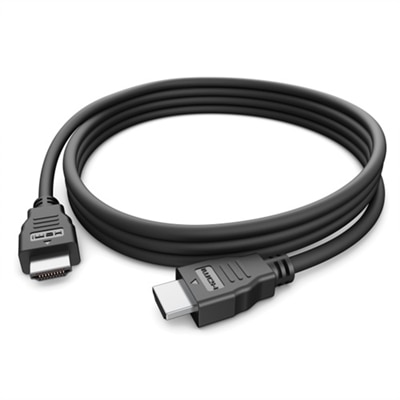
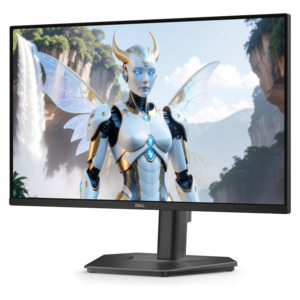
Gaming HDMI cables connect a console, gaming computer, or other video source to a television or monitor, carrying both high-resolution picture and digital audio through one connection. For modern gaming setups, bandwidth is one of the most important specifications to consider. An HDMI 2.1 cable with Ultra High Speed certification can support bandwidth up to 48Gbps, helping compatible equipment deliver 4K resolution at refresh rates up to 120Hz or 8K at up to 60Hz. That extra capacity is valuable for fast-moving games, where a higher refresh rate can make camera movement feel smoother and on-screen action easier to follow. Features such as Variable Refresh Rate, or VRR, can also help coordinate the display’s refresh rate with the game’s frame output, reducing visible tearing and uneven motion when supported by the connected devices. A suitable cable will not improve hardware beyond its capabilities, but it can help ensure that the cable is not the limiting factor between a current-generation console or high-refresh gaming computer and a compatible display. Before choosing, check the specifications of both the source and screen, including resolution, refresh rate, HDR support, VRR compatibility, and available HDMI ports. A display with a 120Hz panel needs a compatible input and settings configured to take advantage of that capability, while a system designed for 1440p gaming may have different requirements from a 4K setup. Audio features matter as well: HDMI can carry sound to a television, monitor, soundbar, or receiver, and compatible equipment may support Audio Return Channel or enhanced Audio Return Channel for streamlined audio connections. For shoppers comparing displays and cable requirements together, Gaming Monitors With HDMI can provide a useful starting point for finding screens with the right type of input.
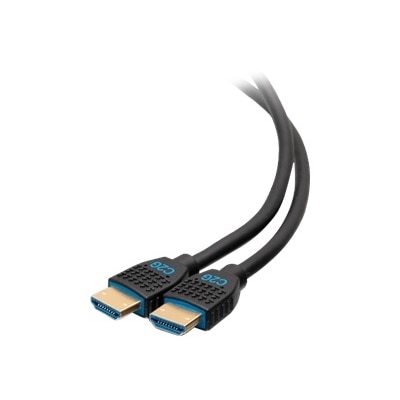
Cable length is another practical consideration that is easy to overlook when planning a gaming area. A short cable can help keep a compact desk tidy when a computer sits beside the monitor, while a longer option may be more suitable for a console positioned across a room from a television. Measure the route from the source to the display, then allow enough room for gentle curves and occasional movement without pulling on either connector. Excess length can be managed with a soft strap, but a cable stretched tightly along the back of a desk or entertainment center may place unnecessary strain on the ports. Look for sturdy connectors, flexible outer material, and construction that can withstand regular plugging and unplugging, especially in a shared gaming space where systems, displays, and accessories may be rearranged during the cooler months. Braided coverings, reinforced connector housings, and clearly marked ends can be helpful, although the most important performance detail remains the cable’s verified bandwidth and certification. For cables routed inside a wall, through a raceway, or near other permanent wiring, review the local installation requirements and look for an appropriate in-wall fire safety rating, such as CL2 when applicable. Keep signal paths away from sharp bends and pinch points, and avoid placing heavy furniture on top of the cable. These considerations make HDMI cables useful additions for a new gaming setup, a refreshed desk, a family entertainment area, or a thoughtful gift for someone building a more immersive play space. A carefully chosen connection can support crisp images, fluid motion, HDR highlights, and clear sound without adding clutter, whether the recipient enjoys cinematic single-player adventures, competitive online matches, racing games, or PC titles that benefit from a high refresh rate. For a clean setup, connect the source directly to the display when possible, confirm that the display is set to its intended resolution and refresh rate, and use the appropriate HDMI input for advanced features. If a screen has multiple ports, their capabilities may differ, so checking the labels and documentation can prevent confusion during setup. With the right length, bandwidth, connector design, and installation rating, a gaming HDMI cable can provide a dependable link between the equipment already at the center of the room and the images and sounds that make each session feel immediate.
FAQs:
When choosing a gaming HDMI cable for next-gen consoles, prioritize cables that support HDMI 2.1 standards, offer bandwidth up to 48Gbps, and enable features like 4K at 120Hz or 8K at 60Hz, Variable Refresh Rate (VRR), and Auto Low Latency Mode (ALLM) for optimal gaming performance.
Yes, modern gaming HDMI cables are designed to be versatile and can connect a wide range of devices, including PCs, gaming consoles, and monitors. Just ensure that the cable matches the HDMI version and performance requirements of your devices for the best results.
Durable gaming HDMI cables, often featuring braided nylon exteriors and reinforced connectors, are ideal for setups that involve frequent plugging and unplugging. This durability helps maintain consistent performance and reduces the risk of wear and tear over time.
TV ports determine the maximum resolution, refresh rate, and features your HDMI cable can deliver. To take full advantage of high-speed gaming HDMI cables, your TV or monitor should have HDMI 2.1 or compatible ports that support advanced gaming features.
Absolutely. Using a high-speed HDMI cable in PC multi-monitor setups ensures smooth visuals, high refresh rates, and accurate color reproduction across all screens, making it ideal for gaming, streaming, and productivity tasks.