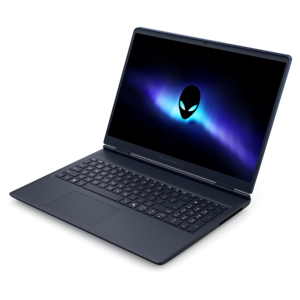
$1550.99
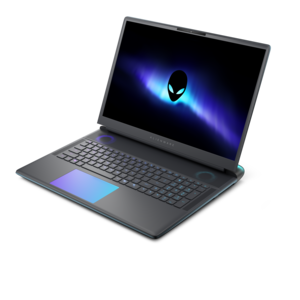
A streamlined gaming laptop with AMD Ryzen 200 Series processors and NVIDIA GeForce RTX graphics.
Level up your gameplay with gaming laptops for Minecraft, designed to deliver smooth performance and immersive visuals. Whether you're building intricate worlds or exploring vast landscapes, the right laptop ensures a seamless experience from start to finish. Discover models that offer the power and reliability needed for creative adventures and competitive play alike. Find your ideal gaming laptop for Minecraft and unlock new possibilities in every session.
A streamlined gaming laptop with AMD Ryzen 200 Series processors and NVIDIA GeForce RTX graphics.
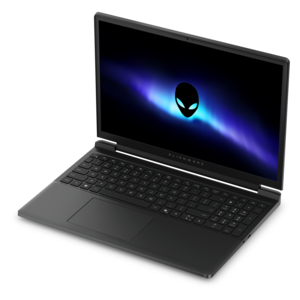
A streamlined gaming laptop delivering essential performance with up to NVIDIA GeForce RTX 50 Series graphics.
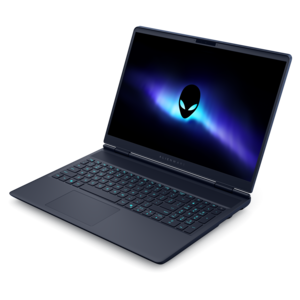
A powerful gaming laptop with Intel Core processors and NVIDIA GeForce RTX graphics for immersive gaming.
A streamlined gaming laptop delivering powerful performance with NVIDIA GeForce RTX 50 Series graphics.
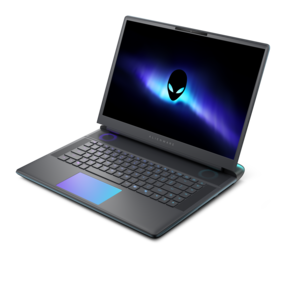
A flagship 16-inch gaming laptop engineered with innovative performance for passionate gamers.
A flagship gaming laptop engineered with innovative performance for passionate gamers.
Gaming laptops for Minecraft bring together responsive processing, capable graphics, and a comfortable display for everything from a quiet survival world to an elaborate build filled with moving parts. Minecraft’s block-based appearance can make it seem undemanding, but the experience changes considerably with longer render distances, complex redstone contraptions, high-resolution resource packs, and visual effects that transform water, shadows, and sunlight. A well-rounded configuration for many players includes a modern processor with strong single-core performance, 16GB of memory, and a solid-state drive with room for the game, saved worlds, and other applications. Dedicated graphics become especially useful when demanding shaders, higher display resolutions, or other visually intensive games are part of the picture. These specifications are practical starting points rather than guarantees of a particular frame rate; the game edition, settings, modifications, and laptop’s cooling design all influence results. Processor performance matters when generating terrain, updating activity within a world, and managing busy areas with lots of entities. Multiple cores also help support background tasks, such as voice chat or recording, although simply choosing the highest core count does not ensure the smoothest gameplay. For someone who enjoys exploring new biomes, consistent performance while moving into unfamiliar terrain may matter more than an exceptionally high frame rate while standing still. For a player constructing a detailed town, enough memory to accommodate resource packs and a responsive system during long building sessions can make the experience more comfortable. A laptop used for both gaming and everyday work also benefits from a balanced configuration that handles browser tabs, video calls, and creative projects without feeling narrowly specialized. The appeal is flexibility: the same portable computer can move from a desk setup for an evening adventure to a kitchen table for homework or a weekend visit with friends. Matching its capabilities to those everyday habits is more useful than choosing specifications solely for their highest numbers.
Memory and graphics requirements become more important as a Minecraft world grows more ambitious. While lighter, unmodified play can run with less, 16GB of system memory provides useful breathing room for the operating system, the game, and a few background applications. A configuration with 32GB may be a better fit for large modpacks, heavier multitasking, or players who also edit recorded gameplay. Allocating all available memory to the game is not necessarily beneficial, since other applications still need room to operate, and excessive allocation can sometimes affect responsiveness. Graphics needs vary just as widely. Integrated graphics can be sufficient for modest settings in lighter setups, while a dedicated graphics processor offers more headroom for demanding shader packs and higher-resolution play. Shader compatibility depends on the game edition and supporting modifications, and ray tracing requires a compatible edition, graphics hardware, and supported content; it is not a feature that every Minecraft setup can simply switch on. A 512GB or larger solid-state drive is a useful starting point when the laptop will hold several games alongside screenshots, recordings, and growing collections of worlds. The drive supports responsive startup and file access, but extra capacity alone does not increase frame rates. Display choice shapes the experience just as noticeably. A full HD screen offers a practical balance of clarity and graphics demand, while a higher-resolution panel can reveal finer details at the cost of additional processing work. A high refresh rate makes camera movement look smoother when the laptop can produce enough frames to take advantage of it. Brightness, reflection control, and readable interface scaling also matter when a session shifts from a softly lit bedroom to a brighter shared space. Players whose interests extend beyond building and exploration can consider Laptops For PC Gaming for a broader range of gaming needs. Across different games, balanced performance and a comfortable screen remain more meaningful than any single specification viewed in isolation.
The physical design of a gaming laptop matters throughout a long building session and every trip away from the desk. A smaller chassis is easier to carry, while a larger screen provides more space for inventory menus, distant landmarks, and detailed construction work. Overall portability includes the power adapter as well as the laptop itself, particularly for someone carrying the system between home, school, or a friend’s house. Gaming generally draws more power than browsing or writing, and many laptops deliver their strongest sustained performance while connected to the appropriate adapter. Battery life therefore deserves consideration as an everyday convenience rather than an expectation of identical unplugged gaming performance. Cooling is equally important: demanding sessions produce heat, and an effective thermal design helps the processor and graphics hardware maintain their intended performance. Fan sound can become noticeable in a quiet room, making the balance between cooling and acoustics part of daily comfort. A firm, flat surface keeps ventilation openings clear; bedding and thick fabric can obstruct airflow even when the laptop feels stable. Chassis materials also affect the feel of the system. Metal panels may provide a more rigid feel, while well-designed reinforced plastics can offer practical durability without unnecessary weight. Hinge stability, keyboard support, and protection during transport matter more than assuming one material makes a laptop resistant to every bump. A padded compartment helps prevent scratches, and routine cleaning with a soft cloth, following the manufacturer’s care directions, keeps frequently touched surfaces tidy. Comfortable key spacing and clearly visible key legends support the repeated movement and inventory shortcuts central to Minecraft, while an external mouse can offer finer control when placing blocks or navigating narrow ledges. Convenient connections for a headset, mouse, and external display make a desk setup easier to arrange without awkward cable placement. For a gift recipient, familiar preferences such as screen size, carrying weight, and whether they enjoy heavily modified worlds provide useful clues to a suitable configuration. The most satisfying fit supports the way that person actually plays, whether that means patiently shaping a hillside village, exploring underground with friends, or keeping a favorite world close wherever the day takes them.
For an optimal Minecraft experience, especially when using mods or shaders, choose a gaming laptop with a dedicated GPU such as an NVIDIA GeForce RTX or AMD Radeon card, at least 16GB of RAM, and a modern multi-core processor like an Intel Core i5/i7 or AMD Ryzen. A good cooling system is also important to maintain consistent performance during long gaming sessions.
While Minecraft can run on many standard laptops, a gaming laptop is highly recommended for modded Minecraft. Mods and shaders increase the game’s demands on your system, so a gaming laptop with a powerful GPU, ample RAM, and a reliable processor ensures smooth gameplay and the ability to run multiple mods without lag.
Yes, most gaming laptops designed for Minecraft are also suitable for schoolwork, creative applications, and multitasking. Their robust hardware can handle demanding programs for engineering, graphic design, and productivity, making them versatile devices for both work and play.
Features such as high-refresh-rate displays, advanced cooling systems, customizable RGB keyboards, and fast SSD storage can enhance your Minecraft experience. These features contribute to smoother visuals, responsive controls, and faster load times, making gameplay more immersive and enjoyable.
Battery life can be important if you plan to play Minecraft on the go, such as during travel or in locations without easy access to power outlets. However, gaming laptops typically deliver their best performance when plugged in, as this allows the hardware to operate at full capacity and maintain optimal cooling.
Add the products you would like to compare, and quickly determine which is best for your needs.