Gaming Live Streaming

Browse gaming live streaming equipment and accessories for sharing gameplay and connecting with viewers. Compare compatibility, connection requirements, and available features to find options that fit your existing setup and preferred streaming platform.

Filters

$169.99

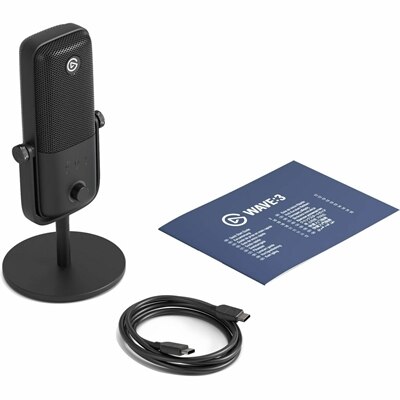
A premium USB condenser microphone delivering studio-quality audio with onboard DSP, Clipguard, real-time monitoring, and tap-to-mute.
$169.99
$179.99

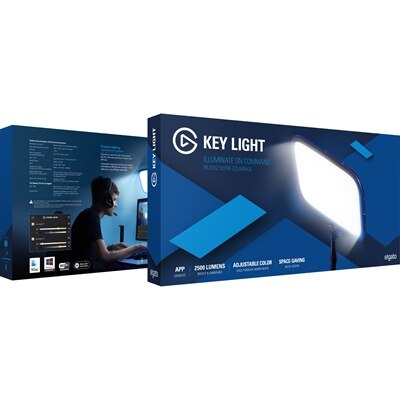
A solid-metal studio light delivering dimmable 2500-lumen illumination, 2900–7000K color control, opal-glass diffusion, and Wi-Fi control.

$179.99
$79.99

A comfortable, adjustable wired gaming headset featuring Hi-Res certified drivers and Dolby Atmos spatial audio support.

$79.99
$369.99

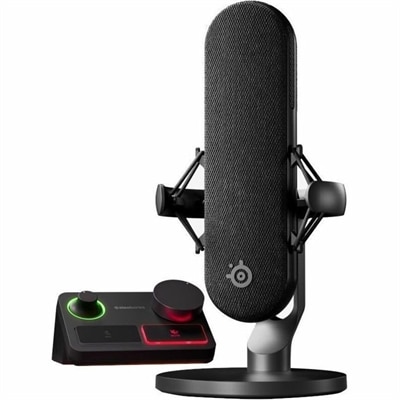
A wired condenser microphone with noise cancellation, XLR stream mixer, USB-C connectivity, and customizable controls.

$369.99
$649.99

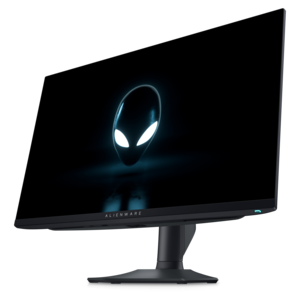
A QHD QD-OLED gaming monitor delivering 360Hz refresh rates and VESA DisplayHDR True Black 400 visuals.

$649.99
$129.99

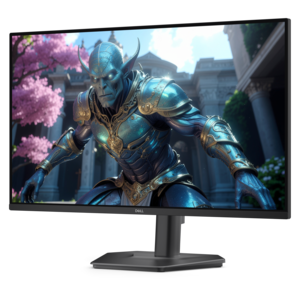
A fast IPS monitor with FHD resolution, 240Hz refresh rate, adjustable stand, and certified eye comfort.

$129.99
$99.99

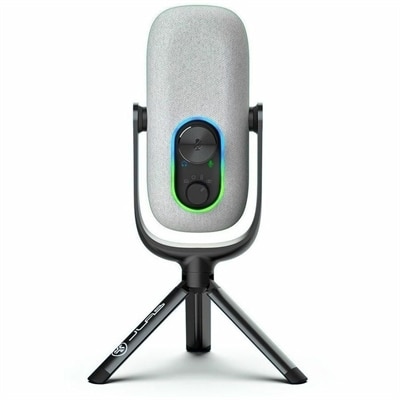
A white condenser microphone offering 192kHz/24-bit recording, four directional patterns, gain controls, and plug-and-play USB connectivity.

$99.99
$149.99

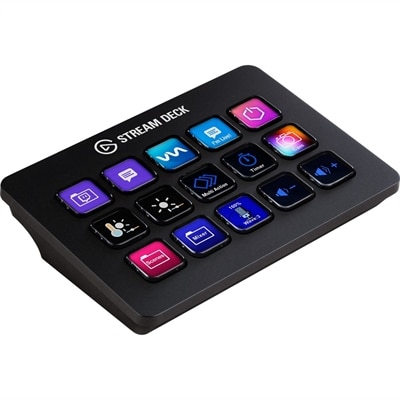
A customizable control pad with 15 LCD keys, programmable actions, and removable black or white faceplates.

$149.99
$89.99

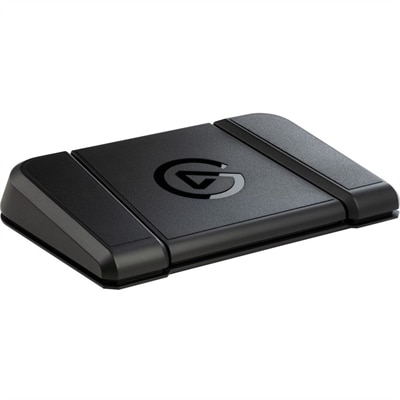
A sturdy, customizable foot pedal providing hands-free control for streaming apps and tools.

$89.99

Gaming Live Streaming

Gaming live streaming is the real-time broadcast of video game play to an online audience, typically combining game footage with microphone audio and an optional camera view of the player. Unlike a prerecorded highlight reel, a live broadcast lets viewers follow a match, react in chat, and share the unexpected moments as they unfold. Watching generally requires a compatible device and access to a streaming platform; broadcasting adds the demands of capturing, processing, and transmitting gameplay. Gaming live streaming equipment supports that creative process, from a laptop used for occasional evening broadcasts to a desktop setup built around regular competitive sessions. The computer handles more than the game itself: streaming software, voice chat, camera input, and other background applications can all draw on its resources. Processor capability, graphics performance, memory, and cooling therefore matter together rather than as isolated specifications. A supported hardware video encoder can shift some encoding work away from the processor, although results depend on the game, software, and broadcast settings. Laptops suit players who move between spaces or need one computer for gaming and everyday tasks, while desktops often offer more room for component upgrades and expanded connections. Display choices shape the experience at the desk, too. A high-refresh-rate monitor can make supported gameplay feel more responsive, but its refresh rate does not determine the frame rate viewers receive. A second display provides a separate place for chat, recording controls, and stream status without covering the action. Resolution, text clarity, screen size, and stand adjustability all affect how comfortably that information fits within view. For someone playing a fast-paced match while keeping an eye on audience messages, a balanced layout can be more useful than the largest screen. The intended game, available desk space, and whether the setup stays put or travels help define a practical combination of computing power, displays, and accessories.

Audio and video accessories give gaming live streaming its personal presence, whether the broadcast centers on quiet strategy commentary or energetic team play. A microphone’s pickup pattern and placement influence how clearly speech stands apart from keyboard taps, controller clicks, and room noise. A directional microphone positioned close to the speaker can help emphasize the voice, though it cannot eliminate every background sound. USB microphones offer a direct connection to compatible computers, while other microphone types may require an audio interface and additional cables. Headsets combine listening and voice communication in one wearable accessory, making them useful where desk space is limited or equipment needs to pack away after each session. Fit deserves attention during longer broadcasts: adjustable headbands, earcup dimensions, cushioning, and weight distribution all influence comfort. Closed-back headphones can help limit sound escaping toward the microphone, while accessible volume and mute controls make quick adjustments less disruptive. Camera choices involve similar practical trade-offs. Resolution affects detail, but lighting, autofocus behavior, field of view, and camera placement also shape the image viewers see. A wider view may include a full desk arrangement, while a tighter frame keeps attention on the player. Soft, diffused lighting can make facial expressions easier to see without leaving a bright light directly in the line of sight. Adjustable mounts are especially useful when a monitor sits higher than the preferred camera angle or when the desk has little spare surface area. For console gameplay or certain two-computer arrangements, a compatible capture device brings an external video signal into the broadcasting computer. Supported input formats, capture resolution, frame rate, and passthrough capabilities need to match the intended setup; these specifications are not always identical. Connection requirements matter across the whole workspace, since cameras, microphones, lighting controls, and other accessories may compete for ports. Cable length, connector type, mounting clearance, and compatibility with the chosen operating system and streaming software help determine whether the equipment works together smoothly.

The physical workspace matters just as much as the picture on screen, particularly when a short gaming session turns into several hours of conversation and play. Seating options such as Gaming Chairs For Streamers bring attention to fit, support, and adjustability rather than appearance alone. Seat height, seat depth, backrest shape, and armrest position affect how a chair works with the person using it and the desk around it. A chair that fits beneath the desktop can allow a closer seating position, while adjustable armrests may help accommodate different keyboard, mouse, or controller positions. Upholstery changes the feel and care requirements: mesh allows airflow, woven fabric has a textured surface, and coated upholstery may be easier to wipe clean when maintained according to its care instructions. Frame construction, adjustment mechanisms, caster suitability, and stated weight capacity are useful durability considerations. The same attention extends to accessories that are handled every day. Stable microphone arms, secure camera mounts, reinforced cable connections, and replaceable headset cushions can support regular use, provided replacement parts are compatible. A clear area for mouse movement and neatly routed cables leave more room for quick reactions without snagging a sleeve or pulling an accessory toward the desk edge. Routine care is usually straightforward but material-specific: screens need appropriate cleaning methods, ear cushions benefit from regular attention, and ventilation openings should remain unobstructed. Liquid cleaners should be used only as directed, away from exposed electrical connections. For a college gamer sharing a small room, compact mounts and easy-to-store accessories may matter most; for a frequent broadcaster, comfortable seating and accessible controls may take priority. Gaming live streaming accessories can also make thoughtful birthday or graduation gifts when the recipient’s existing setup, preferred activities, and connection requirements are known. The most useful equipment fits both the broadcast and the everyday space behind it, supporting clear communication, comfortable interaction, and a setup that feels manageable from the first match through the final sign-off.

FAQs:

Add the products you would like to compare, and quickly determine which is best for your needs.

Add the products you would like to compare, and quickly determine which is best for your needs.